

A Copilot+ PC is a Windows laptop with a qualifying NPU (40+ TOPS) that unlocks on-device AI features like Recall, live captions, and Cocreator, built on Snapdragon X, AMD Ryzen AI, or Intel Core Ultra chips. The best pick depends on whether you want all-day battery, full app compatibility, creative power, or even gaming.
Below we rank eight of the best Copilot+ PCs for every need, led by the versatile Lenovo Yoga 7 and the long-battery HP OmniBook 5. For wider options see our budget gaming laptop guide and the laptops hub, and pair your setup from the peripherals hub.
Top 3 Best Copilot+ PCs at a Glance

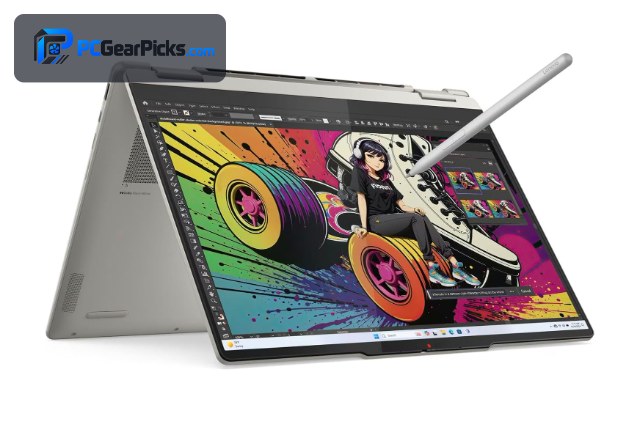
Lenovo Yoga 7 2-in-1 (Ryzen AI 5)
- Ryzen AI 5, 40+ TOPS NPU
- 14" OLED touch
- 16GB RAM, 2-in-1

HP OmniBook 5 16" (Snapdragon X)
- Snapdragon X, 45 TOPS NPU
- 16" 2K display
- All-day battery

Acer Aspire 14 AI (Core Ultra 5 226V)
- Core Ultra 5 226V
- 40+ TOPS NPU
- 14" Windows Copilot+
Best Copilot+ PCs in 2027
| Copilot+ PC | Best For | Rating | Price |
|---|---|---|---|
| Lenovo Yoga 7 2-in-1 (Ryzen AI 5) | Best Overall | 4.5★ | Check Price |
| HP OmniBook 5 16" (Snapdragon X) | Best Battery Life | 4.4★ | Check Price |
| Acer Aspire 14 AI (Core Ultra 5 226V) | Best Budget | 4.4★ | Check Price |
| Lenovo Yoga 7i (Core Ultra 7) | Best for Programming | — | Check Price |
| HP OmniBook X Flip (Ryzen AI) | Best for Streaming | 5★ | Check Price |
| Acer Aspire 16 AI Creator (Core Ultra 9) | Best for Video Editing | — | Check Price |
| ASUS TUF Gaming A14 (Copilot+, Ryzen AI) | Best for Gaming | — | Check Price |
| ASUS Vivobook Flip 14 AI (OLED) | Best OLED 2-in-1 | — | Check Price |
1. Lenovo Yoga 7 2-in-1 (Ryzen AI 5) – Best Overall
- ✓ Full x86 app compatibility
- ✓ Gorgeous 14" OLED touchscreen
- ✓ Versatile 2-in-1 convertible design
- ✗ Battery trails ARM rivals
- ✗ Mid-tier gaming performance
The Lenovo Yoga 7 2-in-1 with Ryzen AI 5 is the best all-round Copilot+ PC, pairing a qualifying 40+ TOPS NPU for Windows AI features with a stunning 14″ OLED touchscreen and flexible 2-in-1 design for around $940. As an x86 machine, it runs all your existing Windows apps without the compatibility caveats of ARM.
Its battery life trails ARM-based Snapdragon rivals and it’s only a mid-tier gamer, but for a versatile, compatible Copilot+ PC with a beautiful screen, it’s our top pick.
Best for: Most users wanting a versatile, compatible Copilot+ PC
May not fit: Those wanting the longest battery or serious gaming
2. HP OmniBook 5 16" (Snapdragon X) – Best Battery Life
- ✓ Exceptional multi-day battery life
- ✓ Fast, efficient Snapdragon X NPU
- ✓ Large 16" 2K display
- ✗ ARM app-compatibility caveats
- ✗ Not for demanding gaming
The HP OmniBook 5 with Snapdragon X is the best Copilot+ PC for battery life, using an efficient ARM-based chip with a 45 TOPS NPU to deliver all-day (often multi-day) runtime on a large 16″ 2K display for around $790. It’s ideal for mobile work and students.
As an ARM machine, a few older or niche x86 apps may need emulation or lack support, and it’s not a gaming laptop, but for unbeatable battery and AI features at a great price, it’s excellent.
Best for: Mobile workers and students wanting all-day battery
May not fit: Gamers or users of niche legacy x86 software
3. Acer Aspire 14 AI (Core Ultra 5 226V) – Best Budget
- ✓ Lowest-priced Copilot+ PC here
- ✓ Full x86 compatibility
- ✓ Qualifying NPU for AI features
- ✗ Entry-level performance
- ✗ Basic display and build
The Acer Aspire 14 AI is the best budget Copilot+ PC, bringing a qualifying Core Ultra 5 226V (Lunar Lake) NPU and full x86 compatibility to the lowest price on our list at around $600. It’s the cheapest way into genuine Copilot+ AI features.
Performance is entry-level and the display and build are basic, but for an affordable, fully-compatible Copilot+ PC for everyday tasks, it’s great value.
Best for: Budget buyers wanting Copilot+ features cheaply
May not fit: Power users, creators, or gamers
4. Lenovo Yoga 7i (Core Ultra 7) – Best for Programming

- ✓ Strong Core Ultra 7 productivity
- ✓ Full x86 developer-tool support
- ✓ Large 16" touchscreen
- ✗ Heavier 16" chassis
- ✗ Battery behind ARM rivals
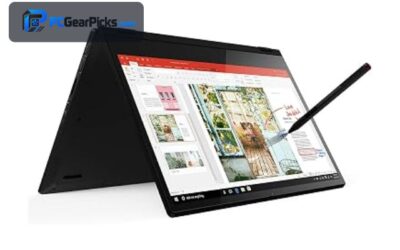
The Lenovo Yoga 7i with Core Ultra 7 is the best Copilot+ PC for programming, offering strong multi-threaded productivity, full x86 support for developer tools, and a large 16″ touchscreen for around $999. For coding, compiling, and multitasking, its CPU power and compatibility matter most.
The 16″ chassis is heavier and battery trails ARM machines, but for developers who need raw x86 performance and tool compatibility in a Copilot+ PC, it’s an excellent choice.
Best for: Developers wanting x86 power and compatibility
May not fit: Those prioritizing portability or battery
5. HP OmniBook X Flip (Ryzen AI) – Best for Streaming

- ✓ Beautiful 2K OLED touchscreen
- ✓ Flexible flip design for presenting
- ✓ Capable Ryzen AI performance
- ✗ OLED impacts battery
- ✗ Premium-ish pricing
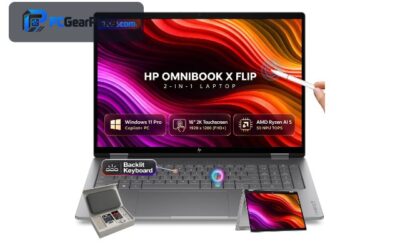
The HP OmniBook X Flip with Ryzen AI is the best Copilot+ PC for streaming and content, with a vibrant 16″ 2K OLED touchscreen and a flexible flip design that’s great for presenting, webcam framing, and creative work for around $1,000. Its OLED panel makes content look superb on camera and off.
The OLED display trims battery life and it’s priced at the higher end of the mainstream range, but for streamers and creators wanting a gorgeous, flexible Copilot+ PC, it’s a strong pick.
Best for: Streamers and creators wanting an OLED 2-in-1
May not fit: Battery-focused or budget buyers
6. Acer Aspire 16 AI Creator (Core Ultra 9) – Best for Video Editing

- ✓ Powerful Core Ultra 9 for creation
- ✓ Large 16" creator-focused display
- ✓ NPU accelerates AI editing tools
- ✗ Newer listing, few reviews
- ✗ Integrated graphics limit heavy 3D
The Acer Aspire 16 AI Creator with Core Ultra 9 288V is the best Copilot+ PC for video editing, pairing the most powerful CPU on our list with a large 16″ creator display and an NPU that accelerates AI-powered editing features for around $1,400. For timelines, exports, and creative apps, its CPU muscle leads the pack.
It’s a newer listing with few reviews and its integrated graphics limit heavy 3D rendering, but for CPU-driven video editing in a Copilot+ PC, it’s the strongest choice here.
Best for: Video editors wanting top CPU power
May not fit: Heavy 3D or GPU-bound workloads
7. ASUS TUF Gaming A14 (Copilot+, Ryzen AI) – Best for Gaming

- ✓ Dedicated GPU for real gaming
- ✓ Qualifying Copilot+ NPU
- ✓ Durable TUF Gaming build
- ✗ Priciest here under the cap
- ✗ Shorter battery under load
The ASUS TUF Gaming A14 is the best Copilot+ PC for gaming, uniquely combining a Ryzen AI processor with a qualifying NPU and a dedicated GPU that actually plays modern games, in a durable 14″ TUF Gaming chassis for around $1,768. It’s the only pick here built for real gaming as well as AI features.
It’s the most expensive option under the typical price caps and battery drops under gaming load, but for gamers who also want Copilot+ AI capabilities, it’s the standout.
Best for: Gamers wanting a Copilot+ PC with a real GPU
May not fit: Those wanting long battery or low cost
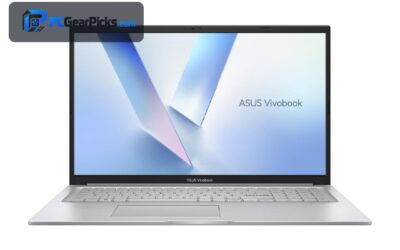
8. ASUS Vivobook Flip 14 AI (OLED) – Best OLED 2-in-1

- ✓ Compact 14" OLED touchscreen
- ✓ Flexible 2-in-1 convertible
- ✓ Full x86 compatibility
- ✗ Newer listing, few reviews
- ✗ Integrated graphics only
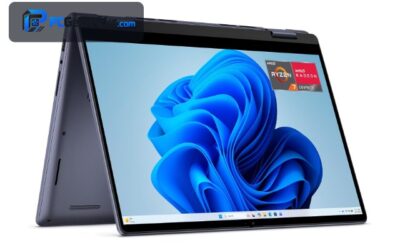
The ASUS Vivobook Flip 14 AI is the best compact OLED 2-in-1 Copilot+ PC, pairing a qualifying NPU with a vibrant 14″ WUXGA OLED touchscreen and flexible flip design for around $1,029. It’s a portable, stylish option for note-taking, media, and everyday AI features.
It’s a newer listing with few reviews and uses integrated graphics only, but for a compact, good-looking OLED convertible Copilot+ PC, it’s a lovely choice.
Best for: Those wanting a compact OLED convertible
May not fit: Gamers or users needing a track record
How to Choose a Copilot+ PC
What makes a PC "Copilot+"
A Copilot+ PC needs a qualifying NPU rated at 40+ TOPS to run Windows’ on-device AI features. All the laptops here meet that bar via Snapdragon X, Ryzen AI, or Core Ultra (Series 2/Lunar Lake) chips — older Core Ultra Series 1 and standard CPUs do not qualify, so check the chip carefully.
ARM (Snapdragon) vs x86 (Ryzen AI / Core Ultra)
Snapdragon X laptops like the HP OmniBook 5 offer incredible battery life but run on ARM, so a few older or niche apps may need emulation. x86 chips like Ryzen AI and Core Ultra, as in the Lenovo Yoga models, guarantee full app compatibility at the cost of some battery. Choose based on your software needs.
Match the laptop to your use
For programming, prioritise CPU power and x86 compatibility like the Core Ultra 7 Yoga 7i; for video editing, the Core Ultra 9 Acer Creator leads; for gaming, only the TUF Gaming A14 has a real GPU; and for battery, the Snapdragon OmniBook wins. Buy for what you actually do.
Display and form factor
OLED touchscreens like those on the HP OmniBook X Flip and ASUS Vivobook Flip look stunning and suit creators, while 2-in-1 convertibles add flexibility for note-taking and presenting. Decide whether screen quality, portability, or a traditional clamshell matters most.
Price and value
Copilot+ PCs start around $600 with the Acer Aspire 14 and climb past $1,700 for the gaming TUF A14. Most users get the best value in the $800–$1,000 range, where the Yoga 7, OmniBook 5, and OmniBook X Flip deliver strong all-round Copilot+ experiences.
Frequently Asked Questions
What is the best Copilot+ PC in 2027?
The Lenovo Yoga 7 2-in-1 with Ryzen AI is our overall pick, combining a qualifying 40+ TOPS NPU with full x86 compatibility, a gorgeous OLED touchscreen, and a versatile 2-in-1 design. For the longest battery, the Snapdragon X-powered HP OmniBook 5 is the best choice.
What exactly is a Copilot+ PC?
A Copilot+ PC is a Windows laptop with a qualifying NPU rated at 40+ TOPS, enabling on-device AI features like Recall, live captions, and Cocreator. They use Snapdragon X, AMD Ryzen AI, or Intel Core Ultra (Series 2) chips — standard laptops without a 40+ TOPS NPU don’t qualify.
Are Snapdragon or Intel/AMD Copilot+ PCs better?
Snapdragon X (ARM) laptops like the HP OmniBook 5 offer outstanding battery life but may need emulation for a few older apps, while Intel Core Ultra and AMD Ryzen AI (x86) laptops guarantee full app compatibility with somewhat shorter battery. Choose ARM for battery, x86 for compatibility.
Can you game on a Copilot+ PC?
Most Copilot+ PCs use integrated graphics and only handle light or older games, but the ASUS TUF Gaming A14 pairs a Ryzen AI NPU with a dedicated GPU for real gaming. If gaming matters, choose a model with a dedicated GPU rather than relying on integrated graphics.
Is a Copilot+ PC worth it in 2027?
If you want the latest Windows on-device AI features and a modern, efficient laptop, yes — Copilot+ PCs offer great battery (especially Snapdragon) and future-ready NPUs. If you don’t care about AI features and want maximum gaming power, a traditional gaming laptop may suit you better.
Final Verdict
For a Copilot+ PC in 2027, the Lenovo Yoga 7 2-in-1 is the best all-round pick thanks to its qualifying NPU, full x86 compatibility, and OLED screen, while the Snapdragon X HP OmniBook 5 wins on battery and the Acer Aspire 14 is the budget champion. For gaming, only the TUF Gaming A14 has a real GPU. For more options, see our budget gaming laptop guide and the laptops hub.
No reviews yet. Be the first to share your experience!