

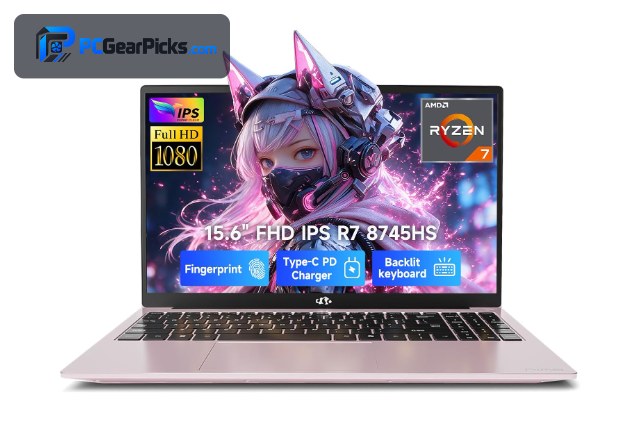
Video editing is demanding, and it leans on four things: a strong multi-core CPU for exports, plenty of RAM (16GB minimum, 32GB ideal) for big timelines, GPU acceleration for playback and effects, and a fast, spacious SSD for footage. A decent FHD or higher display helps you judge your work, and color accuracy matters for grading.
On a budget you balance these — some laptops lead on cores, others on RAM or GPU — so match the pick to your footage. Below we rank seven laptops for editing by the specs that actually speed up your workflow. For the broadcast side, see our streaming laptop guide, and the laptops hub for more.
Top 3 Best Editing Laptops at a Glance
Best Budget Laptops for Video Editing in 2027
| Laptop | Best For | Key Spec | Rating | Price |
|---|---|---|---|---|
| NIMO AI-Creator Laptop (R7) | Best Overall for Editing | AMD Ryzen 7 8745HS (8-core) | 5★ (24) | Check Price |
| i7 Workstation (32GB / 1TB) | Best RAM for the Money | Intel Core i7-10850H | 4.5★ (7) | Check Price |
| Lenovo LOQ (i7 + RTX) | Best GPU Acceleration | Intel Core i7 | 4.3★ (121) | Check Price |
| Dell Precision 5570 Workstation | Best Workstation | Mobile workstation class | 4.4★ (9) | Check Price |
| Acer Nitro V (i5 + RTX) | Best Value with GPU | Intel Core i5-13420H | 4.5★ (427) | Check Price |
| Alienware 16 Aurora (RTX 5050) | Best Newest GPU | Intel Core 7 | 4.1★ | Check Price |
| Apple MacBook Air (M5) | Best for Mac Editors | Apple M5 chip | 4.7★ (1265) | Check Price |
1. NIMO AI-Creator Laptop (R7) – Best Overall for Editing

- ✓ Eight CPU cores speed up exports
- ✓ Creator-focused design
- ✓ Outstanding owner rating
- ✗ Integrated graphics
- ✗ Lesser-known brand
The NIMO AI-Creator is purpose-built for budget editing, and its eight-core Ryzen 7 8745HS is the reason: more cores mean faster exports and smoother timeline playback in Premiere, DaVinci Resolve, and CapCut. It’s tuned for creators and rated highly by owners.
It leans on integrated graphics rather than a discrete GPU, so the heaviest effects and 4K grades will be slower, but for 1080p and light 4K editing at around $950, the core count makes it the budget value leader.
Best for: 1080p editors who want strong multi-core exports cheaply
May not fit: Heavy 4K or effects-laden projects needing a strong GPU
2. i7 Workstation (32GB / 1TB) – Best RAM for the Money

- ✓ 32GB RAM handles big timelines
- ✓ 1TB SSD for large footage
- ✓ Quadro GPU for creative apps
- ✗ Older CPU generation
- ✗ Renewed/used condition varies
Video editing loves RAM, and this i7 workstation delivers a huge 32GB plus a 1TB SSD and a professional Quadro GPU — a spec sheet aimed squarely at editors — for around $1,000. Big multi-track timelines and large media libraries feel far more comfortable here.
The CPU is an older generation and it’s often sold renewed, so check the listing, but for sheer memory and storage per dollar to tame demanding projects, it’s hard to beat at this price.
Best for: Editors who need lots of RAM and storage affordably
May not fit: Those wanting the latest CPU or guaranteed-new condition
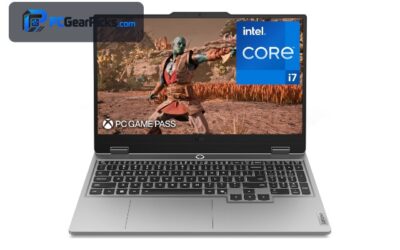
3. Lenovo LOQ (i7 + RTX) – Best GPU Acceleration

- ✓ RTX GPU accelerates exports and effects
- ✓ Fast i7 for timeline work
- ✓ NVENC speeds encoding
- ✗ Heavier chassis
- ✗ Modest battery under load
The Lenovo LOQ pairs a Core i7 with a discrete NVIDIA RTX GPU, which accelerates exports, effects, and playback in editors that use CUDA — and its NVENC encoder speeds up rendering. For editors who want GPU muscle, it’s the pick.
It’s heavier and its battery is modest under load, but for faster renders and smoother effects work on a budget around $1,300, the discrete GPU makes a real difference.
Best for: Editors who want GPU-accelerated exports and effects
May not fit: Those prioritising portability or battery life
4. Dell Precision 5570 Workstation – Best Workstation

- ✓ Workstation-grade build and reliability
- ✓ Color-capable display
- ✓ Professional components
- ✗ Renewed condition
- ✗ Older generation
The Dell Precision 5570 is a mobile workstation designed for professional creative work, with a quality build and a capable display for judging color while editing. It’s aimed at editors who want reliability and pro-grade components.
It’s typically sold renewed and is an older generation, so verify the configuration, but for a durable, professional editing machine at a budget price around $990, it’s a strong option.
Best for: Editors wanting a professional workstation on a budget
May not fit: Buyers who need the latest hardware or a warranty
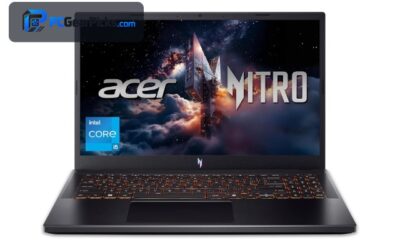
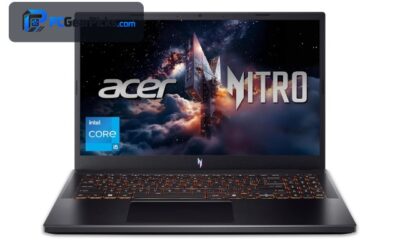
5. Acer Nitro V (i5 + RTX) – Best Value with GPU

- ✓ Discrete RTX accelerates editing
- ✓ NVENC speeds exports
- ✓ Great value around $970
- ✗ 8GB/16GB base RAM varies
- ✗ Plastic build
The Acer Nitro V brings a discrete RTX GPU to editing at a lower price, accelerating timeline playback and exports and adding NVENC for faster encoding. It’s a gaming laptop that doubles very well as a budget editing machine.
Check the RAM on your configuration — add more if it ships with less than 16GB — and accept the plastic build, but for GPU-accelerated editing around $970, it’s excellent value.
Best for: 1080p/1440p editors wanting GPU acceleration cheaply
May not fit: Those needing 32GB RAM out of the box
6. Alienware 16 Aurora (RTX 5050) – Best Newest GPU

- ✓ Latest RTX 5050 accelerates modern editors
- ✓ Large 16″ screen for timelines
- ✓ Strong cooling
- ✗ Priciest here
- ✗ Runs warm under load
The Alienware 16 Aurora offers the newest RTX 5050 graphics, which accelerates exports and effects in modern editing apps, plus a roomy 16″ screen that gives your timeline and previews more space.
At around $1,300 it’s the premium pick and runs warm, but for editors who want the latest GPU acceleration and a big display, it’s a future-ready choice.
Best for: Editors wanting the newest GPU and a large screen
May not fit: Budget-focused buyers
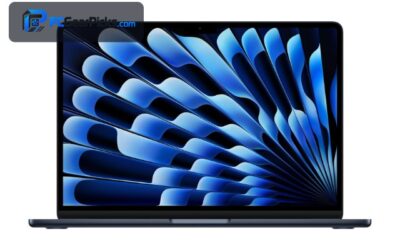
7. Apple MacBook Air (M5) – Best for Mac Editors

- ✓ M5 handles 1080p and light 4K smoothly
- ✓ Silent, cool, all-day battery
- ✓ Great with Final Cut and Premiere
- ✗ Base RAM limits heavy 4K
- ✗ Smaller 13″ screen
For editors in the Apple ecosystem, the MacBook Air M5 punches above its weight. The efficient M5 chip handles 1080p and light 4K editing smoothly and silently, and it pairs beautifully with Final Cut Pro and Premiere while lasting all day on battery.
The base memory limits heavy 4K and effects work — configure more RAM if you can — and the 13″ screen is small for timelines, but for portable, quiet editing it’s a superb option around $1,149.
Best for: Mac editors who value portability and battery
May not fit: Heavy 4K projects or those wanting a large screen
How to Choose a Budget Laptop for Video Editing
CPU cores and RAM drive editing
More CPU cores mean faster exports — the eight-core NIMO AI-Creator shines here — while RAM keeps big timelines smooth. 16GB is the minimum for editing; 32GB (as in the i7 workstation) is far more comfortable for 4K and multi-track projects.
GPU acceleration speeds effects
A discrete GPU accelerates playback, effects, and exports in editors that use it. The Lenovo LOQ, Acer Nitro V, and Alienware all have NVIDIA RTX graphics with NVENC for faster encoding — a real benefit for effects-heavy or 4K work.
Storage for large footage
Video files are huge, so a fast, roomy SSD matters. A 1TB SSD (as on the 32GB workstation) saves you constantly offloading footage, and SSD speed keeps scrubbing and importing responsive. External drives help, but internal space is more convenient.
Display and color
A sharp FHD or higher screen helps you judge detail, and color accuracy matters for grading. The workstation and MacBook options have stronger displays; if color is critical, consider calibrating your screen or using an external monitor.
Mac vs Windows for editing
The MacBook Air M5 is efficient, quiet, and excellent with Final Cut and Premiere, with great battery life. Windows laptops offer more RAM and discrete GPUs per dollar and broader software support. Pick based on your editing apps and ecosystem.
Frequently Asked Questions
What is the best budget laptop for video editing in 2027?
The NIMO AI-Creator with an eight-core Ryzen 7 is our overall pick for fast exports around $950. The i7 workstation with 32GB RAM is the best value for big timelines, and the Lenovo LOQ is best for GPU-accelerated effects work.
How much RAM do I need for video editing?
16GB is the practical minimum; 32GB is ideal for 4K footage, multi-track timelines, and effects. Running out of RAM causes stutter and slow renders, so the 32GB workstation here is a standout for demanding projects on a budget.
Do I need a discrete GPU for editing?
It helps a lot. A discrete NVIDIA RTX GPU (on the Lenovo LOQ, Acer Nitro V, and Alienware) accelerates playback, effects, and exports and adds NVENC for faster encoding. For heavy 4K and effects work, a GPU makes a clear difference.
Is a MacBook good for video editing?
Yes — the MacBook Air M5 edits 1080p and light 4K smoothly and quietly, with great battery life and excellent Final Cut and Premiere support. Configure more RAM if you can, since the base memory limits heavy 4K and effects work.
Can I edit 4K video on a budget laptop?
Light 4K editing, yes — especially with plenty of RAM and a discrete GPU, as on the 32GB workstation or the Lenovo LOQ. Heavy 4K with lots of effects will be slower on budget hardware, so use proxies and expect longer exports.
Final Verdict
For budget video editing, prioritise CPU cores and RAM, then GPU acceleration. The NIMO AI-Creator’s eight cores make it the best all-rounder, the 32GB i7 workstation is unbeatable for memory-hungry timelines, and the Lenovo LOQ leads on GPU-accelerated effects. Aim for at least 16GB of RAM — 32GB if your projects are demanding — and a fast, roomy SSD. For streaming your work, see our streaming laptop guide.
No reviews yet. Be the first to share your experience!