

The right streaming laptop depends on what you stream. For game streaming, the key is a GPU with a hardware encoder (NVIDIA’s NVENC), which handles the broadcast so your CPU stays free to run the game. For IRL, podcast, or just-chatting streams, a strong multi-core CPU, a good webcam, and reliable Wi-Fi matter more than a gaming GPU.
Either way, 16GB of RAM helps you juggle the game or scene, the stream, chat, and overlays at once. Below we rank seven laptops for streaming, split by whether you broadcast games or yourself. For related needs, see our gaming and video editing laptop guides, plus the laptops hub.
Top 3 Best Streaming Laptops at a Glance
Best Budget Laptops for Streaming in 2027
| Laptop | Best For | Key Spec | Rating | Price |
|---|---|---|---|---|
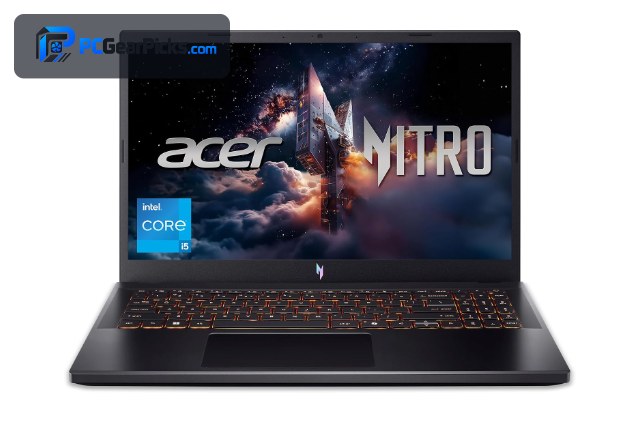
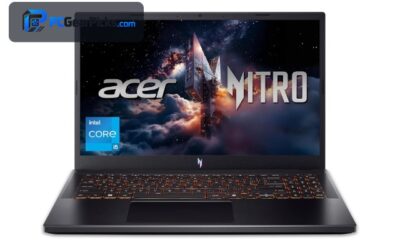
| Acer Nitro V Gaming Laptop (i5) | Best Overall for Streaming | Intel Core i5-13420H | 4.5★ (427) | Check Price |
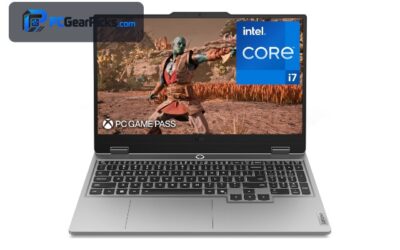
| Lenovo LOQ Gaming Laptop (i7) | Best Performance | Intel Core i7 | 4.3★ (121) | Check Price |
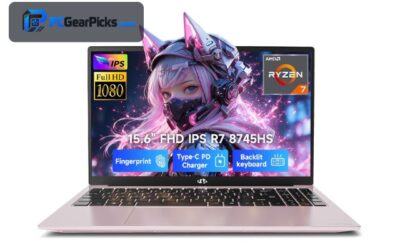
| NIMO AI-Creator Laptop (R7) | Best CPU Encoder | AMD Ryzen 7 8745HS (8-core) | 5★ (24) | Check Price |
| Alienware 16 Aurora (RTX 5050) | Best Newest Encoder | Intel Core 7 | 4.1★ | Check Price |
| Acer Nitro V Gaming Laptop (i7) | Best i7 Value | Intel Core i7-13620H | 4.6★ (380) | Check Price |
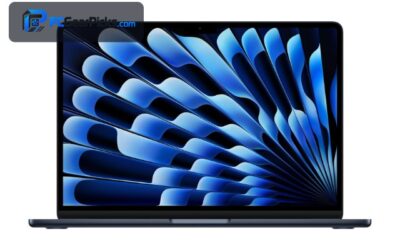
| Apple MacBook Neo 13 | Best for Just Chatting | Apple A18 Pro chip | 4.6★ (1536) | Check Price |
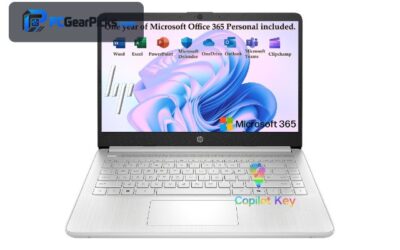
| Lenovo 15.6″ FHD Essential | Best Budget | Intel processor, 8GB DDR5 | 4.4★ (1313) | Check Price |
1. Acer Nitro V Gaming Laptop (i5) – Best Overall for Streaming

- ✓ NVENC offloads encoding from the CPU
- ✓ Plays and streams games at once
- ✓ Great value around $970
- ✗ Fan noise under load
- ✗ Modest battery while streaming
For streaming games, the Acer Nitro V is the budget standout because its NVIDIA RTX GPU includes NVENC — a hardware encoder that handles your stream so the CPU stays free to run the game. That combination of play-and-broadcast in one affordable machine is exactly what a budget streamer needs.
It’ll get warm and loud under the double load of gaming and encoding, and battery life is short while streaming, but plugged in at a desk it delivers smooth game-and-stream performance for the price.
Best for: Game streamers who want NVENC encoding on a budget
May not fit: Those who need silent operation or long battery
2. Lenovo LOQ Gaming Laptop (i7) – Best Performance

- ✓ i7 plus NVENC for demanding streams
- ✓ Headroom for higher game settings
- ✓ Solid cooling for sustained use
- ✗ Heavier chassis
- ✗ Pricier than entry options
The Lenovo LOQ pairs a Core i7 with an NVENC-capable RTX GPU, giving streamers more headroom to run demanding games at higher settings while broadcasting. It’s a well-cooled machine built to sustain that dual workload.
It’s heavier and costs more than entry gaming laptops, but for streamers who want reliable performance in heavier titles without stutter, it’s a strong value around $1,300.
Best for: Streamers playing demanding games at higher settings
May not fit: Budget-focused or highly portable setups
3. NIMO AI-Creator Laptop (R7) – Best CPU Encoder

- ✓ Eight CPU cores for strong x264 encoding
- ✓ Great for IRL and webcam streams
- ✓ Excellent rating
- ✗ Integrated graphics (no NVENC)
- ✗ Lesser-known brand
The NIMO AI-Creator’s eight-core Ryzen 7 makes it a strong choice for streamers who encode on the CPU (x264) or stream IRL and talking-head content, where raw multi-core power matters more than a gaming GPU.
It relies on integrated graphics, so it lacks NVENC for game streaming, but for podcast-style, webcam, and just-chatting streams — or CPU encoding — those eight cores deliver excellent value around $950.
Best for: IRL and webcam streamers, or CPU-encode setups
May not fit: Game streamers who want hardware NVENC encoding
4. Alienware 16 Aurora (RTX 5050) – Best Newest Encoder

- ✓ Latest RTX 5050 with modern NVENC
- ✓ Strong cooling for game-and-stream
- ✓ Large 16″ screen
- ✗ Priciest here
- ✗ Runs warm under load
The Alienware 16 Aurora brings the newest RTX 5050 and its modern NVENC encoder, making it a future-ready pick for game streamers who want the latest hardware encoding quality. Alienware’s cooling helps sustain the dual load.
At around $1,300 it’s the premium option and runs warm, but for streamers who want the newest GPU encoder and a recognised gaming brand, it’s a compelling choice.
Best for: Game streamers wanting the newest NVENC hardware
May not fit: Budget-focused buyers
5. Acer Nitro V Gaming Laptop (i7) – Best i7 Value

- ✓ i7 power plus NVENC
- ✓ Proven Nitro cooling
- ✓ Excellent owner ratings
- ✗ Plastic build
- ✗ Average battery under load
The Core i7 Acer Nitro V adds CPU muscle to the same NVENC-capable RTX formula, giving streamers extra headroom for multitasking — running the game, the stream, chat, and overlays — without slowdown.
It’s plastic-bodied with modest gaming battery life, but with strong cooling and hundreds of positive ratings, it’s a dependable, affordable game-and-stream machine.
Best for: Streamers wanting i7 multitasking plus NVENC
May not fit: Those seeking a premium build or long battery
6. Apple MacBook Neo 13 – Best for Just Chatting

- ✓ Efficient, quiet, and portable
- ✓ Good webcam and microphones
- ✓ All-day battery for IRL streams
- ✗ Not for game streaming
- ✗ Smaller screen
For talking-head, podcast, and IRL streams, the MacBook Neo 13 is a tidy, efficient choice. Apple’s hardware handles webcam and voice streaming smoothly and quietly, and the long battery suits streaming on the move.
It’s not a game-streaming machine — there’s no NVENC or discrete GPU — but for creators who stream themselves rather than games, its portability and quiet efficiency are a real advantage.
Best for: Just-chatting and IRL streamers who value portability
May not fit: Game streamers needing a discrete GPU
7. Lenovo 15.6″ FHD Essential – Best Budget

- ✓ Affordable entry for simple streams
- ✓ 8GB DDR5 for basic multitasking
- ✓ FHD webcam-call quality
- ✗ Integrated graphics
- ✗ Limited for game streaming
For beginners starting simple webcam or just-chatting streams on a tight budget, the Lenovo Essential around $430 covers the basics — 8GB of DDR5 and enough performance for a straightforward broadcast with overlays.
It can’t game-stream and heavy scenes will tax it, but as a cheap entry point for learning to stream talking-head content, it does the job before you upgrade.
Best for: Beginners starting simple streams cheaply
May not fit: Game streamers or heavy multi-scene broadcasts
How to Choose a Budget Laptop for Streaming
NVENC vs CPU encoding
NVIDIA’s NVENC hardware encoder (on the RTX laptops here) offloads your stream from the CPU, which is ideal for game streaming. CPU (x264) encoding can look great but taxes the processor — better suited to IRL streams on a strong multi-core chip like the NIMO’s eight-core Ryzen 7.
Game streaming vs IRL streaming
If you broadcast games, prioritise an NVENC-capable RTX laptop like the Acer Nitro V or Lenovo LOQ. If you stream yourself — talking, podcasting, or out and about — a strong CPU, good webcam, and battery (the MacBook Neo) matter more.
RAM for multitasking
Streaming means running several things at once: the game or scene, OBS or your streaming app, a browser, and chat. 16GB of RAM keeps that smooth; 8GB works for simple talking-head streams but can struggle with heavier setups.
Webcam, mic, and connectivity
For IRL and just-chatting content, the built-in webcam and microphones matter — Apple’s are a strong point. Reliable Wi-Fi (or Ethernet) is essential for a stable upload; a dropped connection ends a stream faster than any spec.
Heat, noise, and power
Game-and-stream is a heavy dual load, so gaming laptops run warm and loud and drain quickly off the charger. Plan to stream plugged in at a desk, and ensure good ventilation to avoid thermal throttling mid-broadcast.
Frequently Asked Questions
What is the best budget laptop for streaming in 2027?
The Acer Nitro V (i5) is our overall pick for game streaming thanks to its NVENC-capable RTX GPU around $970. For IRL and webcam streaming, the eight-core NIMO AI-Creator is excellent value, and the MacBook Neo is great for just-chatting content.
Do I need a gaming laptop to stream?
Only if you stream games — then an NVENC-capable RTX laptop like the Acer Nitro V lets you play and broadcast at once. For IRL, podcast, or talking-head streams, a strong CPU and good webcam (as on the NIMO or MacBook Neo) matter more than a gaming GPU.
What is NVENC and why does it matter?
NVENC is NVIDIA’s hardware video encoder, built into RTX GPUs. It handles your stream’s encoding so your CPU stays free to run the game, giving smoother gameplay and broadcast quality. It’s the key feature for budget game streaming.
How much RAM do I need to stream?
16GB is ideal because streaming runs the game or scene, your broadcast software, a browser, and chat simultaneously. 8GB works for simple webcam or just-chatting streams but can struggle once you add overlays and multiple scenes.
Can I stream on a cheap laptop?
Yes, for simple talking-head or webcam streams — the Lenovo Essential around $430 handles the basics. For game streaming or multi-scene broadcasts, you’ll want an NVENC-capable RTX laptop or a strong multi-core CPU.
Final Verdict
For streaming, match the laptop to your content. The Acer Nitro V (i5) is the best all-rounder for game streaming with NVENC, the NIMO AI-Creator’s eight cores are ideal for IRL and CPU encoding, and the MacBook Neo suits just-chatting creators. Aim for 16GB of RAM and plan to stream plugged in. For the editing side of content, see our video editing laptop guide.
No reviews yet. Be the first to share your experience!