

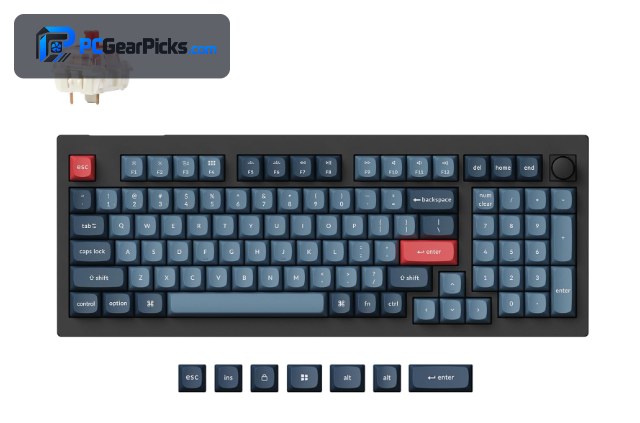
A “custom” keyboard isn’t one thing — it spans ready-to-type boards you can deeply tweak and barebones kits you finish with your own parts. What unites them is choice: hot-swap sockets to change switches without soldering, gasket mounts for a softer feel, and programmable firmware like QMK/VIA to remap keys and build macros.
The good news in 2027 is that these features, once the preserve of expensive enthusiast boards, now appear on sub-$70 keyboards. Below we rank nine custom keyboards from budget to premium, covering ready-made boards and barebones kits. For use-case-specific picks, see our office and competitive gaming guides, plus the peripherals hub.
Top 3 Best Custom Keyboards at a Glance
Best Custom Keyboards in 2027
| Keyboard | Best For | Key Spec | Rating | Price |
|---|---|---|---|---|
| Keychron V5 Max | Best Overall Custom | 96% layout, gasket-mounted | 4.6★ (58) | Check Price |
| AULA F75 Pro | Best Value | 75% layout, gasket mount | 4.6★ (1844) | Check Price |
| Keychron K4 Ultra | Best Premium | 96% wireless custom | 5★ (12) | Check Price |
| BOYI GMK67 Barebones Kit | Best Barebones Kit | 65% barebones, VIA | 4.5★ (117) | Check Price |
| Ajazz AK820 | Best Budget Hot-Swap | 75% / TKL hot-swap | 4.7★ (583) | Check Price |
| YUNZII B75 PRO | Best 75% Wireless | 75% hot-swap | 4.6★ (1374) | Check Price |
| Womier SK80 | Best with Display | 75% hot-swap | 4.8★ (35) | Check Price |
| EPOMAKER TH99 PRO | Best 96% with Numpad | 96% hot-swap | 4.6★ (257) | Check Price |
| Keychron C1 Pro | Best TKL Custom | TKL custom, 8K polling | 4.8★ (25) | Check Price |
1. Keychron V5 Max – Best Overall Custom
- ✓ Full QMK/VIA customization
- ✓ Gasket mount feels premium
- ✓ Hot-swap and wireless out of the box
- ✗ 96% is larger than some want
- ✗ Keycaps are decent, not amazing
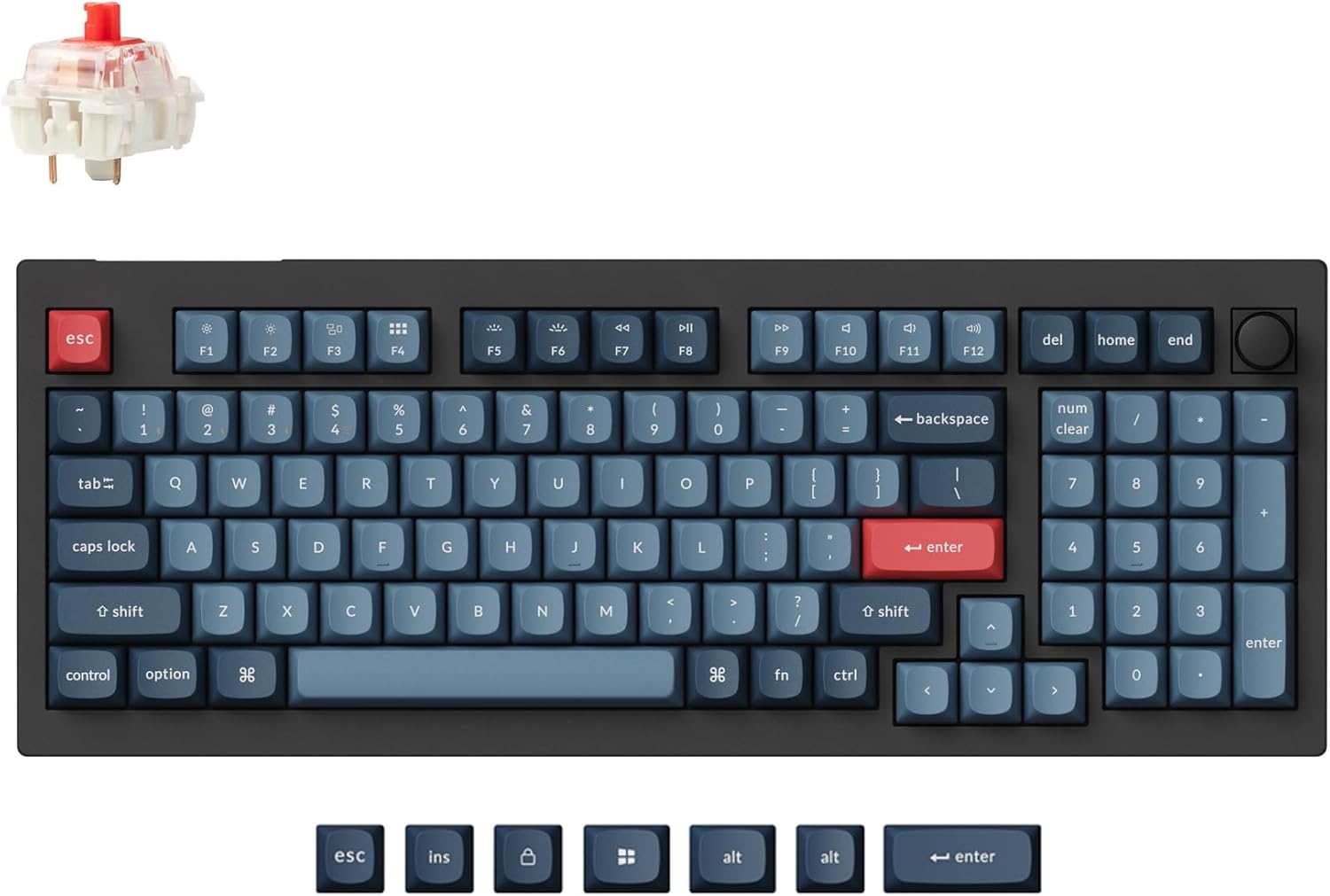
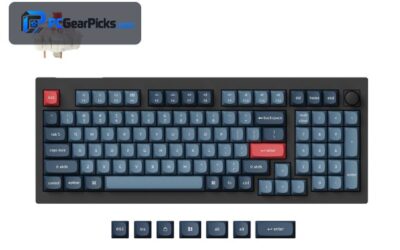
The Keychron V5 Max is the custom keyboard most people should buy. It arrives pre-built yet fully customizable: QMK/VIA firmware lets you remap every key and build macros, the gasket-mounted plate gives a soft, premium typing feel, and hot-swap sockets let you change switches with no soldering.
Add tri-mode wireless and a 96% layout that keeps a numpad in a compact footprint, and it covers nearly every base. It’s the easiest way to get a true custom experience without sourcing parts yourself.
Best for: Anyone wanting a complete, customizable board out of the box
May not fit: Those who prefer a compact 65%/TKL footprint
2. AULA F75 Pro – Best Value

- ✓ Gasket + hot-swap at a low price
- ✓ Tri-mode wireless included
- ✓ Comes well-lubed from the factory
- ✗ Software is basic vs QMK/VIA
- ✗ Knobless on some variants
The AULA F75 Pro delivers the hallmarks of a custom board — gasket mount, hot-swap sockets, pre-lubed switches, and wireless — for around $65, which is remarkable value. Out of the box it sounds and feels far better than its price suggests.
Its software isn’t as deep as QMK/VIA, so hardcore remappers may want the Keychron, but for most people it’s the best-value entry into the custom keyboard world.
Best for: Newcomers wanting the custom feel cheaply
May not fit: Power users who need full QMK/VIA firmware
3. Keychron K4 Ultra – Best Premium

- ✓ Refined build and typing feel
- ✓ Full programmability
- ✓ Compact 96% with numpad
- ✗ Priciest here
- ✗ Newer model, fewer reviews
The Keychron K4 Ultra is the premium pick for those who want a polished, fully programmable custom board with a numpad in a compact 96% frame. It builds on Keychron’s custom pedigree with a refined feel and wireless convenience.
At around $115 it’s the most expensive option here, but for enthusiasts who want a do-it-all wireless custom keyboard with QMK/VIA, it’s a worthwhile step up.
Best for: Enthusiasts wanting a premium programmable 96%
May not fit: Budget buyers or compact-layout fans
4. BOYI GMK67 Barebones Kit – Best Barebones Kit

- ✓ True build-it-yourself starting point
- ✓ VIA programmable
- ✓ Gasket-mounted and hot-swap
- ✗ No switches or keycaps included
- ✗ Requires you to source parts
For the real custom experience, the BOYI GMK67 is a barebones kit: a gasket-mounted, hot-swap 65% board with VIA support that you finish with your own switches and keycaps. It’s the gateway to building a board exactly to your taste.
You’ll need to buy switches and keycaps separately, which adds cost and effort, but that’s the point — full control over sound and feel. A great first build for the curious.
Best for: Hobbyists who want to pick their own switches and caps
May not fit: Anyone wanting a ready-to-type board
5. Ajazz AK820 – Best Budget Hot-Swap

- ✓ Excellent typing feel for ~$49
- ✓ Gasket + hot-swap
- ✓ Strong buyer ratings
- ✗ Wired only
- ✗ Basic software
The Ajazz AK820 is a cult-favourite budget custom board, offering a gasket-mounted, hot-swap 75% layout with pre-lubed switches for around $49. It punches well above its price in sound and feel.
It’s wired-only and the software is simple, but as an affordable introduction to the custom keyboard hobby with a genuinely satisfying typing experience, it’s hard to beat.
Best for: Budget buyers wanting a great-feeling hot-swap board
May not fit: Those needing wireless or deep remapping
6. YUNZII B75 PRO – Best 75% Wireless

- ✓ Compact 75% with a control knob
- ✓ Tri-mode wireless
- ✓ Hot-swap and gasket-mounted
- ✗ Software is basic
- ✗ Keycap quality is average
The YUNZII B75 PRO is a well-rounded 75% custom board with hot-swap sockets, a gasket mount, a handy control knob, and tri-mode wireless — a lot of custom features for around $64.
Its companion software is basic and the keycaps are average, but the core hardware is excellent, making it a strong compact wireless pick for the custom-curious.
Best for: Buyers wanting a compact wireless board with a knob
May not fit: Those who want premium keycaps or QMK/VIA
7. Womier SK80 – Best with Display

- ✓ Built-in color display and knob
- ✓ Gasket + hot-swap
- ✓ Eye-catching design
- ✗ Display is more fun than essential
- ✗ Software is basic
The Womier SK80 adds a small color display and control knob to a gasket-mounted, hot-swap 75% board, giving it standout looks and some genuinely handy at-a-glance info and media control.
The display is more novelty than necessity, but the underlying board is a solid custom unit, and if you like a bit of flair on your desk, it delivers personality along with substance.
Best for: Buyers who want a showpiece board with a display
May not fit: Minimalists who find a display gimmicky
8. EPOMAKER TH99 PRO – Best 96% with Numpad

- ✓ Full numpad in a compact 96%
- ✓ Screen and knob for control
- ✓ Hot-swap and wireless
- ✗ Larger footprint
- ✗ Software is basic
The EPOMAKER TH99 PRO keeps a full numpad in a compact 96% layout, adds a screen and knob, and includes hot-swap sockets and wireless — a feature-packed custom board for those who need number keys.
It’s larger than the 65%/75% options and its software is simple, but if you want custom features plus a numpad for data entry or spreadsheets, it’s an excellent pick.
Best for: Buyers who need a numpad plus custom features
May not fit: Those wanting the smallest possible footprint
9. Keychron C1 Pro – Best TKL Custom

- ✓ Fast 8000Hz polling
- ✓ Hot-swap and well-built
- ✓ Great value from Keychron
- ✗ Wired only
- ✗ TKL drops the numpad
The Keychron C1 Pro is a TKL custom board with an unusually fast 8000Hz polling rate, hot-swap sockets, and Keychron’s dependable build — all for around $55. The high polling makes it a nice crossover for responsive typing and gaming.
It’s wired-only and skips the numpad, but as an affordable, fast, well-made TKL custom board, it’s a smart buy for a tidy desk.
Best for: Buyers wanting a fast, affordable TKL custom board
May not fit: Those needing a numpad or wireless
How to Choose a Custom Keyboard
Hot-swap sockets: change switches anytime
Hot-swap lets you pull and replace switches by hand — no soldering — so you can tune feel and sound whenever you like. Nearly every board here supports it, which is the single most beginner-friendly custom feature. If you’re new, start with a hot-swap board like the AULA F75 Pro or Ajazz AK820.
Gasket mount and typing feel
A gasket mount suspends the plate between layers of foam/rubber for a softer, more cushioned keystroke and a deeper sound. It’s a big part of why custom boards feel nicer than standard keyboards, and the Keychron V5 Max and AULA F75 Pro both use it well.
QMK/VIA programmability
For deep customization — remapping keys, layering, and macros — QMK/VIA firmware is the gold standard. The Keychron V5 Max and K4 Ultra support it; cheaper boards use simpler software that covers the basics but less depth.
Pre-built vs barebones kit
Pre-built boards like the Keychron and AULA type out of the box. Barebones kits like the BOYI GMK67 let you choose your own switches and keycaps for full control, at the cost of extra money and effort. Pick based on how hands-on you want to be.
Layout and size
Custom boards come in 60%, 65%, 75%, TKL, and 96% sizes. Smaller saves desk space; 96% and full-size keep a numpad. Choose the layout that fits your workflow before worrying about switches and keycaps.
Frequently Asked Questions
What is the best custom keyboard in 2027?
The Keychron V5 Max is our overall pick — it’s gasket-mounted, hot-swap, QMK/VIA programmable, and wireless out of the box. The AULA F75 Pro is the best value around $65, and the BOYI GMK67 is the best barebones kit for a true build-it-yourself experience.
Do I need to build a custom keyboard myself?
No. Many “custom” boards like the Keychron V5 Max and AULA F75 Pro come fully assembled and ready to type, yet still let you swap switches and remap keys. Barebones kits like the BOYI GMK67 are for those who want to choose every part themselves.
What does hot-swappable mean?
Hot-swap sockets let you remove and install switches by hand, with no soldering. This lets you change the feel and sound of your board anytime, which is why hot-swap is the most beginner-friendly custom feature. Nearly every board in this list has it.
Is QMK/VIA worth it?
If you want to remap keys, create layers, and build macros, yes — QMK/VIA is the most powerful firmware available, and the Keychron V5 Max and K4 Ultra support it. If you only need basic remapping, cheaper boards with simpler software are fine.
How much should I spend on a custom keyboard?
You don’t need to spend much. Excellent hot-swap, gasket-mounted boards like the Ajazz AK820 and AULA F75 Pro cost $49–65. Premium options like the Keychron K4 Ultra run higher, but the budget boards deliver most of the experience.
Final Verdict
Custom keyboards have never been more accessible. The Keychron V5 Max is the best all-rounder with gasket mount, hot-swap, QMK/VIA, and wireless; the AULA F75 Pro is the value champion; and the BOYI GMK67 is the kit to start a real build. The key takeaway is that you don’t need to spend big — sub-$70 boards now deliver the custom experience. For tailored picks, see our content creation and flight simulation guides.
No reviews yet. Be the first to share your experience!