

An office keyboard has different priorities than a gaming board: all-day comfort, quiet operation around colleagues, enough keys for your workflow (often including a numpad), and ideally wireless to keep the desk tidy. The appeal of a custom board here is that hot-swap sockets let you fit quiet switches and programmable firmware can automate repetitive tasks.
The best choice depends on your role — spreadsheet-heavy work wants a numpad, writing-heavy work values a compact footprint, and shortcut-driven workflows benefit from QMK/VIA macros. Below we rank seven custom keyboards for office work by comfort, quietness, and productivity features. See our general custom keyboard guide and the peripherals hub for more.
Top 3 Best Office Custom Keyboards at a Glance
Best Custom Keyboards for Office Work in 2027
| Keyboard | Best For | Key Spec | Rating | Price |
|---|---|---|---|---|
| EPOMAKER TH99 PRO | Best Overall for Office | 96% with full numpad | 4.6★ (257) | Check Price |
| AULA F99 | Best Value | Near-full layout with knob | 4.5★ (3152) | Check Price |
| Keychron V5 Max | Best Programmable | 96% QMK/VIA | 4.6★ (58) | Check Price |
| YUNZII B75 PRO | Best Compact 75% | 75% layout with knob | 4.6★ (1374) | Check Price |
| AULA F75 Pro | Best Compact Wireless | 75% gasket mount | 4.6★ (1844) | Check Price |
| AUSDOM Silent Office Keyboard | Best Silent | Silent mechanical switches | 4.3★ (30) | Check Price |
| Keychron K4 Ultra | Best Premium Wireless | 96% wireless custom | 5★ (12) | Check Price |
1. EPOMAKER TH99 PRO – Best Overall for Office

- ✓ Numpad for data entry and spreadsheets
- ✓ Hot-swap lets you install quiet switches
- ✓ Wireless keeps the desk tidy
- ✗ Larger footprint
- ✗ Software is basic
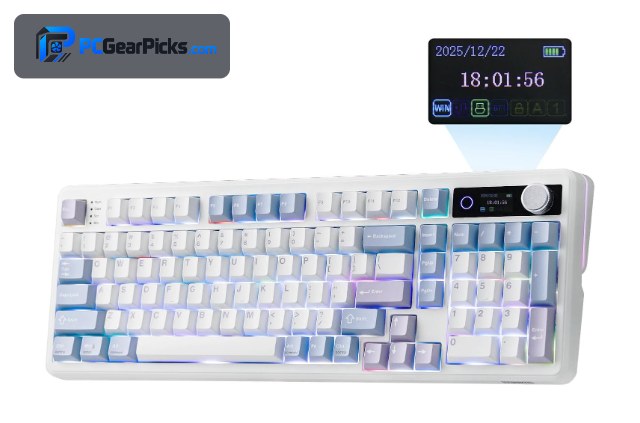
For office work the EPOMAKER TH99 PRO is the standout because it keeps a full numpad in a compact 96% layout — ideal for spreadsheets, accounting, and data entry — while still offering hot-swap sockets so you can fit quiet, office-friendly switches.
Wireless connectivity clears cable clutter, and the small screen and knob handle volume and at-a-glance info. It’s the most complete custom board for a productive, tidy desk.
Best for: Office users who need a numpad and a quiet, tidy setup
May not fit: Those who want the smallest compact footprint
2. AULA F99 – Best Value

- ✓ Lots of keys plus a knob for around $69
- ✓ Tri-mode wireless
- ✓ Comfortable gasket-mounted feel
- ✗ Basic software
- ✗ Keycaps are average
The AULA F99 packs a near-full layout, a control knob, tri-mode wireless, and a comfortable gasket mount for around $69, making it a superb value office board. You get plenty of keys for shortcuts without a bulky full-size footprint.
The software is simple and the keycaps are average, but for an affordable, comfortable, wireless office keyboard you can tune with hot-swap switches, it’s excellent value.
Best for: Budget-conscious offices wanting lots of keys and wireless
May not fit: Power users needing deep QMK/VIA control
3. Keychron V5 Max – Best Programmable
- ✓ QMK/VIA for shortcuts and macros
- ✓ Program text expansion and layers
- ✓ Premium gasket-mounted feel
- ✗ 96% is larger
- ✗ Pricier than budget boards
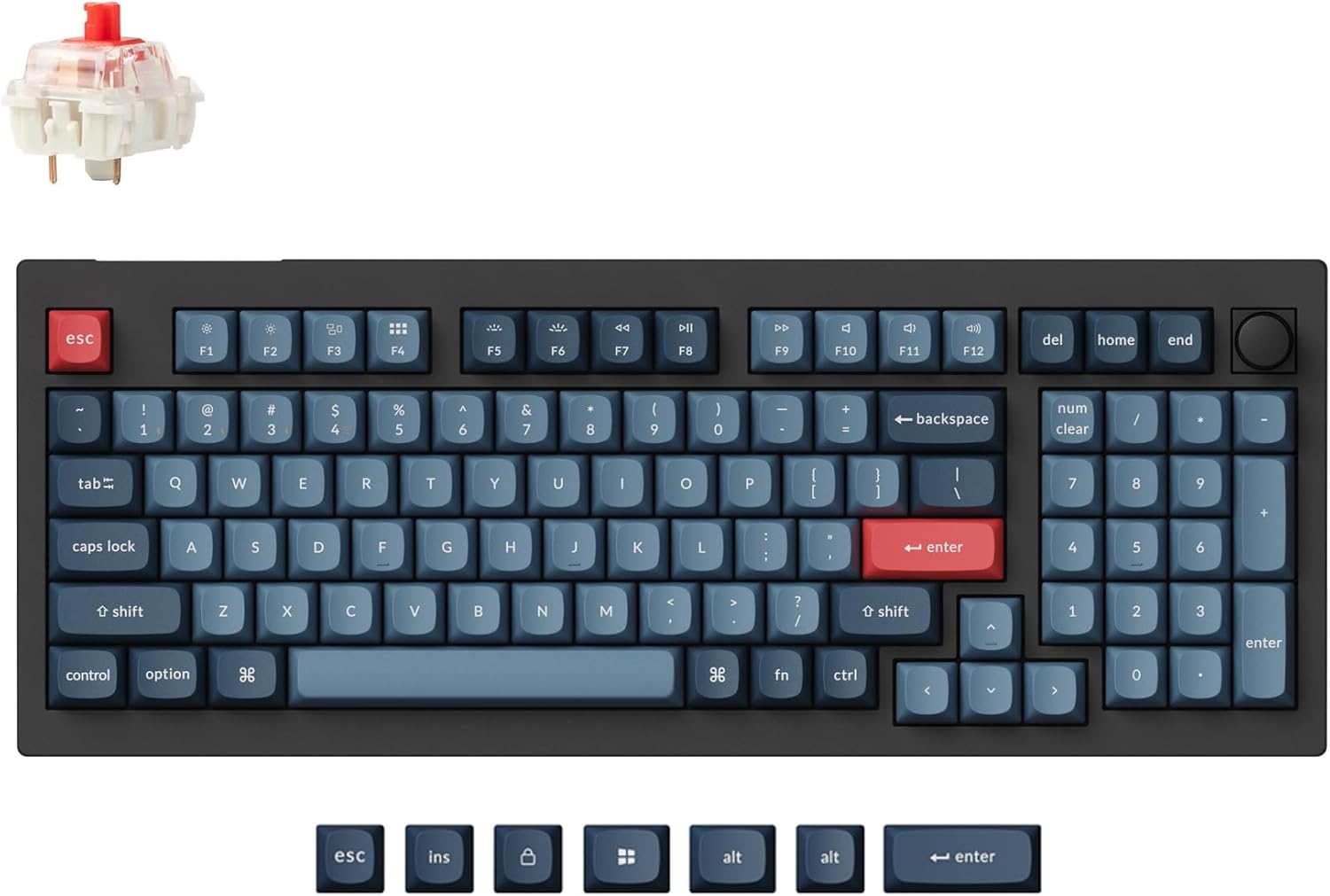
If your office work lives on keyboard shortcuts, the Keychron V5 Max is the pick. QMK/VIA lets you remap keys, build macros for repetitive tasks, and set up layers for symbols and functions — a genuine productivity boost once configured.
It’s a premium 96% board with a gasket mount and wireless, so it feels great for all-day typing too. For anyone who wants their keyboard to actively speed up their workflow, it’s worth the investment.
Best for: Professionals who want programmable shortcuts and macros
May not fit: Those who just want a simple plug-and-type board
4. YUNZII B75 PRO – Best Compact 75%

- ✓ Saves desk space for the mouse
- ✓ Knob for volume/scroll
- ✓ Wireless and hot-swap
- ✗ No numpad
- ✗ Basic software
The YUNZII B75 PRO is the compact office pick, a 75% board that frees up desk space while keeping arrow and function keys. Its knob is handy for volume and scrolling, and hot-swap sockets let you fit quiet switches.
It drops the numpad to stay small, so it suits writing-heavy roles more than data entry, but for a tidy, comfortable, wireless office desk it’s a great fit.
Best for: Writing-focused desks that value space and comfort
May not fit: Spreadsheet-heavy roles that need a numpad
5. AULA F75 Pro – Best Compact Wireless

- ✓ Great typing feel for the price
- ✓ Tri-mode wireless
- ✓ Pre-lubed switches from the factory
- ✗ No numpad
- ✗ Simple software
The AULA F75 Pro brings a satisfying, pre-lubed, gasket-mounted typing feel to a compact 75% office board with tri-mode wireless, all for around $65. It’s a pleasure to type on through a long workday.
Like other 75% boards it has no numpad, but if you want a comfortable, affordable wireless board that feels premium, it’s one of the best value office picks here.
Best for: Offices wanting a premium feel on a budget
May not fit: Users who need a dedicated numpad
6. AUSDOM Silent Office Keyboard – Best Silent
- ✓ Genuinely quiet for shared offices
- ✓ Wireless and tidy
- ✓ Comfortable for all-day typing
- ✗ Fewer custom features
- ✗ Niche appeal
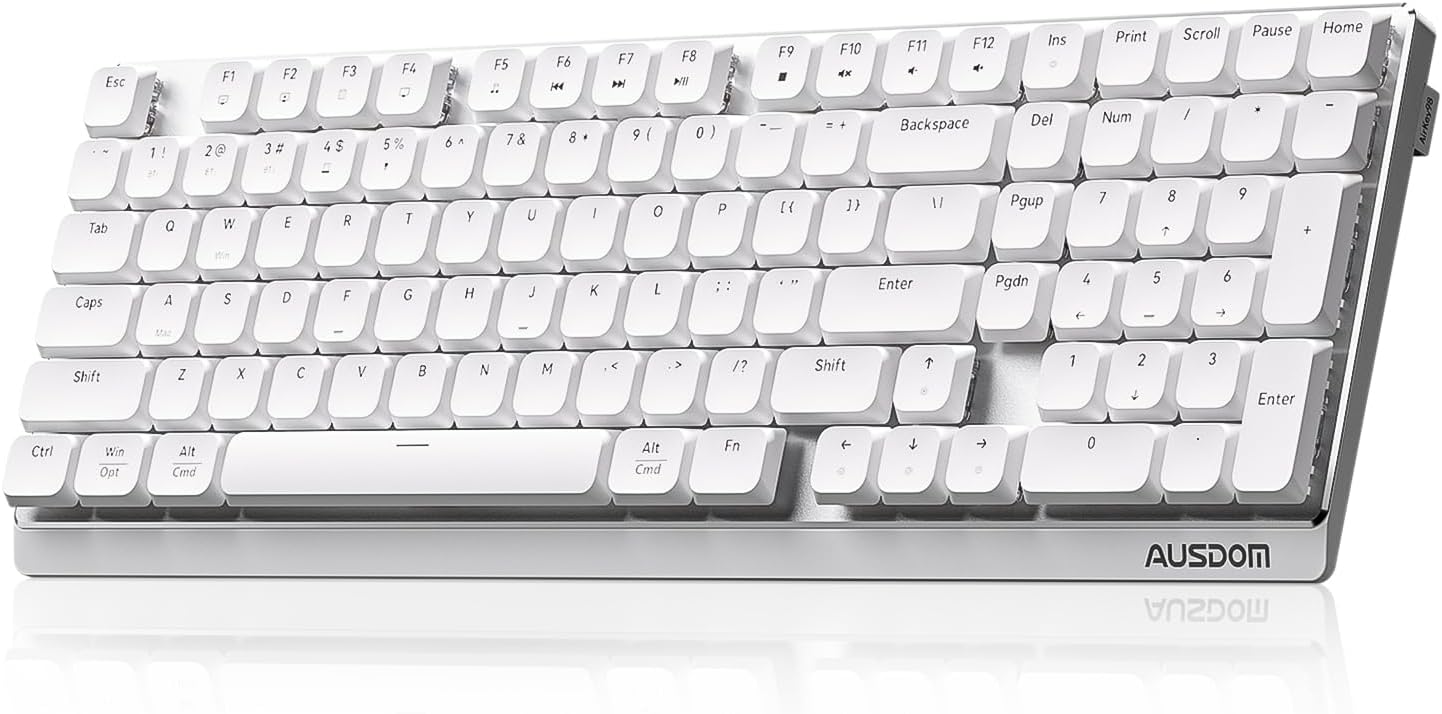
For open-plan or shared offices where noise matters, the AUSDOM silent mechanical keyboard is built specifically to keep clatter down. It pairs quiet switches with wireless convenience for a considerate, distraction-free desk.
It has fewer enthusiast custom features than the hot-swap boards, but if silence is your priority around colleagues or on calls, it’s the purpose-built choice.
Best for: Shared offices where keyboard noise is a concern
May not fit: Enthusiasts wanting hot-swap and deep tuning
7. Keychron K4 Ultra – Best Premium Wireless

- ✓ Premium feel for all-day comfort
- ✓ Numpad in a compact 96%
- ✓ Full programmability
- ✗ Most expensive here
- ✗ Newer, fewer reviews
The Keychron K4 Ultra is the premium office choice, combining a refined, comfortable build with a numpad-equipped 96% layout, full QMK/VIA programmability, and wireless. It’s a board built for long, productive days.
At around $115 it’s the priciest here, but for professionals who want the best typing feel plus programmable shortcuts and a numpad, it’s a satisfying long-term tool.
Best for: Professionals wanting a premium programmable office board
May not fit: Budget buyers or compact-layout fans
How to Choose a Custom Keyboard for Office Work
Quiet switches matter in shared spaces
In an office or on calls, keyboard noise is a real consideration. Hot-swap boards let you install silent or tactile-but-quiet switches, and purpose-built boards like the AUSDOM use low-noise switches out of the box. If you share space, prioritise quietness.
Numpad or compact?
Spreadsheet and data-entry work benefits hugely from a numpad, so a 96% or full-size board like the EPOMAKER TH99 PRO is ideal. Writing-focused roles can go compact (75%) to free desk space for the mouse. Match the layout to your daily tasks.
Programmable shortcuts save time
QMK/VIA boards like the Keychron V5 Max let you build macros for repetitive actions and remap keys for symbols you use often. Configured well, this is a genuine productivity gain for professionals who live in shortcuts.
Wireless for a tidy desk
Wireless keeps cables off a clean office desk and makes it easy to reposition. Most boards here offer tri-mode (USB, 2.4GHz, Bluetooth) connectivity, so you can switch between a work laptop and desktop easily.
All-day comfort
You’ll type on this for hours, so a gasket mount and comfortable switches reduce fatigue. Pre-lubed, gasket-mounted boards like the AULA F75 Pro feel pleasant over long sessions — a small upgrade your hands will thank you for.
Frequently Asked Questions
What is the best custom keyboard for office work in 2027?
The EPOMAKER TH99 PRO is our overall pick — it keeps a full numpad in a compact 96% layout, supports hot-swap quiet switches, and is wireless. The AULA F99 is the best value, and the Keychron V5 Max is best for programmable productivity shortcuts.
Are mechanical keyboards too loud for an office?
Not if you choose quiet switches. Hot-swap boards let you install silent linear or quiet tactile switches, and keyboards like the AUSDOM use low-noise switches by design. With the right switches, a custom board can be quieter than many office keyboards.
Do I need a numpad for office work?
If you do spreadsheets, accounting, or data entry, a numpad speeds you up significantly — choose a 96% or full-size board like the EPOMAKER TH99 PRO. For writing-focused work, a compact 75% board saves desk space and is perfectly adequate.
Can a keyboard really make me more productive?
A programmable one can. QMK/VIA boards like the Keychron V5 Max let you create macros for repetitive tasks and remap keys for symbols and shortcuts you use constantly, which adds up over a workday once configured.
Should an office keyboard be wireless?
Wireless isn’t essential, but it keeps your desk tidy and makes it easy to switch between a laptop and desktop. Most boards here offer tri-mode connectivity, so you can pair multiple devices and switch with a button.
Final Verdict
For office work, prioritise comfort, quiet operation, and the right layout over flashy features. The EPOMAKER TH99 PRO is the best all-rounder with its numpad and quiet-switch potential, the AULA F99 is the value pick, and the Keychron V5 Max is best for programmable productivity. Hot-swap sockets mean you can tune any of these to be office-quiet. See our broader custom keyboard guide for more options.
No reviews yet. Be the first to share your experience!