

A 2-in-1 can be a surprisingly good light-editing machine, and the honest key word is “light.” These convertibles pair touchscreens — often gorgeous OLED panels ideal for judging color — with capable CPUs and plenty of RAM, which handle 1080p and light 4K editing well. What they lack is a discrete GPU, so heavy 4K and effects-laden projects are better suited to a traditional creator laptop.
For convertible editing, prioritise a color-accurate (ideally OLED) screen, a strong multi-core CPU, 16GB of RAM, and a fast SSD, and plan to use proxy workflows for 4K. Below we rank six 2-in-1 laptops for editing with those realities in mind. For more power, see our video editing laptop guide and the laptops hub.
Top 3 Best Editing 2-in-1s at a Glance
Best 2-in-1 Laptops for Video Editing in 2027
| Laptop | Best For | Key Spec | Rating | Price |
|---|---|---|---|---|
| HP OmniBook X Flip 16 (2K OLED) | Best Overall for Editing | 16″ 2K OLED touchscreen | 5★ (6) | Check Price |
| Lenovo Yoga 7 (Ryzen AI, OLED) | Best Value OLED | 14″ OLED touchscreen | 4.5★ (24) | Check Price |
| Dell 14 2-in-1 (Ryzen 7 8840HS) | Best Performance | AMD Ryzen 7 8840HS (8-core) | 4.6★ | Check Price |
| 16GB / 1TB Convertible | Best RAM & Storage | 16GB DDR5, 1TB PCIe 4.0 SSD | 4.6★ (246) | Check Price |
| HP OmniBook 7 Flip 16 Business | Best Big Business | 16″ convertible display | 4★ (11) | Check Price |
| Lenovo Yoga 7i 16″ | Best 16″ Value | 16″ touchscreen | – | Check Price |
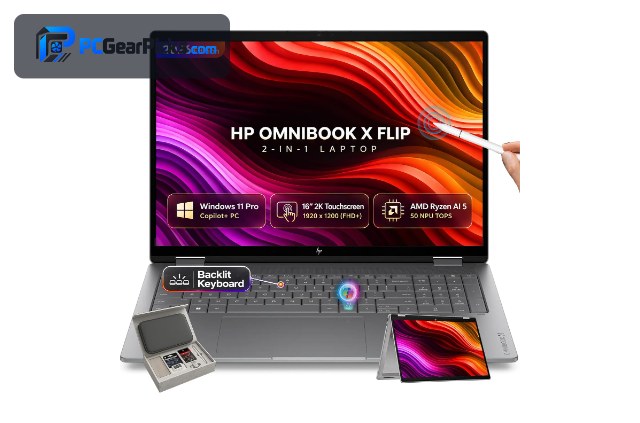
1. HP OmniBook X Flip 16 (2K OLED) – Best Overall for Editing

- ✓ Stunning 2K OLED for color work
- ✓ Large 16″ canvas for timelines
- ✓ Flexible convertible form
- ✗ Integrated graphics (light editing)
- ✗ Few reviews yet
The HP OmniBook X Flip 16 is the best 2-in-1 for editing thanks to its 16″ 2K OLED touchscreen — deep contrast and accurate color make it genuinely useful for grading and reviewing footage, and the large canvas gives your timeline room to breathe around $1,000.
Be honest about the limits: it uses integrated graphics, so it’s for 1080p and light 4K editing with proxies rather than heavy effects work. But for mobile, flexible editing on a beautiful screen, it’s the standout.
Best for: Editors who want a great OLED screen in a convertible
May not fit: Heavy 4K or effects work needing a discrete GPU
2. Lenovo Yoga 7 (Ryzen AI, OLED) – Best Value OLED

- ✓ Gorgeous OLED for color accuracy
- ✓ Efficient Ryzen AI chip
- ✓ Premium, portable build
- ✗ Smaller 14″ screen
- ✗ Integrated graphics
The Lenovo Yoga 7 brings a beautiful 14″ OLED and an efficient Ryzen AI chip to editing for around $940, making it a more affordable way to get an accurate, vibrant screen for color work and previews in a flexible convertible.
Its 14″ panel is smaller for timeline work and it relies on integrated graphics, so stick to 1080p and light 4K, but for value OLED editing on the move, it’s excellent.
Best for: Editors wanting affordable OLED color in a convertible
May not fit: Those wanting a large screen or heavy 4K power
3. Dell 14 2-in-1 (Ryzen 7 8840HS) – Best Performance

- ✓ Eight cores speed up exports
- ✓ Handles light 4K with proxies
- ✓ Flexible convertible form
- ✗ FHD+ rather than OLED
- ✗ Integrated graphics
The Dell 14 2-in-1’s eight-core Ryzen 7 8840HS is the performance pick for convertible editing, speeding up exports and timeline playback in Premiere, DaVinci Resolve, and CapCut far more than typical 2-in-1s around $981.
Its FHD+ screen isn’t as color-rich as the OLED options and it uses integrated graphics, but for the fastest convertible editing experience — especially with proxy workflows — its CPU power leads.
Best for: Editors who want the fastest convertible for exports
May not fit: Those who want an OLED screen or GPU acceleration
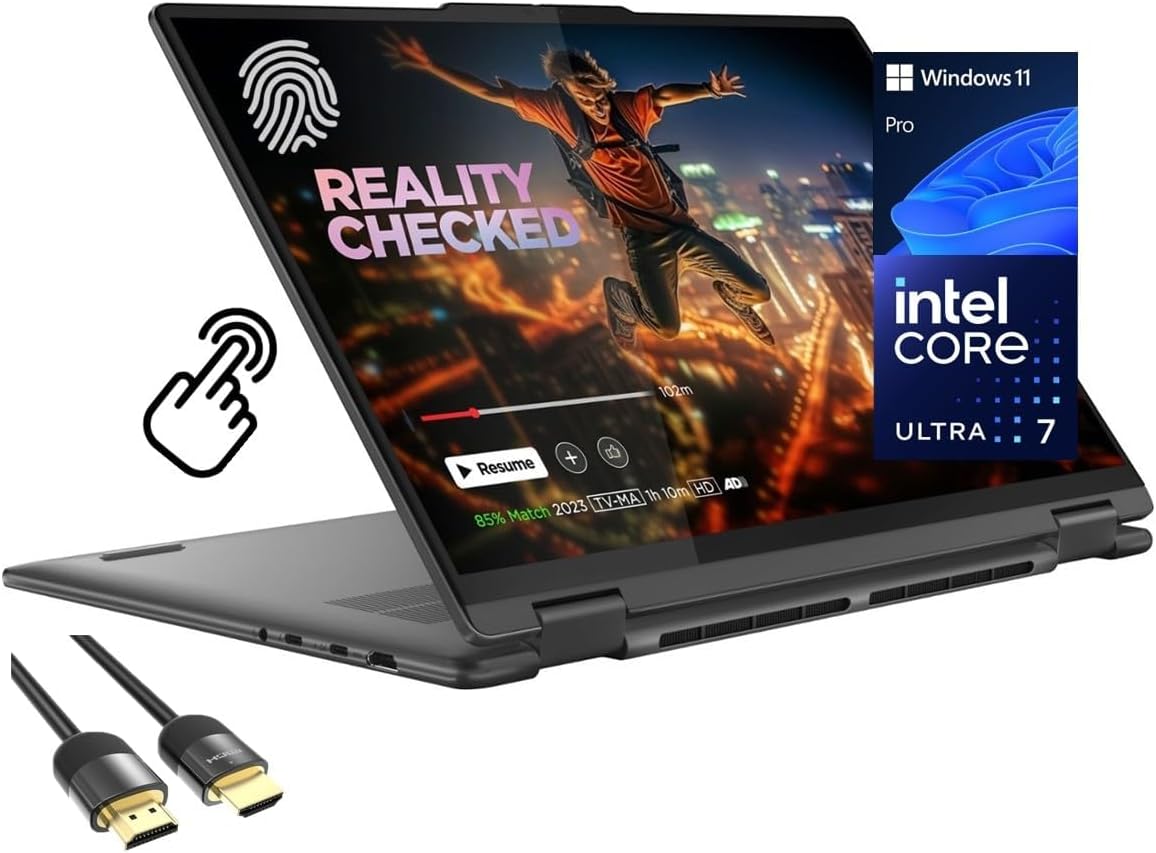
4. 16GB / 1TB Convertible – Best RAM & Storage
- ✓ 16GB RAM keeps timelines smooth
- ✓ 1TB SSD for large footage
- ✓ Good multitasking headroom
- ✗ Integrated graphics
- ✗ Less-established brand
Editing benefits from memory and storage, and this convertible delivers 16GB of DDR5 and a 1TB SSD around $1,003 — enough to keep 1080p timelines smooth and store plenty of footage without constant offloading.
It leans on integrated graphics and a lesser-known brand, so it’s for lighter editing, but for RAM and storage per dollar in a flexible form, it’s a strong value.
Best for: Editors wanting generous RAM and storage affordably
May not fit: Those needing GPU acceleration or an OLED screen
5. HP OmniBook 7 Flip 16 Business – Best Big Business

- ✓ Large 16″ screen for timelines
- ✓ Durable business build
- ✓ Professional features
- ✗ Priciest here
- ✗ Integrated graphics
The HP OmniBook 7 Flip 16 is a professional business convertible with a roomy 16″ display, giving editors a large, flexible canvas in a durable, well-built machine around $1,302.
It’s the priciest pick and uses integrated graphics, so it’s for light editing rather than heavy 4K, but for a big-screen, business-grade convertible that doubles as an editing machine, it’s a solid option.
Best for: Professionals wanting a big-screen business convertible
May not fit: Heavy editors needing a discrete GPU
6. Lenovo Yoga 7i 16″ – Best 16″ Value

- ✓ Large 16″ screen for the price
- ✓ Flexible 360° hinge
- ✓ Roomy for editing layouts
- ✗ Not OLED
- ✗ Newer listing, few reviews
The Lenovo Yoga 7i offers a large 16″ touchscreen in a flexible convertible around $999, giving editors more room for timelines and previews than the 14″ models without the premium of the OLED options.
Its screen isn’t OLED and it’s a newer listing with few reviews, but for an affordable big-screen convertible for light editing and content work, it’s a sensible value pick.
Best for: Editors wanting a large screen on a budget convertible
May not fit: Those wanting OLED color or GPU power
How to Choose a 2-in-1 Laptop for Video Editing
OLED screens help color work
An OLED touchscreen like the HP OmniBook X Flip’s or Lenovo Yoga 7’s offers deep contrast and vibrant, accurate color — genuinely useful for grading and reviewing footage. For editing, screen quality is one of the biggest advantages a 2-in-1 can offer.
CPU and RAM for timelines
More CPU cores speed up exports — the Dell 14’s eight-core Ryzen 7 leads — while 16GB of RAM (as on the 16GB/1TB pick) keeps timelines smooth. These matter more than resolution for responsive editing on a convertible.
Be realistic: light editing only
These convertibles use integrated graphics, so they handle 1080p and light 4K with proxies, not heavy 4K or effects work. If your projects are demanding, a traditional creator laptop with a discrete GPU is the right tool.
Storage for footage
Video files are large, so a fast, roomy SSD helps — the 16GB/1TB pick is generous. A 512GB or larger SSD saves you constantly offloading footage, and SSD speed keeps importing and scrubbing responsive.
Why editors like the convertible form
Tablet mode is handy for reviewing footage, scrubbing with touch, or sketching storyboards, and the flexibility suits editing on the move. It’s a trade of raw power for portability and a great touchscreen — worth it for mobile, light editing.
Frequently Asked Questions
What is the best 2-in-1 laptop for video editing in 2027?
The HP OmniBook X Flip 16 with a 2K OLED touchscreen is our overall pick — its accurate color and large canvas suit grading and timeline work around $1,000. The Lenovo Yoga 7 is the value OLED option, and the Dell 14 Ryzen 7 is the performance pick.
Can you edit video on a 2-in-1 laptop?
Yes, for 1080p and light 4K editing with proxies. These convertibles have capable CPUs and good screens but integrated graphics, so they’re not for heavy 4K or effects-laden projects — for that, use a creator laptop with a discrete GPU.
Is an OLED screen worth it for editing?
For color work, yes — OLED panels like those on the HP OmniBook X Flip and Lenovo Yoga 7 offer deep contrast and accurate, vibrant color that helps with grading and reviewing footage. It’s one of the main editing advantages of these convertibles.
How much RAM do I need to edit on a 2-in-1?
16GB is ideal to keep timelines smooth, as on the 16GB/1TB pick. 8GB works for very light 1080p edits but can stutter with effects or 4K. Running out of RAM is a common cause of slow, choppy editing.
Should I buy a 2-in-1 or a regular laptop for editing?
Choose a 2-in-1 if you want a great touchscreen and portability for light, mobile editing. For heavy 4K, effects, and fast exports, a traditional creator laptop with a discrete GPU is far more capable — see our dedicated video editing laptop guide.
Final Verdict
For light, mobile video editing, a 2-in-1 with a great screen is a pleasure to use. The HP OmniBook X Flip 16’s 2K OLED makes it the best all-rounder, the Lenovo Yoga 7 is the value OLED pick, and the Dell 14 Ryzen 7 is the fastest for exports. Just be realistic — these handle 1080p and light 4K, not heavy effects work. For demanding projects, see our creator laptop guide.
No reviews yet. Be the first to share your experience!