

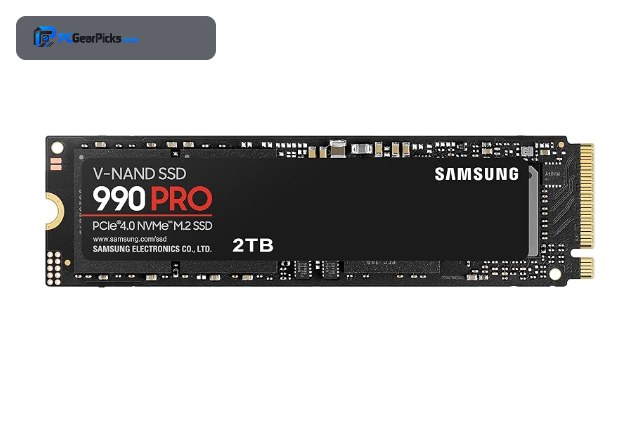
An NVMe SSD plugs directly into an M.2 slot and talks to the CPU over the PCIe bus, which is why it is far faster than a SATA drive. There are no cables, the drive is the size of a stick of gum, and the speed difference is enormous for loading games, editing large files, and moving data around. The main decisions are the PCIe generation your board supports and the capacity you need.
Below are eight M.2 NVMe drives covering PCIe Gen5, Gen4, and efficient Gen3 models. Check your motherboard for the M.2 slot generation, and for broader context see our main best SSD roundup and best SSD for gaming guide.
Top 3 Best NVMe SSDs at a Glance

- • 2TB, M.2 2280
- • PCIe 4.0 NVMe
- • ~7450MB/s read

- • 2TB, M.2 2280
- • PCIe 4.0 NVMe
- • DRAM-less, efficient
Best NVMe SSD in 2027
| Model | Key Spec | Best For | Rating |
|---|---|---|---|
| Samsung 990 PRO 2TB (M.2 PCIe 4.0) | 2TB, M.2 2280, PCIe 4.0 | A fast, high-capacity primary M.2 drive. | ★★★★★ 4.8 |
| WD Black SN770 2TB (M.2 PCIe 4.0) | 2TB, M.2 2280, DRAM-less | Value buyers wanting efficient 2TB M.2 storage. | ★★★★★ 4.8 |
| Samsung 980 PRO 1TB (M.2 PCIe 4.0) | 1TB, M.2 2280, PCIe 4.0 | A reliable 1TB M.2 boot and game drive. | ★★★★★ 4.8 |
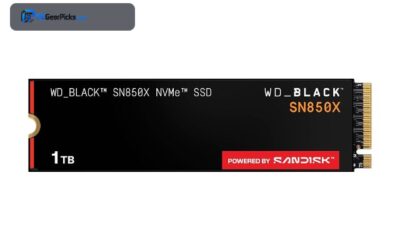
| WD Black SN850X 1TB (M.2 PCIe 4.0) | 1TB, M.2 2280, PCIe 4.0 | Gamers wanting the fastest M.2 load times. | ★★★★★ 4.8 |
| Crucial P5 Plus 2TB (M.2 PCIe 4.0) | 2TB, M.2 2280, DRAM | Mixed gaming and light creation workloads. | ★★★★★ 4.8 |
| SK Hynix Gold P31 1TB (M.2 PCIe 3.0) | 1TB, M.2 2280, PCIe 3.0 | Laptops and efficiency-focused M.2 upgrades. | ★★★★★ 4.8 |
| Kingston NV2 250GB (M.2 PCIe 4.0) | 250GB, M.2 2280, PCIe 4.0 | Budget builds and secondary boot drives. | ★★★★★ 4.7 |
| Crucial T700 1TB (M.2 PCIe 5.0) | 1TB, M.2 2280, PCIe 5.0 | Gen5 boards and large-file creators. | ★★★★★ 4.6 |
1. Samsung 990 PRO 2TB (M.2 PCIe 4.0) — Best Overall
- ✓ Top Gen4 sequential and random speed
- ✓ Consistent under load
- ✓ Trusted Samsung controller
- ✗ Premium price
- ✗ Benefits from a heatsink
As an M.2 drive the 990 PRO is about as good as PCIe 4.0 gets, slotting straight into a modern board and delivering class-leading speed. The 2TB capacity makes it a true single-drive solution for most users.
Its strength is consistency: it holds high speeds across both big sequential transfers and the small random reads that define everyday responsiveness.
Best for: A fast, high-capacity primary M.2 drive.
May not fit: Tight budgets or Gen5-only speed seekers.
Check Price2. WD Black SN770 2TB (M.2 PCIe 4.0) — Best Value
- ✓ Excellent value for 2TB NVMe
- ✓ Cool and power-efficient
- ✓ Huge review base
- ✗ DRAM-less under heavy writes
- ✗ Not top of the Gen4 charts
The SN770 is the value M.2 pick, delivering real Gen4 speed and 2TB of capacity without a DRAM cache, which keeps it cool and efficient. It is an easy drop-in for desktops and laptops alike.
For gaming and everyday use it feels fast, and the efficient design makes it one of the better NVMe choices for compact and portable systems.
Best for: Value buyers wanting efficient 2TB M.2 storage.
May not fit: Workstations with sustained heavy writes.
Check Price3. Samsung 980 PRO 1TB (M.2 PCIe 4.0) — Best 1TB

- ✓ Proven, massively reviewed
- ✓ Strong, consistent speed
- ✓ Great boot and game drive
- ✗ Prior-gen controller
- ✗ 1TB fills quickly
A hugely popular 1TB M.2 drive, the 980 PRO remains a dependable primary SSD with proven reliability and strong Gen4 performance. It is an ideal boot-plus-games drive.
It slots neatly into any Gen4 board and delivers the kind of consistent speed that makes a system feel instant.
Best for: A reliable 1TB M.2 boot and game drive.
May not fit: Users who want 2TB or the newest controller.
Check Price4. WD Black SN850X 1TB (M.2 PCIe 4.0) — Best for Gaming

- ✓ High random read for fast loads
- ✓ Game Mode optimization
- ✓ Strong sustained gaming speed
- ✗ Runs warm
- ✗ 1TB tight for big libraries
The SN850X is tuned for gaming, with high random read performance and a Game Mode that anticipates load patterns. As an M.2 drive it keeps a gaming rig snappy.
The access patterns games create favor its strengths, so levels and assets stream in quickly during play.
Best for: Gamers wanting the fastest M.2 load times.
May not fit: Those needing large capacity for many games.
Check Price5. Crucial P5 Plus 2TB (M.2 PCIe 4.0) — Best with DRAM

- ✓ DRAM cache for sustained writes
- ✓ Solid 2TB value
- ✓ Reliable Micron memory
- ✗ Warm under heavy load
- ✗ Not the fastest Gen4
The P5 Plus pairs 2TB with a DRAM cache, which helps it hold speed during larger sustained transfers better than DRAM-less rivals. It is a well-rounded M.2 drive for mixed workloads.
For users who occasionally move big files, the DRAM cache is a meaningful advantage at a sensible price.
Best for: Mixed gaming and light creation workloads.
May not fit: Those who only game and want the lowest price.
Check Price6. SK Hynix Gold P31 1TB (M.2 PCIe 3.0) — Best Efficiency

- ✓ Outstanding efficiency
- ✓ Cool operation
- ✓ Ideal for laptops
- ✗ Gen3 speed ceiling
- ✗ Less future headroom
The Gold P31 is the efficiency leader among M.2 drives, delivering strong Gen3 speed with remarkably low power draw and heat. It is a top choice for laptops and small-form-factor builds.
On a Gen3 board or laptop it is an excellent upgrade, and its cool, quiet operation appeals even where Gen4 is available.
Best for: Laptops and efficiency-focused M.2 upgrades.
May not fit: Users chasing peak Gen4 or Gen5 speed.
Check Price7. Kingston NV2 250GB (M.2 PCIe 4.0) — Best Budget NVMe

- ✓ Very affordable NVMe entry
- ✓ Compact M.2 form factor
- ✓ Good boot-drive speed
- ✗ Small capacity
- ✗ DRAM-less, variable specs
The Kingston NV2 is a budget-friendly way to add a fast M.2 boot drive, ideal for a secondary install or a value build. It brings NVMe speed at an accessible level.
The 250GB size is best as a boot or scratch drive rather than a main library, but it delivers the responsiveness NVMe is known for.
Best for: Budget builds and secondary boot drives.
May not fit: Primary drives needing large capacity.
Check Price8. Crucial T700 1TB (M.2 PCIe 5.0) — Fastest

- ✓ Record sequential speed
- ✓ Future-ready Gen5
- ✓ Great for huge files
- ✗ Needs Gen5 slot and cooling
- ✗ Overkill for gaming
The T700 is the fastest M.2 drive here, using PCIe 5.0 to reach sequential speeds far beyond Gen4. It is aimed at creators who move very large files.
It demands a Gen5 slot and strong cooling, but on the right board it is in a class of its own for raw throughput.
Best for: Gen5 boards and large-file creators.
May not fit: Gamers who will not notice Gen5 over Gen4.
Check PriceHow to Choose an NVMe SSD
What is NVMe and M.2?
NVMe is the protocol that lets an SSD communicate directly over the PCIe bus for very high speed, and M.2 2280 is the common physical form factor, a small stick that screws into a slot on the motherboard. Together they deliver storage many times faster than SATA, with no cables.
Which PCIe generation should you choose?
Gen3 NVMe is efficient and fast enough for most tasks. Gen4 is the mainstream sweet spot and the best balance of speed and value. Gen5 is the fastest but needs a Gen5 slot and cooling and mainly helps large file work. Check your motherboard M.2 slot before buying.
Does my motherboard support NVMe?
Nearly all modern boards have at least one M.2 slot wired for NVMe, but generations vary per slot. Some slots are Gen4, others Gen3, and only recent boards offer Gen5. A drive runs at the lower of the drive and slot generation, so match them for full speed.
Do NVMe drives need a heatsink?
Fast Gen4 and especially Gen5 drives can get warm under sustained load and may throttle without cooling. Many motherboards include M.2 heatsinks, and some drives ship with one. For heavy workloads, a heatsink keeps performance consistent; for everyday use it is less critical.
Frequently Asked Questions
Is NVMe better than SATA?
Yes, by a wide margin. NVMe drives use the PCIe bus and are many times faster than SATA SSDs. Choose NVMe for any system with an M.2 slot; SATA is for older machines without one.
What PCIe generation NVMe should I buy?
Gen4 is the mainstream sweet spot for speed and value. Gen3 is efficient and fine for most tasks, while Gen5 is fastest but needs a Gen5 slot and cooling and mainly helps large file work.
Will an NVMe SSD fit my motherboard?
If your board has an M.2 slot wired for NVMe, yes, the standard M.2 2280 size fits almost universally. Check which generation each slot supports to get full speed.
Do NVMe SSDs need cooling?
Fast Gen4 and Gen5 drives can warm up under sustained load. A motherboard heatsink or an included drive heatsink keeps performance steady. For everyday use it is less of a concern.
Final Verdict
The Samsung 990 PRO is the best all-round NVMe SSD, with the WD Black SN770 the value pick and the SN850X the gaming choice. Laptops and efficiency-focused builds suit the SK Hynix Gold P31, and Gen5 systems can reach for the Crucial T700. Match the drive generation to your board using our best SSD and best PCIe 5 SSD guides.


No reviews yet. Be the first to share your experience!