

An SSD is the single upgrade that makes a PC feel faster at everything, from boot times to game loads to opening large files. Modern NVMe drives read data many times faster than the hard drives they replace, and even an older SATA SSD transforms a slow machine. Choosing the right one comes down to the interface your system supports, the capacity you need, and the balance of speed and value.
Below are nine solid state drives that stand out across gaming, productivity, and upgrades, spanning fast PCIe Gen5 and Gen4 NVMe models, efficient Gen3 drives, and a dependable SATA option. If you are matching a drive to your board, our best motherboard guide helps, and gamers can see our best SSD for gaming and best NVMe SSD guides.
Top 3 Best SSDs at a Glance

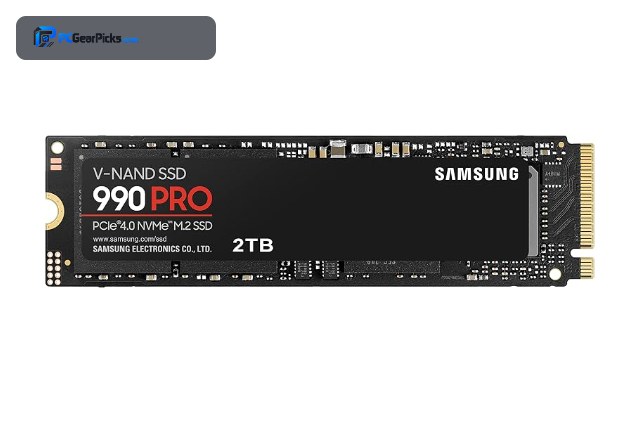
- • 2TB capacity
- • PCIe 4.0 NVMe
- • Up to ~7450MB/s read

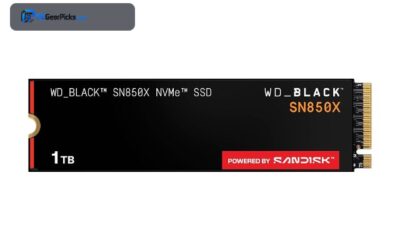
- • 1TB capacity
- • PCIe 4.0 NVMe
- • Up to ~7300MB/s read
Best SSD in 2027
| Model | Key Spec | Best For | Rating |
|---|---|---|---|
| Samsung 990 PRO 2TB (PCIe 4.0 NVMe) | 2TB, PCIe 4.0, ~7450MB/s | Most gaming and productivity builds on a Gen4 board. | ★★★★★ 4.8 |
| WD Black SN850X 1TB (PCIe 4.0 NVMe) | 1TB, PCIe 4.0, ~7300MB/s | Gamers who want fast load times on a Gen4 system. | ★★★★★ 4.8 |
| Crucial P5 Plus 2TB (PCIe 4.0 NVMe) | 2TB, PCIe 4.0 NVMe | Value-focused buyers wanting 2TB of Gen4 speed. | ★★★★★ 4.8 |
| Samsung 980 PRO 1TB (PCIe 4.0 NVMe) | 1TB, PCIe 4.0, ~7000MB/s | A dependable 1TB boot and game drive. | ★★★★★ 4.8 |
| WD Black SN770 2TB (PCIe 4.0 NVMe) | 2TB, PCIe 4.0, DRAM-less | Value seekers wanting efficient 2TB Gen4 storage. | ★★★★★ 4.8 |
| SK Hynix Gold P31 1TB (PCIe 3.0 NVMe) | 1TB, PCIe 3.0, low power | Laptops and Gen3 systems prioritizing efficiency. | ★★★★★ 4.8 |
| Crucial T700 1TB (PCIe 5.0 NVMe) | 1TB, PCIe 5.0, ~11700MB/s | Gen5 systems and creators moving huge files. | ★★★★★ 4.6 |
| Kingston NV3 2TB (PCIe 4.0 NVMe) | 2TB, PCIe 4.0 NVMe | Adding large, affordable Gen4 capacity. | ★★★★★ 4.7 |
| Kingston A400 240GB (2.5in SATA SSD) | 240GB, 2.5in SATA | Older laptops and desktops without NVMe support. | ★★★★★ 4.8 |
1. Samsung 990 PRO 2TB (PCIe 4.0 NVMe) — Best Overall
- ✓ Top-tier Gen4 speed
- ✓ Excellent sustained performance
- ✓ Reliable Samsung controller
- ✗ Premium pricing
- ✗ Gen4 board recommended
The Samsung 990 PRO is the best all-round SSD for most builds, pairing near-maximum PCIe 4.0 speed with the sustained performance and reliability Samsung is known for. At 2TB it has room for a large game library and working files.
It sits near the top of the Gen4 class for both sequential and random performance, making it a safe choice for gaming and demanding productivity alike.
Best for: Most gaming and productivity builds on a Gen4 board.
May not fit: Those on a strict budget or needing Gen5 speed.
Check Price2. WD Black SN850X 1TB (PCIe 4.0 NVMe) — Best for Gaming
- ✓ Excellent gaming performance
- ✓ Strong random read speed
- ✓ Game Mode optimization
- ✗ 1TB fills fast with modern games
- ✗ Runs warm under load
The WD Black SN850X is a gaming favorite, with high random read performance that helps games load quickly and a Game Mode that keeps it responsive. It is one of the fastest Gen4 drives for real-world gaming.
The 1TB size suits a focused game library, and the drive holds its speed well during the bursty access patterns games create.
Best for: Gamers who want fast load times on a Gen4 system.
May not fit: Users needing large capacity for many installed games.
Check Price3. Crucial P5 Plus 2TB (PCIe 4.0 NVMe) — Best Value

- ✓ Great value for 2TB Gen4
- ✓ Solid all-round performance
- ✓ Reliable Micron memory
- ✗ Not the fastest Gen4 drive
- ✗ Runs warm under sustained load
The Crucial P5 Plus delivers genuine PCIe 4.0 performance at a value-oriented position, making 2TB of fast storage accessible. It is a sensible all-rounder for gaming and everyday use.
It is not the outright fastest Gen4 drive, but the balance of capacity, speed, and value makes it a smart default for most upgraders.
Best for: Value-focused buyers wanting 2TB of Gen4 speed.
May not fit: Enthusiasts chasing peak benchmark numbers.
Check Price4. Samsung 980 PRO 1TB (PCIe 4.0 NVMe) — Best 1TB

- ✓ Proven, hugely reviewed drive
- ✓ Strong Gen4 speed
- ✓ Dependable Samsung reliability
- ✗ Previous-generation controller
- ✗ 1TB may be tight long-term
The Samsung 980 PRO remains one of the most trusted 1TB Gen4 drives, with a massive review base and strong, consistent performance. It is a dependable choice for a boot and games drive.
While the newer 990 PRO edges it on speed, the 980 PRO offers proven reliability and excellent performance for a 1TB primary drive.
Best for: A dependable 1TB boot and game drive.
May not fit: Users wanting the latest controller or 2TB and up.
Check Price5. WD Black SN770 2TB (PCIe 4.0 NVMe) — Best DRAM-less Value

- ✓ Great value 2TB Gen4
- ✓ Efficient, runs cool
- ✓ Huge review base
- ✗ DRAM-less under heavy sustained writes
- ✗ Slower than top Gen4 drives
The WD Black SN770 is a value standout, offering 2TB of PCIe 4.0 speed in an efficient DRAM-less design that stays cool. Its enormous review count reflects strong real-world reliability.
For gaming and everyday use it feels fast, and the efficient design makes it a good fit for laptops and compact builds as well as desktops.
Best for: Value seekers wanting efficient 2TB Gen4 storage.
May not fit: Workstations with heavy sustained write workloads.
Check Price6. SK Hynix Gold P31 1TB (PCIe 3.0 NVMe) — Best Efficiency

- ✓ Exceptional efficiency and cool running
- ✓ Great for laptops
- ✓ Strong Gen3 performance
- ✗ Gen3 speed ceiling
- ✗ Less headroom than Gen4
The SK Hynix Gold P31 is the efficiency champion, delivering strong PCIe 3.0 performance while drawing very little power and staying cool. It is a favorite for laptops and small builds.
On a Gen3 system or a laptop it is an ideal upgrade, and even on Gen4 boards its efficiency and reliability make it appealing where heat and power matter.
Best for: Laptops and Gen3 systems prioritizing efficiency.
May not fit: Users who want maximum Gen4 or Gen5 speed.
Check Price7. Crucial T700 1TB (PCIe 5.0 NVMe) — Fastest / Best Gen5

- ✓ Blistering Gen5 sequential speed
- ✓ Future-ready interface
- ✓ Excellent for large file work
- ✗ Needs a Gen5 board
- ✗ Requires strong cooling
The Crucial T700 showcases PCIe 5.0, reaching sequential speeds that nearly double the best Gen4 drives. It is the pick for creators and enthusiasts who move very large files.
To hit its potential it needs a Gen5 slot and good cooling, but for the right system it is among the fastest consumer drives available.
Best for: Gen5 systems and creators moving huge files.
May not fit: Gamers on Gen4 boards where Gen5 adds little.
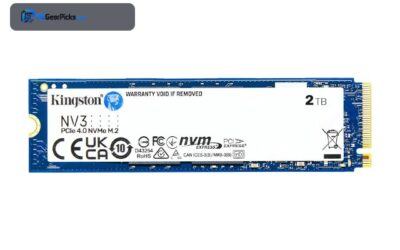
Check Price8. Kingston NV3 2TB (PCIe 4.0 NVMe) — Best High-Capacity Value

- ✓ Strong value per terabyte
- ✓ Good everyday Gen4 speed
- ✓ Highly reviewed
- ✗ DRAM-less design
- ✗ Not aimed at heavy workstations
The Kingston NV3 offers 2TB of PCIe 4.0 storage at a value-focused position, a smart way to add a lot of fast capacity. It handles gaming and everyday tasks comfortably.
It is not built for heavy sustained workstation writes, but as a large secondary or game drive it delivers excellent value.
Best for: Adding large, affordable Gen4 capacity.
May not fit: Heavy content-creation write workloads.
Check Price9. Kingston A400 240GB (2.5in SATA SSD) — Best for Old Systems

- ✓ Revives old laptops and desktops
- ✓ Enormous review base
- ✓ Works where NVMe is not supported
- ✗ SATA speed, far below NVMe
- ✗ Small capacity
The Kingston A400 is the go-to SATA SSD for breathing life into older machines that lack an M.2 slot. With over two hundred thousand reviews, it is a proven, dependable upgrade.
It will not match NVMe speeds, but swapping a hard drive for this A400 is one of the biggest speed improvements an older PC or laptop can get.
Best for: Older laptops and desktops without NVMe support.
May not fit: Modern builds that can use far faster NVMe drives.
Check PriceHow to Choose an SSD
NVMe or SATA?
NVMe drives use the M.2 slot and the PCIe bus, delivering many times the speed of SATA. Choose NVMe for any modern system. SATA SSDs are slower but still a huge upgrade over a hard drive, and they are the right choice for older machines that lack an M.2 slot.
Which PCIe generation do you need?
PCIe 3.0 drives are efficient and plenty fast for everyday use and gaming. PCIe 4.0 is the current mainstream sweet spot, roughly doubling Gen3 sequential speed. PCIe 5.0 doubles that again but needs a Gen5 slot and strong cooling, and mainly benefits large file work rather than gaming. Match the drive to what your motherboard supports.
How much capacity do you need?
With large game installs and growing files, 1TB is a sensible minimum for a primary drive, 2TB is the comfortable standard, and 4TB suits large libraries and creators. Buying a larger drive now is often better value than adding a second one later.
Does DRAM matter?
A DRAM cache helps a drive maintain speed under heavy sustained writes, which matters for workstations and large transfers. DRAM-less drives are efficient and feel fast for gaming and everyday use, where the difference is small. For most people a quality DRAM-less drive is fine; heavy creators benefit from DRAM.
Frequently Asked Questions
Is an SSD worth it?
Absolutely. An SSD is the single most noticeable upgrade for an older PC, dramatically improving boot times, load times, and responsiveness. Even a SATA SSD transforms a machine that uses a hard drive.
NVMe or SATA SSD, which should I buy?
NVMe if your system has an M.2 slot, since it is many times faster. SATA if you have an older machine without M.2. Both are far faster than a hard drive.
Do I need a PCIe 5.0 SSD?
Only for large file workflows on a Gen5 system. For gaming and everyday use, a PCIe 4.0 drive is the sweet spot, and Gen5 adds cost, heat, and little real-world benefit.
How much SSD capacity do I need?
1TB is a sensible minimum, 2TB is the comfortable standard for most users, and 4TB suits large game libraries and creators. A bigger drive now usually beats adding a second one later.
Final Verdict
For most people, the Samsung 990 PRO is the best all-round SSD thanks to its speed, reliability, and 2TB capacity, while the WD Black SN850X is the gaming pick and the Crucial P5 Plus the value choice. Gen5 systems and creators should look at the Crucial T700, and older machines are transformed by the Kingston A400 SATA drive. Match the drive to your board using our best NVMe SSD and best SSD for gaming guides.


No reviews yet. Be the first to share your experience!