

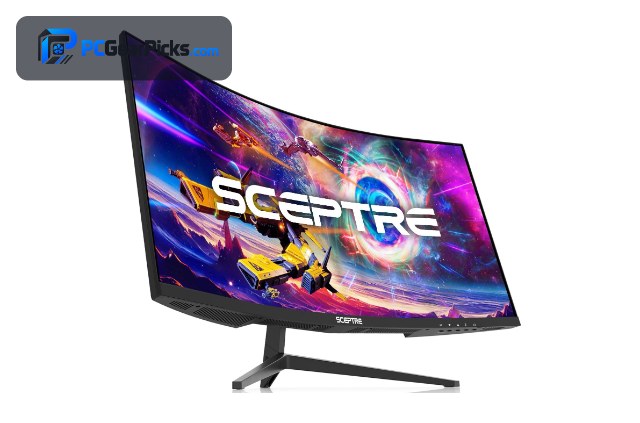
An ultrawide monitor offers a wider field of view than a standard 16:9 screen, giving more immersion in games and more usable workspace for productivity. The best ultrawide monitor for you depends on your resolution needs, how curved you want the screen, and your graphics card.
Below we rank six of the best ultrawide monitors across budgets, led by the value Sceptre 30″. Pair your display with a strong graphics card, or compare with our gaming monitor and 4K monitor guides.
Top 3 Best Ultrawide Monitors at a Glance

- 30-inch 21:9
- 2560×1080 ultrawide
- High refresh, curved

- 34-inch WQHD
- 3440×1440, up to 180Hz
- 1500R curved

Best Ultrawide Monitors in 2027
| Product | Key specs | Rating | Price | |
|---|---|---|---|---|
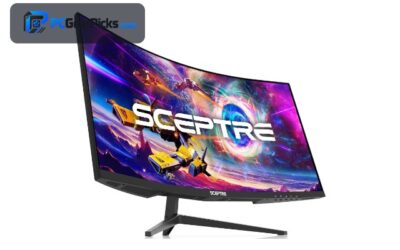
| Sceptre 30″ Curved 21:9 Best Overall Value | 30-inch 21:9, 2560×1080 ultrawide, High refresh, curved | 4.5★ | $199.98 | Check Price on Amazon |
| Sceptre 34″ Curved WQHD 180Hz Best WQHD | 34-inch WQHD, 3440×1440, up to 180Hz, 1500R curved | 4.2★ | $269.98 | Check Price on Amazon |
| Samsung 34″ Odyssey G5 Ultrawide Best Curved | 34-inch WQHD, 1000R curved, FreeSync | 4.3★ | $249.99 | Check Price on Amazon |
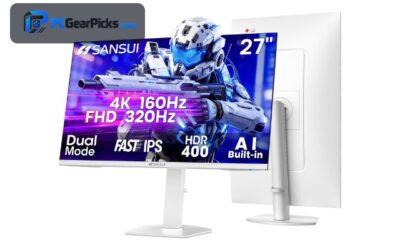
| SANSUI 34″ Ultrawide Best for Multitasking | 34-inch ultrawide, PBP support, HDR, 130% sRGB | 4.4★ | $215.99 | Check Price on Amazon |
| 34″ UWQHD Ultrawide HDR Best for Work | 34-inch UWQHD, 95% DCI-P3, HDR10, 2x10W speakers | 4.4★ | $399.99 | Check Price on Amazon |
| Alienware 34 QD-OLED 240Hz Best Premium | 34-inch WQHD QD-OLED, 240Hz curved, G-Sync Compatible | 4.4★ | $699.99 | Check Price on Amazon |
1. Sceptre 30″ Curved 21:9 – Best Overall Value
- ✓ Immersive 21:9 curved screen
- ✓ Over 12,000 reviews
- ✓ Excellent value under $200
- ✗ 2560×1080 resolution
- ✗ Basic stand
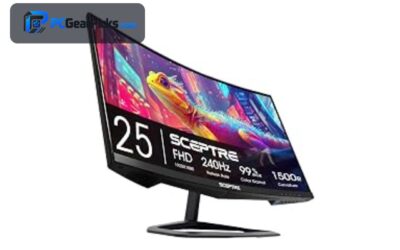
The Sceptre 30-inch Curved 21:9 is the best ultrawide monitor overall, offering an immersive curved 21:9 screen with high refresh at a standout price of around $200. With over 12,000 reviews, it is the proven, well-rounded pick for most buyers who want ultrawide immersion affordably.
Its 2560×1080 resolution is lower than WQHD ultrawides and the stand is basic, but for immersive, affordable ultrawide, it is our top pick.
Best for: Most buyers wanting affordable ultrawide immersion
May not fit: Those wanting sharper WQHD resolution
2. Sceptre 34″ Curved WQHD 180Hz – Best WQHD
- ✓ Sharp 3440×1440 WQHD
- ✓ Fast up to 180Hz
- ✓ Immersive 1500R curve
- ✗ Large desk footprint
- ✗ VA-class off-angle color
The Sceptre 34-inch Curved WQHD is the best value WQHD ultrawide, combining a sharp 3440×1440 resolution with up to 180Hz refresh and an immersive 1500R curve for around $270. It is a superb choice for gamers who want ultrawide sharpness and speed affordably.
It takes up a large desk footprint and color shifts slightly off-angle, but for a sharp, fast, immersive WQHD ultrawide at this price, it is excellent.
Best for: Gamers wanting sharp, fast WQHD ultrawide
May not fit: Those with a small desk
3. Samsung 34″ Odyssey G5 Ultrawide – Best Curved
- ✓ Deep 1000R immersive curve
- ✓ Sharp WQHD resolution
- ✓ Trusted Samsung Odyssey line
- ✗ Aggressive curve not for all
- ✗ Standard high refresh
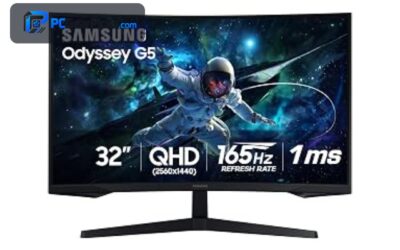
The Samsung 34-inch Odyssey G5 is the best deeply-curved ultrawide, pairing a sharp WQHD panel with an immersive 1000R curve from the trusted Odyssey line for around $250. It is ideal for gamers who want maximum wrap-around immersion.
The aggressive 1000R curve is not to everyone’s taste, but for a deeply immersive, sharp WQHD ultrawide from a trusted brand, it is a strong pick.
Best for: Gamers wanting maximum curved immersion
May not fit: Those who prefer a flatter screen for work
4. SANSUI 34″ Ultrawide – Best for Multitasking

- ✓ Picture-by-picture multitasking
- ✓ Vivid 130% sRGB color
- ✓ Well reviewed with 5,900+ ratings
- ✗ Large footprint
- ✗ Entry-level brand
The SANSUI 34-inch Ultrawide is the best ultrawide for multitasking, offering picture-by-picture support and vivid 130% sRGB color on an immersive 34-inch screen for around $216. It is great for those who want extra width for both work and play.
It has a large footprint and comes from an entry-level brand, but for a flexible, colorful ultrawide with strong multitasking at a fair price, it is a solid pick.
Best for: Buyers wanting ultrawide width for work and play
May not fit: Those with limited desk space
5. 34″ UWQHD Ultrawide HDR – Best for Work

- ✓ Accurate 95% DCI-P3 color
- ✓ Built-in 2x10W speakers
- ✓ Sharp UWQHD workspace
- ✗ Pricier than value ultrawides
- ✗ Standard refresh for gaming
The 34-inch UWQHD Ultrawide is the best ultrawide for work, combining accurate 95% DCI-P3 color, HDR10, and built-in 2x10W speakers on a sharp UWQHD panel for around $400. It is ideal for creators and professionals who want a wide, color-accurate workspace.
It costs more than value ultrawides and its refresh is modest for fast gaming, but for a color-accurate, well-equipped work ultrawide, it is an excellent pick.
Best for: Creators and professionals wanting a wide, accurate workspace
May not fit: Competitive gamers wanting high refresh
6. Alienware 34 QD-OLED 240Hz – Best Premium

- ✓ Stunning QD-OLED image
- ✓ Fast 240Hz refresh
- ✓ Premium Alienware design
- ✗ Premium price
- ✗ Needs a strong GPU
The Alienware 34 QD-OLED is the best premium ultrawide, combining a stunning 34-inch WQHD QD-OLED panel with a fast 240Hz refresh for around $700. It is the showcase pick for enthusiasts who want the best ultrawide image quality and speed together.
It commands a premium price and needs a strong graphics card, but for breathtaking QD-OLED immersion at 240Hz, it is outstanding.
Best for: Enthusiasts wanting the best ultrawide image and speed
May not fit: Buyers on a tighter budget
How to Choose an Ultrawide Monitor
Why choose ultrawide
Ultrawide monitors stretch the image to a 21:9 or wider aspect ratio, giving a more immersive field of view in supported games and more horizontal workspace for multitasking. They can replace a dual-monitor setup for many users and make strategy, racing, and simulation games more cinematic.
Resolution: 2560×1080 versus WQHD
Entry ultrawides like the Sceptre 30″ use 2560×1080, which is easy to drive but less sharp, while WQHD ultrawides like the Samsung Odyssey G5 use 3440×1440 for a noticeably crisper image. Choose WQHD for sharpness if your graphics card can drive it, or 2560×1080 for easier high frame rates.
Curve and immersion
Most ultrawides are curved to wrap the wide image around you, with deeper curves like the Samsung 1000R offering more immersion and gentler curves like 1500R feeling more natural. A curve helps keep the edges of a wide screen in comfortable view, which matters more as the screen widens.
Refresh rate and graphics card
Ultrawides range from standard refresh up to fast 240Hz on the Alienware QD-OLED, but driving a wide, high-resolution panel at high frame rates needs a capable graphics card. Match the refresh rate and resolution to your GPU to get smooth performance in games.
Gaming and productivity use
For gaming, check that your favourite titles support ultrawide aspect ratios, as most modern games do. For work, features like picture-by-picture on the SANSUI and accurate color on the UWQHD work pick make ultrawides excellent productivity tools that can replace multiple screens.
Frequently Asked Questions
What is the best ultrawide monitor in 2027?
Our overall pick is the Sceptre 30″ Curved 21:9, an immersive, affordable ultrawide with over 12,000 reviews for around $200. For WQHD sharpness, the Sceptre 34″ is excellent, and the Alienware 34 QD-OLED is the premium showcase.
Are ultrawide monitors good for gaming?
Yes, for immersion — ultrawides give a wider field of view that most modern games support, making them more cinematic and great for strategy, racing, and simulation titles. Check that your main games support ultrawide aspect ratios, and ensure your graphics card can drive the wide panel.
Is an ultrawide better than two monitors?
For many users, yes — a single ultrawide gives continuous wide workspace without a bezel in the middle, which is great for gaming and immersive work. Two monitors offer more total screen area and flexibility, so the choice depends on whether you prefer seamless width or maximum space.
What resolution should an ultrawide have?
Entry ultrawides use 2560×1080, which is easy to drive but less sharp, while WQHD ultrawides like the Samsung Odyssey G5 use 3440×1440 for a crisper image. Choose WQHD for sharpness if your graphics card can handle it, or 2560×1080 for easier high frame rates on a budget.
Do ultrawide monitors need a powerful GPU?
Driving a wide, high-resolution ultrawide at high frame rates needs a capable graphics card, especially for WQHD and 240Hz panels like the Alienware. Entry 2560×1080 ultrawides are easier to drive, so match the resolution and refresh rate to the GPU you have.
Final Verdict
For an ultrawide monitor in 2027, the Sceptre 30″ Curved is the best all-round value thanks to its immersion and huge review base, while the Sceptre 34″ WQHD is the best sharp pick and the Alienware 34 QD-OLED is the premium showcase. See our gaming monitor and OLED monitor guides for more.
No reviews yet. Be the first to share your experience!