

A 4K monitor packs four times the pixels of a 1080p screen, giving a sharp, detailed image that is excellent for work, media, and gaming. The best 4K monitor for you depends on your graphics card, whether you prioritise color accuracy or high refresh, and the screen size that suits your desk.
Below we rank six of the best 4K monitors across budgets, led by the value SANSUI 27″ dual-mode. Pair your display with a strong graphics card, or see our gaming monitor and ultrawide monitor guides.
Top 3 Best 4K Monitors at a Glance


Best 4K Monitors in 2027
| Product | Key specs | Rating | Price | |
|---|---|---|---|---|
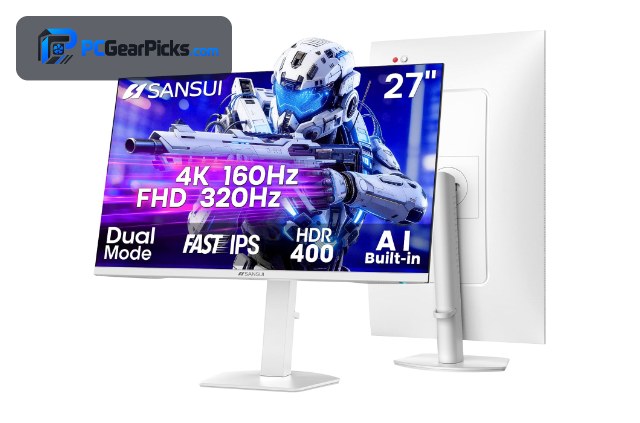
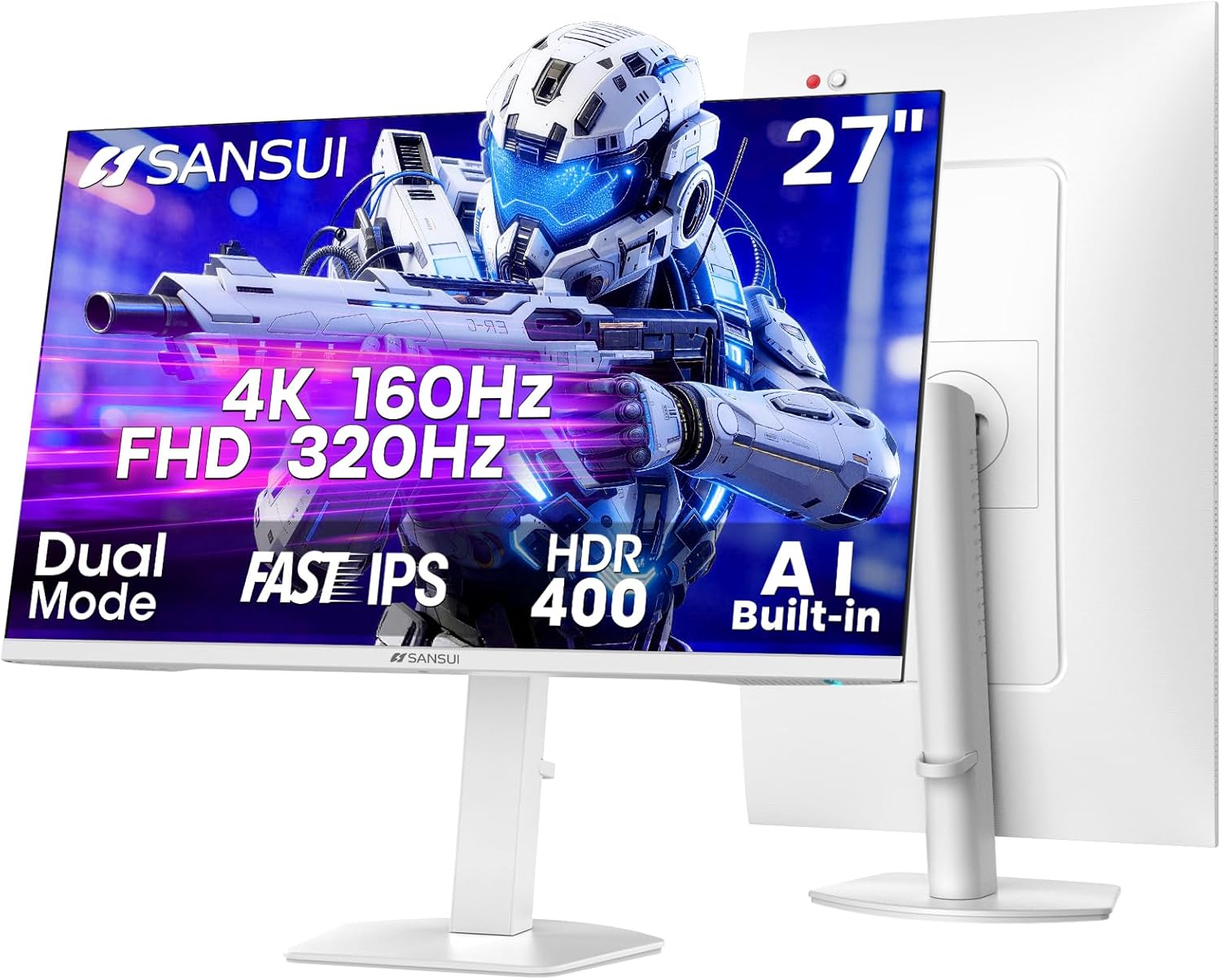
| SANSUI 27″ 4K Dual Mode Best Overall Value | 27-inch 4K, 120/160Hz 4K, 240Hz FHD, HDR | 4.4★ | $259.99 | Check Price on Amazon |
| Dell 27 S2725QS 4K IPS Best for Work | 27-inch 4K IPS, 120Hz, USB-C, height adjustable | 4.4★ | $279.99 | Check Price on Amazon |
| Dell 32″ 4K Monitor Best 32-Inch | 31.5-inch 4K, 99% color coverage, 4ms response | 4.4★ | $329.00 | Check Price on Amazon |
| ASUS 4K 240Hz Mini-LED Best High-Refresh | 4K 240Hz, Quantum Mini-LED, DisplayHDR 1000 | 4.3★ | $1,799.99 | Check Price on Amazon |
| Dell UltraSharp U4025QW Best Ultrawide | 40-inch 5K2K curved, IPS Black, Thunderbolt | 4.4★ | $1,419.00 | Check Price on Amazon |
| LG 45GX950A OLED 5K2K Best OLED | 45-inch 5K2K OLED, Curved Ultragear, High refresh | 4.3★ | $1,579.99 | Check Price on Amazon |
1. SANSUI 27″ 4K Dual Mode – Best Overall Value
- ✓ Sharp 4K with high refresh
- ✓ Dual-mode FHD 240Hz option
- ✓ Huge review base of 5,000+
- ✗ Needs a strong GPU for 4K gaming
- ✗ Stand is basic
The SANSUI 27-inch 4K Dual Mode is the best 4K monitor overall, delivering sharp 4K resolution with high refresh and a dual-mode FHD 240Hz option for around $260. With over 5,000 reviews, it is the proven, well-rounded choice for most buyers who want 4K sharpness at a fair price.
It needs a capable graphics card to drive 4K and the stand is basic, but for sharp, flexible 4K at this price, it is our top pick.
Best for: Most buyers wanting sharp, affordable 4K
May not fit: Those without a GPU strong enough for 4K
2. Dell 27 S2725QS 4K IPS – Best for Work
- ✓ Crisp 4K IPS with 99% sRGB
- ✓ USB-C and full ergonomic stand
- ✓ Trusted Dell build quality
- ✗ 120Hz rather than high-refresh
- ✗ Priced above budget 4K panels
The Dell 27 S2725QS is the best 4K monitor for work, combining a crisp 4K IPS panel with 99% sRGB, USB-C, and a fully adjustable stand for around $280. It is ideal for professionals and anyone who wants accurate color and strong ergonomics.
Its 120Hz refresh is modest for fast gaming and it costs more than basic 4K panels, but for a polished 4K work monitor, it is an excellent choice.
Best for: Professionals wanting accurate color and USB-C
May not fit: Competitive gamers wanting high refresh
3. Dell 32″ 4K Monitor – Best 32-Inch
- ✓ Large 32-inch 4K screen
- ✓ Strong color coverage
- ✓ Trusted Dell quality
- ✗ Large footprint
- ✗ Standard refresh rate
The Dell 32-inch 4K is the best large 4K monitor here, offering an immersive 31.5-inch screen with strong color coverage for around $329. It is great for those who want a big, sharp display for work and media.
Its large footprint needs desk space and the refresh rate is standard, but for a big, well-built 4K screen, it is a strong pick.
Best for: Buyers wanting a large 4K screen for work and media
May not fit: Those with limited desk space
4. ASUS 4K 240Hz Mini-LED – Best High-Refresh

- ✓ Fast 240Hz at full 4K
- ✓ Bright Mini-LED with HDR 1000
- ✓ Excellent contrast and highlights
- ✗ Premium price
- ✗ Demands a top-tier GPU
The ASUS 4K 240Hz Mini-LED is the best high-refresh 4K monitor, pairing a fast 240Hz refresh at full 4K with bright Quantum Mini-LED and DisplayHDR 1000 for around $1,800. It is the choice for enthusiasts who want 4K sharpness and esports-level speed together.
It commands a premium price and needs a top-tier graphics card, but for the ultimate blend of 4K sharpness, speed, and HDR, it is outstanding.
Best for: Enthusiasts wanting 4K and 240Hz together
May not fit: Buyers on a tighter budget
5. Dell UltraSharp U4025QW – Best Ultrawide

- ✓ Huge 40-inch 5K2K workspace
- ✓ Rich IPS Black contrast
- ✓ Thunderbolt connectivity
- ✗ Very large and premium-priced
- ✗ Overkill for pure gaming
The Dell UltraSharp U4025QW is the best ultrawide beyond-4K monitor, offering a huge 40-inch 5K2K curved IPS Black panel with Thunderbolt for around $1,419. It is ideal for professionals who want maximum sharp workspace in one screen.
It is very large and premium-priced and is overkill for pure gaming, but for an expansive, color-accurate productivity display, it is superb.
Best for: Professionals wanting maximum sharp workspace
May not fit: Buyers wanting a simple single-focus gaming screen
6. LG 45GX950A OLED 5K2K – Best OLED

- ✓ Stunning curved OLED image
- ✓ Massive 45-inch 5K2K canvas
- ✓ Fast OLED response
- ✗ Very large desk footprint
- ✗ Premium enthusiast price
The LG 45GX950A is the best OLED beyond-4K monitor, delivering a stunning 45-inch 5K2K curved OLED with fast response and high refresh for around $1,580. It is the showcase pick for enthusiasts who want the best image quality and immersion.
Its 45-inch size needs a large desk and the price is premium, but for breathtaking OLED immersion and sharpness, it is a standout.
Best for: Enthusiasts wanting the best OLED image and immersion
May not fit: Buyers with a small desk or tight budget
How to Choose a 4K Monitor
Why 4K and do you need it
4K resolution gives roughly four times the detail of 1080p, making text crisper and images sharper, which is excellent for productivity and media. It is most worthwhile on 27-inch and larger screens; on smaller panels the benefit is less noticeable. Consider whether your tasks and content benefit from the extra sharpness.
Graphics card requirements
Driving 4K, especially in games, demands a powerful graphics card since there are four times as many pixels to render. For 4K gaming you want a high-end GPU, while for work and media a modest card is fine. Match the monitor to the hardware you have or plan to buy.
Refresh rate at 4K
Most 4K monitors run at 60-120Hz, which is smooth for work and media, while high-refresh 4K like the ASUS 240Hz panel is reserved for enthusiasts with top-tier GPUs. Decide whether you need high frame rates at 4K or whether a standard refresh is enough for your use.
Panel type and color accuracy
IPS panels like the Dell S2725QS offer excellent color and viewing angles for work, OLED panels like the LG deliver the best contrast and image quality, and each suits different needs. For professional color work, look for high sRGB or DCI-P3 coverage as listed on these models.
Size, ports, and ergonomics
27-inch suits most desks, while 32-inch and ultrawide 5K2K panels like the Dell U4025QW offer more workspace. Also consider USB-C or Thunderbolt for single-cable laptop setups, and an adjustable stand for comfort, as found on the Dell models.
Frequently Asked Questions
What is the best 4K monitor in 2027?
Our overall pick is the SANSUI 27″ 4K Dual Mode, a sharp, well-reviewed 4K panel with a high-refresh FHD mode for around $260. For work, the Dell S2725QS IPS is excellent, and the LG 45GX950A OLED is the best image-quality showcase.
Do I need a powerful GPU for a 4K monitor?
For 4K gaming, yes — rendering four times the pixels of 1080p demands a high-end graphics card to hit good frame rates. For work, web, and media, a modest GPU drives 4K comfortably, so your needs depend on whether you plan to game at 4K.
Is 4K worth it over 1440p?
4K offers noticeably sharper text and images, which is excellent for productivity and media on 27-inch and larger screens. 1440p is easier to drive for gaming and still looks great, so choose 4K for sharpness and 1440p for a balance of clarity and performance.
What refresh rate do 4K monitors have?
Most 4K monitors run at 60-120Hz, which is smooth for work and single-player gaming, while enthusiast models like the ASUS 240Hz panel reach esports-level refresh at full 4K. Higher refresh at 4K needs a top-tier GPU, so match it to your hardware.
What size 4K monitor should I get?
27-inch is the sweet spot for most desks and makes 4K sharpness very noticeable, while 32-inch like the Dell gives more screen for work and media. Ultrawide 5K2K panels like the Dell U4025QW suit professionals wanting maximum workspace, if you have the desk space.
Final Verdict
For a 4K monitor in 2027, the SANSUI 27″ Dual Mode is the best all-round value thanks to its sharpness, flexibility, and huge review base, while the Dell S2725QS is the best for work and the LG 45GX950A OLED is the image-quality showcase. See our gaming monitor and ultrawide monitor guides for more options.

No reviews yet. Be the first to share your experience!