

The PS5 fills up fast, and expanding it means adding a specific kind of drive: a PCIe Gen4 NVMe SSD, ideally with a heatsink, that meets Sony performance requirements. Install the right drive in the console internal expansion slot and you get full-speed storage for more games with no compromise on load times.
Below are seven drives well suited to the PS5, favoring models with heatsinks or officially licensed designs. All are Gen4 NVMe drives; those without a heatsink need one added for the PS5. For PC gaming storage see our best SSD for gaming and best NVMe SSD guides.
Top 3 Best PS5 SSDs at a Glance

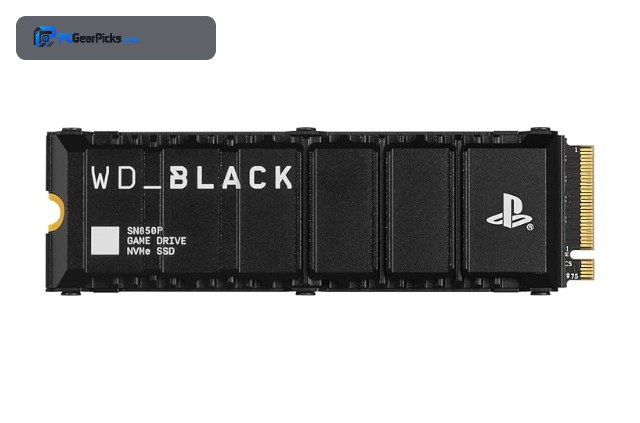
- • 1TB, PCIe 4.0
- • Officially licensed for PS5
- • Pre-fitted heatsink

- • 2TB, PCIe 4.0
- • Meets PS5 requirements
- • High-speed Gen4

- • 1TB, PCIe 4.0
- • Pre-installed heatsink
- • Game Mode 2.0
Best SSD for PS5 in 2027
| Model | Key Spec | Best For | Rating |
|---|---|---|---|
| WD Black SN850P 1TB (Officially Licensed for PS5) | 1TB, Gen4, licensed heatsink | PS5 owners wanting the simplest guaranteed-fit drive. | ★★★★★ 4.8 |
| WD Black SN850 2TB for PS5 Console | 2TB, Gen4, PS5-ready | PS5 owners wanting maximum capacity. | ★★★★★ 4.8 |
| WD Black SN850X 1TB with Heatsink | 1TB, Gen4, heatsink | PS5 owners wanting top performance with cooling. | ★★★★★ 4.8 |
| Samsung 990 PRO with Heatsink 2TB | 2TB, Gen4, heatsink | PS5 owners wanting flagship speed and 2TB. | ★★★★★ 4.7 |
| Kingston FURY Renegade 2TB (Gen4 NVMe) | 2TB, Gen4, high-performance | Enthusiast PS5 owners wanting top Gen4 speed. | ★★★★★ 4.8 |
| WD Black SN850 1TB (Gen4 NVMe) | 1TB, Gen4, add heatsink | Value buyers willing to fit a heatsink. | ★★★★★ 4.9 |
| Kingston NV3 2TB (Gen4 NVMe) | 2TB, Gen4, add heatsink | Budget PS5 owners wanting 2TB. | ★★★★★ 4.7 |
1. WD Black SN850P 1TB (Officially Licensed for PS5) — Best Overall
- ✓ Designed and licensed for PS5
- ✓ Heatsink included and sized to fit
- ✓ Plug-and-play installation
- ✗ 1TB fills with a few big games
- ✗ Slight premium for licensing
The WD Black SN850P is officially licensed for the PS5, which means its heatsink is sized to fit the console slot and it meets Sony requirements out of the box. It is the most fuss-free way to expand PS5 storage.
Installation is plug-and-play with the included heatsink, and performance matches the PS5 internal drive for seamless gaming.
Best for: PS5 owners wanting the simplest guaranteed-fit drive.
May not fit: Those needing a large library in one drive.
Check Price2. WD Black SN850 2TB for PS5 Console — Best High Capacity
- ✓ 2TB for many large games
- ✓ Proven SN850 performance
- ✓ PS5-ready design
- ✗ Confirm heatsink fit
- ✗ Premium pricing
This 2TB SN850 configuration targets PS5 owners who want to add a large library at once, doubling the storage of 1TB options. It delivers the fast load performance the PS5 expects.
With 2TB of space you can keep many big titles installed, and the proven SN850 platform ensures full-speed gaming.
Best for: PS5 owners wanting maximum capacity.
May not fit: Budget buyers who only need 1TB.
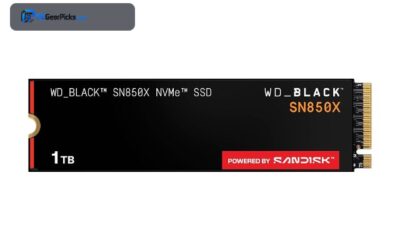
Check Price3. WD Black SN850X 1TB with Heatsink — Best Performance
- ✓ Top gaming speed with cooling
- ✓ Heatsink ready for PS5
- ✓ Fast load times
- ✗ Confirm slot clearance
- ✗ 1TB capacity
The SN850X with heatsink brings WD fastest gaming drive to the PS5, with cooling already fitted to sustain its high speeds. It is a performance-focused expansion choice.
The pre-installed heatsink keeps it cool in the console slot, and its strong random reads suit the PS5 fast game streaming.
Best for: PS5 owners wanting top performance with cooling.
May not fit: Those needing more than 1TB of space.
Check Price4. Samsung 990 PRO with Heatsink 2TB — Best Samsung

- ✓ Flagship speed with 2TB
- ✓ Heatsink included
- ✓ Reliable Samsung controller
- ✗ Premium pricing
- ✗ Confirm console clearance
The Samsung 990 PRO with Heatsink pairs flagship Gen4 performance with 2TB of capacity and built-in cooling, making it a top-tier PS5 expansion drive. It meets the console speed requirements comfortably.
The included heatsink is designed to keep the drive cool under the PS5 cover, and the 2TB size holds a large library.
Best for: PS5 owners wanting flagship speed and 2TB.
May not fit: Budget-focused buyers.
Check Price5. Kingston FURY Renegade 2TB (Gen4 NVMe) — Best Enthusiast

- ✓ High-end Gen4 speed
- ✓ 2TB enthusiast capacity
- ✓ Meets PS5 requirements
- ✗ Add a heatsink if not included
- ✗ Premium for Gen4
The Kingston FURY Renegade is a high-performance 2TB Gen4 drive that works well in the PS5 when fitted with a heatsink. It is a strong alternative to the WD and Samsung options for enthusiasts.
It delivers the speed the PS5 needs with ample capacity, though you should confirm it has a heatsink or add a compatible one.
Best for: Enthusiast PS5 owners wanting top Gen4 speed.
May not fit: Those who want a guaranteed pre-fitted heatsink.
Check Price6. WD Black SN850 1TB (Gen4 NVMe) — Best Value

- ✓ Strong value gaming drive
- ✓ Proven PS5 compatibility
- ✓ Excellent review base
- ✗ Needs a separate heatsink
- ✗ 1TB capacity
The original WD Black SN850 is a proven, well-priced way to expand the PS5, provided you add a compatible heatsink. It was one of the first drives confirmed to work well in the console.
With a heatsink fitted it meets the PS5 requirements and delivers fast loads, making it a smart value pick.
Best for: Value buyers willing to fit a heatsink.
May not fit: Those who want an all-in-one heatsink drive.
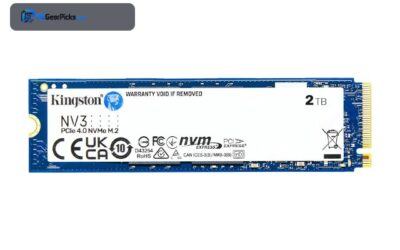
Check Price7. Kingston NV3 2TB (Gen4 NVMe) — Best Budget 2TB

- ✓ Affordable 2TB capacity
- ✓ Good Gen4 speed
- ✓ Highly reviewed
- ✗ Requires a heatsink for PS5
- ✗ DRAM-less design
The Kingston NV3 is the budget route to 2TB of PS5 storage, offering a lot of capacity for the money when paired with a heatsink. It handles the PS5 performance needs for everyday gaming.
Confirm it meets the console speed requirement and add a heatsink, and it becomes an affordable way to expand to 2TB.
Best for: Budget PS5 owners wanting 2TB.
May not fit: Those who want a guaranteed pre-fitted, licensed drive.
Check PriceHow to Choose a PS5 SSD
What kind of SSD does the PS5 need?
The PS5 requires a PCIe Gen4 NVMe M.2 SSD that meets Sony minimum speed recommendation, installed in the internal expansion slot. A heatsink is required to manage heat in the enclosed slot. Officially licensed drives include a correctly sized heatsink; others need one added.
Do I need a heatsink?
Yes. The PS5 expansion slot is enclosed, so a heatsink is needed to keep the drive cool and prevent throttling. Officially licensed and heatsink-equipped drives are the easiest choice. If you buy a bare drive, add a low-profile heatsink that fits under the console cover.
How much capacity should you add?
PS5 games are large, so 1TB adds meaningful space and 2TB lets you keep many big titles installed. If you play a lot of large games, 2TB is worth the extra cost to avoid frequent deleting and re-downloading.
Will any Gen4 SSD work?
Most quality Gen4 NVMe drives that meet the PS5 speed recommendation work, but you must add a compatible heatsink if the drive lacks one. Licensed drives remove the guesswork by guaranteeing fit and performance. Check the drive meets the console requirements before buying.
Frequently Asked Questions
What SSD is compatible with PS5?
A PCIe Gen4 NVMe M.2 drive that meets Sony speed recommendation, with a heatsink, installed in the internal expansion slot. Officially licensed drives include the correct heatsink.
Does a PS5 SSD need a heatsink?
Yes. The expansion slot is enclosed, so a heatsink is required to prevent throttling. Licensed and heatsink-equipped drives are easiest; bare drives need a low-profile heatsink added.
How much storage should I add to my PS5?
1TB adds useful space, while 2TB lets you keep many large games installed. Heavy gamers benefit from 2TB to avoid constant deleting and re-downloading.
Will a PS5 SSD be as fast as the built-in drive?
A drive that meets Sony requirements performs on par with the internal storage for loading games, so there is no gameplay penalty to using expansion storage.
Final Verdict
The WD Black SN850P is the best overall PS5 SSD thanks to its official licensing and included heatsink, while the 2TB SN850 and Samsung 990 PRO with Heatsink are the pick for large libraries. Budget buyers can use the WD SN850 or Kingston NV3 with an added heatsink. For PC gaming storage see our best SSD for gaming guide.


No reviews yet. Be the first to share your experience!