

For content creators — video editors, photographers, designers, and music producers — a keyboard is more than a typewriter. The features that matter are a rotary knob for scrubbing timelines or adjusting values, programmable macro keys for one-press app shortcuts, and firmware deep enough to remap the board to your editing workflow.
A custom keyboard shines here because hot-swap, knobs, and QMK/VIA programmability let you tailor it to exactly how you work. Below we rank seven custom keyboards for content creation by their creative controls and programmability. See our general custom keyboard guide and the peripherals hub for more.
Top 3 Best Creator Custom Keyboards at a Glance
Best Custom Keyboards for Content Creation in 2027
| Keyboard | Best For | Key Spec | Rating | Price |
|---|---|---|---|---|
| EPOMAKER TH99 PRO | Best Overall for Creators | 96% with knob + screen | 4.6★ (257) | Check Price |
| Womier SK80 | Best with Display | 75% with color display | 4.8★ (35) | Check Price |
| VSD K1 Pro Macro Keyboard | Best for Macros | 87-key with macro keys | 4.2★ (140) | Check Price |
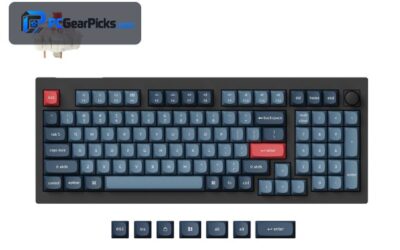
| Keychron V5 Max | Best Programmable | 96% QMK/VIA | 4.6★ (58) | Check Price |
| AULA F99 | Best Value | Near-full with knob | 4.5★ (3152) | Check Price |
| YUNZII B75 PRO | Best Compact with Knob | 75% with knob | 4.6★ (1374) | Check Price |
| Keychron K4 Ultra | Best Premium | 96% wireless custom | 5★ (12) | Check Price |
1. EPOMAKER TH99 PRO – Best Overall for Creators

- ✓ Knob for scrubbing, brush size, volume
- ✓ Numpad for entering values
- ✓ Screen shows at-a-glance info
- ✗ Larger footprint
- ✗ Software is basic
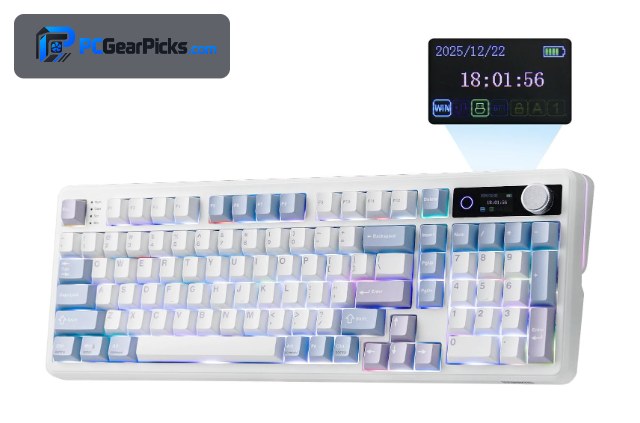
The EPOMAKER TH99 PRO is the best all-round creator keyboard because it combines the tools editors actually use: a rotary knob perfect for scrubbing a timeline, adjusting brush size, or riding volume, plus a full numpad for punching in exact values in Premiere, Photoshop, or a DAW.
Add hot-swap switches, a small info screen, and wireless, and it becomes a genuinely productive creative companion. For video, photo, and audio work, the knob alone earns its place on the desk.
Best for: Editors who want a knob and numpad for creative apps
May not fit: Those wanting the smallest compact board
2. Womier SK80 – Best with Display

- ✓ Color display for custom info/GIFs
- ✓ Knob for creative control
- ✓ Compact and stylish
- ✗ Display is more fun than essential
- ✗ No numpad
The Womier SK80 pairs a control knob with a small color display, letting creators ride volume or scrub while glancing at custom info or album art. On a content desk it adds both function and personality.
It’s a compact 75% without a numpad, and the display leans novelty, but the knob is genuinely useful for creative work and the board itself is a solid gasket-mounted hot-swap unit.
Best for: Creators who want a knob plus a showpiece display
May not fit: Those needing a numpad or who find displays gimmicky
3. VSD K1 Pro Macro Keyboard – Best for Macros
- ✓ Dedicated macro keys for app shortcuts
- ✓ Programmable for Premiere/Photoshop/DAW
- ✓ Compact 87-key layout
- ✗ Wired
- ✗ Niche software
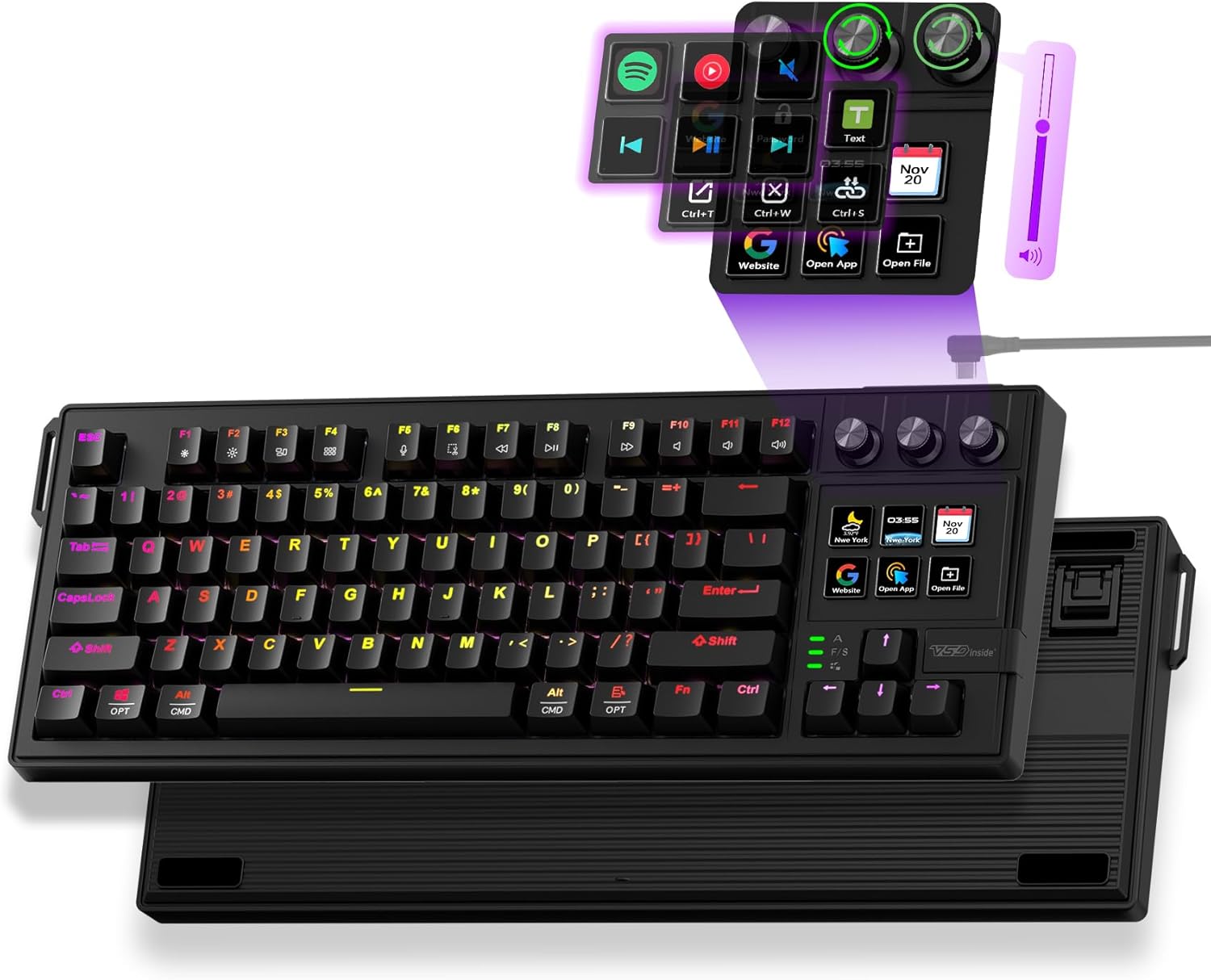
The VSD K1 Pro focuses on macros — programmable keys you can map to one-press shortcuts in your creative apps, like applying an effect, cutting a clip, or triggering a tool. For creators who lean on repetitive actions, that’s a real time-saver.
It’s a wired 87-key board with niche software, but if your workflow is shortcut-heavy and you want dedicated macro keys without a separate stream deck, it’s a focused, practical pick.
Best for: Creators who rely on one-press app shortcuts
May not fit: Those wanting wireless or a mainstream layout
4. Keychron V5 Max – Best Programmable
- ✓ Deep QMK/VIA macro and layer support
- ✓ Remap keys for creative shortcuts
- ✓ Premium gasket-mounted feel
- ✗ 96% is larger
- ✗ Pricier than budget boards
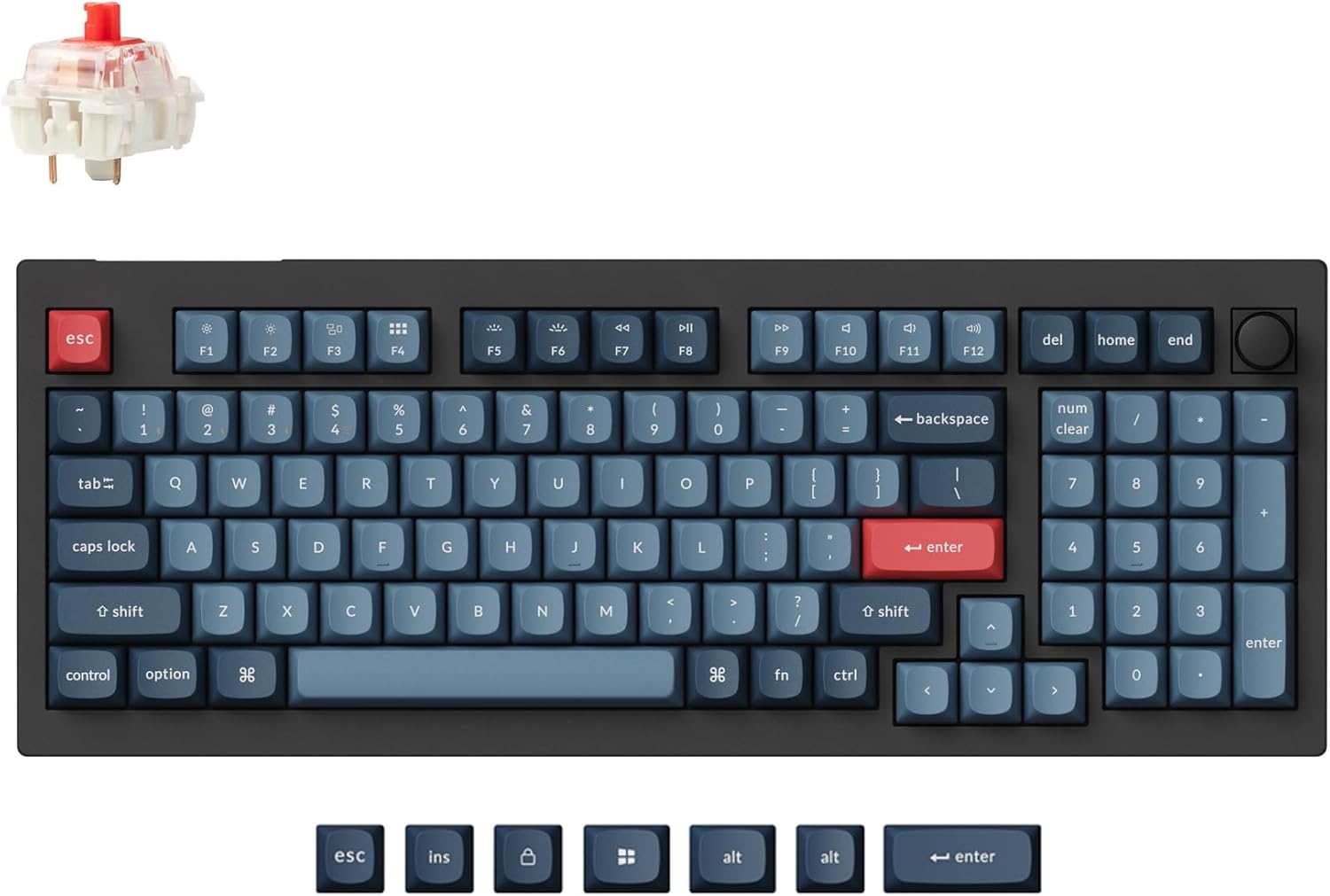
The Keychron V5 Max brings QMK/VIA programmability to creative work, so you can build macros for complex app actions, set up layers for tool shortcuts, and remap keys exactly to your editing workflow.
It’s a premium, great-feeling board with a numpad for values, and once configured it can speed up editing noticeably. For creators who want the deepest customization, it’s the pick.
Best for: Creators wanting the most programmable shortcuts
May not fit: Those who prefer a simple plug-and-play board
5. AULA F99 – Best Value

- ✓ Knob and lots of keys for ~$69
- ✓ Wireless and hot-swap
- ✓ Comfortable to type on
- ✗ Basic software
- ✗ Average keycaps
The AULA F99 gives creators a control knob, a near-full key count, wireless, and hot-swap for around $69 — covering the essentials of a creative board without the premium price.
The software is simple and the keycaps are average, but the knob and generous layout make it a strong value pick for editors who want creative controls on a budget.
Best for: Budget creators wanting a knob and wireless
May not fit: Those needing deep QMK/VIA macros
6. YUNZII B75 PRO – Best Compact with Knob

- ✓ Knob in a space-saving 75%
- ✓ Wireless and hot-swap
- ✓ Leaves room for a tablet/mouse
- ✗ No numpad
- ✗ Basic software
The YUNZII B75 PRO offers a creative control knob in a compact 75% footprint, freeing desk space for a drawing tablet or mouse — handy for photo and design work. It’s wireless and hot-swap, too.
It skips the numpad to stay small, so it suits design and photo editing more than value-heavy video work, but as a tidy knob-equipped creative board it’s a great compact option.
Best for: Photo and design creators who want a compact knob board
May not fit: Video editors who want a numpad for values
7. Keychron K4 Ultra – Best Premium

- ✓ Premium feel and build
- ✓ Numpad plus full programmability
- ✓ Wireless
- ✗ Most expensive here
- ✗ Newer, fewer reviews
The Keychron K4 Ultra is the premium creative pick, with a refined build, a numpad for entering values, full QMK/VIA programmability for macros, and wireless convenience in a compact 96% layout.
At around $115 it’s the priciest here, but for professional creators who want the best typing feel plus deep shortcut programming and a numpad, it’s a polished long-term tool.
Best for: Professional creators wanting a premium programmable board
May not fit: Budget buyers or those wanting a dedicated knob
How to Choose a Custom Keyboard for Content Creation
A rotary knob changes how you edit
A knob is the single most useful creative feature — scrub a video timeline, adjust brush size, or ride volume without reaching for the mouse. The EPOMAKER TH99 PRO, Womier SK80, and AULA F99 all include one, and once you use it, it’s hard to go back.
Macro keys and programmable shortcuts
Mapping complex app actions to a single key saves real time. Dedicated macro boards like the VSD K1 Pro and programmable boards like the Keychron V5 Max let you trigger effects, cuts, and tools with one press in Premiere, Photoshop, or your DAW.
Numpad for precise values
Video and motion work often means typing exact numbers — frame counts, coordinates, durations. A 96% or full-size board like the EPOMAKER keeps a numpad for that, while compact boards trade it for desk space better suited to photo and design work.
Compact vs feature-rich
Photographers and designers who use a tablet often prefer a compact 75% board like the YUNZII B75 PRO to free desk space, while video and audio editors tend to want the knob, numpad, and extra keys of a larger board. Match size to your workflow.
Hot-swap for comfort on long edits
Editing sessions run long, so comfortable switches matter. Hot-swap sockets let you fit tactile or linear switches to taste, and a gasket mount softens the feel — small touches that reduce fatigue during marathon projects.
Frequently Asked Questions
What is the best custom keyboard for content creation in 2027?
The EPOMAKER TH99 PRO is our overall pick thanks to its rotary knob, full numpad, hot-swap switches, and wireless — a strong mix for video, photo, and audio work. The VSD K1 Pro is best for dedicated macros, and the Keychron V5 Max for deep programmability.
Do I need a keyboard with a knob for editing?
It’s not essential, but a rotary knob is genuinely useful for scrubbing timelines, adjusting brush size, and riding volume without the mouse. If you edit video, photos, or audio regularly, a knob-equipped board like the EPOMAKER TH99 PRO or Womier SK80 is worth it.
Can a keyboard replace a stream deck for shortcuts?
For many creators, yes. Macro keys on boards like the VSD K1 Pro, or QMK/VIA macros on the Keychron V5 Max, let you trigger app actions with one press. A stream deck adds screens and more buttons, but a programmable keyboard covers core shortcut needs.
Should a creator keyboard have a numpad?
If you type exact values — frame counts, coordinates, durations — a numpad speeds you up, so a 96% or full-size board helps. Photographers and designers who use a tablet often prefer a compact board for desk space instead.
Is a custom keyboard worth it for content creation?
Yes, if you value knobs, macros, and programmability tailored to your apps. Hot-swap and QMK/VIA let you build a board around your exact workflow, which a standard keyboard can’t match. Even budget options like the AULA F99 deliver the key creative features.
Final Verdict
For content creation, choose a board for its creative controls. The EPOMAKER TH99 PRO is the best all-rounder with its knob and numpad, the VSD K1 Pro is the macro specialist, and the Keychron V5 Max is the most programmable. A rotary knob and a few well-mapped macros can genuinely speed up editing — and you don’t need to spend much, with the AULA F99 covering the essentials. See our custom keyboard guide for more.
No reviews yet. Be the first to share your experience!