

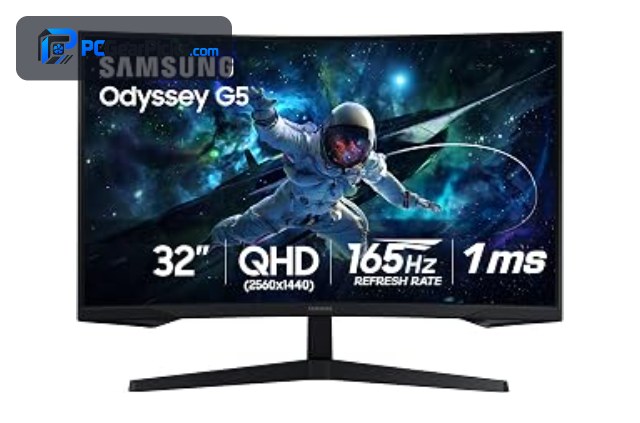
A 1440p monitor hits the sweet spot between sharpness and performance, offering noticeably crisper images than 1080p while remaining far easier to drive than 4K. The best 1440p monitor for you depends on your refresh-rate needs, panel preference, and whether you want a flat or curved screen.
Below we rank six of the best 1440p monitors across budgets, led by the Samsung Odyssey G5. Pair your display with a capable graphics card, or compare with our 4K monitor and gaming monitor guides.
Top 3 Best 1440p Monitors at a Glance


- QHD 1500R curved
- ELMB Sync, 1ms
- FreeSync Premium
Best 1440p Monitors in 2027
| Product | Key specs | Rating | Price | |
|---|---|---|---|---|
| Samsung Odyssey G5 32″ 165Hz Best Overall | 32-inch QHD, 165Hz refresh, 1ms, HDR10 | 4.4★ | $263.00 | Check Price on Amazon |
| AMZG 27″ QHD Best Budget | 27-inch QHD, 130% sRGB, Adaptive Sync | 4.5★ | $149.99 | Check Price on Amazon |
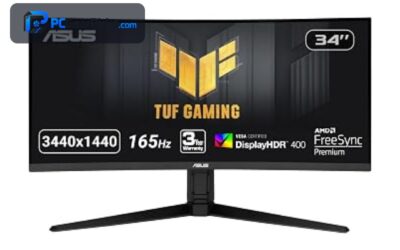
| ASUS TUF Gaming Curved QHD Best Curved | QHD 1500R curved, ELMB Sync, 1ms, FreeSync Premium | 4.4★ | $249.99 | Check Price on Amazon |
| 27″ QHD 240Hz G-Sync Best High-Refresh Value | 27-inch QHD, 240Hz / 260Hz OC, 0.3ms, G-Sync Compatible | 4.6★ | $159.99 | Check Price on Amazon |
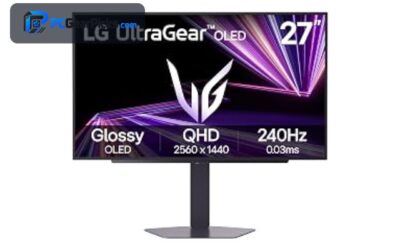
| LG 27GX704A Ultragear OLED Best OLED | 27-inch QHD OLED, 240Hz, 0.03ms, G-Sync Compatible | 4.5★ | $399.99 | Check Price on Amazon |
| Samsung 27″ 180Hz QHD Best for Everyday | 27-inch QHD, 180Hz refresh, G-Sync Compatible | 4.4★ | $329.99 | Check Price on Amazon |
1. Samsung Odyssey G5 32″ 165Hz – Best Overall
- ✓ Large 32-inch QHD screen
- ✓ Smooth 165Hz with 1ms
- ✓ Trusted Samsung Odyssey line
- ✗ VA-class off-angle color
- ✗ Edges toward 1440p sweet-spot pricing
The Samsung Odyssey G5 32-inch is the best 1440p monitor overall, pairing a large QHD screen with a smooth 165Hz refresh, 1ms response, and HDR10 for around $263. With over 2,000 reviews and the trusted Odyssey name, it is the well-rounded pick for most buyers.
Its VA panel shifts color slightly off-angle, but for a large, fast, well-priced QHD monitor, it is our top pick.
Best for: Most buyers wanting a large, fast QHD screen
May not fit: Those needing wide-angle color accuracy
2. AMZG 27″ QHD – Best Budget
- ✓ Very affordable QHD
- ✓ Vivid 130% sRGB color
- ✓ Dual HDMI and DisplayPort
- ✗ Entry-level build
- ✗ Modest brand recognition
The AMZG 27-inch QHD is the best budget 1440p monitor, offering sharp QHD resolution with vivid 130% sRGB color and Adaptive Sync for around $150. It is a superb value for anyone who wants to step up to 1440p affordably.
Its build is entry-level and the brand is less known, but for the price it delivers excellent QHD sharpness and color, making it the value standout.
Best for: Buyers wanting affordable QHD sharpness
May not fit: Those wanting a premium build or top brand
3. ASUS TUF Gaming Curved QHD – Best Curved
- ✓ Immersive 1500R curve
- ✓ Fast 1ms with ELMB Sync
- ✓ Height-adjustable stand
- ✗ Curve not to everyone’s taste
- ✗ Standard 1440p sharpness
The ASUS TUF Gaming Curved QHD is the best curved 1440p monitor, combining an immersive 1500R curve with fast 1ms ELMB Sync response and FreeSync Premium for around $250. It is ideal for gamers who want immersion and speed from a trusted brand.
The curve is not to everyone’s taste and sharpness is standard QHD, but for an immersive, fast, well-built curved monitor, it is an excellent pick.
Best for: Gamers wanting an immersive curved QHD screen
May not fit: Those who prefer a flat panel
4. 27″ QHD 240Hz G-Sync – Best High-Refresh Value

- ✓ Fast 240Hz for the price
- ✓ G-Sync Compatible, 0.3ms
- ✓ Top 4.6-star rating
- ✗ Lesser-known brand
- ✗ Basic HDR
The 27-inch QHD 240Hz is the best high-refresh value 1440p monitor, delivering a fast 240Hz refresh, 0.3ms response, and G-Sync Compatible support for around $160. Its 4.6-star rating makes it a standout for competitive players on a budget.
It comes from a lesser-known brand and HDR is basic, but for esports-level 240Hz at this price, it is remarkable value.
Best for: Competitive players wanting affordable 240Hz QHD
May not fit: Those wanting a premium brand or strong HDR
5. LG 27GX704A Ultragear OLED – Best OLED

- ✓ Stunning OLED contrast
- ✓ Fast 240Hz with 0.03ms
- ✓ Premium Ultragear build
- ✗ Premium price
- ✗ OLED care considerations
The LG 27GX704A Ultragear is the best OLED 1440p monitor, pairing a stunning QHD OLED panel with a fast 240Hz refresh and 0.03ms response for around $400. It is the showcase pick for gamers who want the best image quality and speed together.
It costs more than LCD rivals and OLED needs some care, but for breathtaking contrast and esports-level speed, it is outstanding.
Best for: Gamers wanting the best QHD image and speed
May not fit: Buyers on a tighter budget
6. Samsung 27″ 180Hz QHD – Best for Everyday

- ✓ Smooth 180Hz refresh
- ✓ Fast 0.03ms response
- ✓ Trusted Samsung quality
- ✗ Priced above budget QHD
- ✗ No high-end HDR
The Samsung 27-inch 180Hz is a strong everyday 1440p monitor, offering a smooth 180Hz refresh, fast 0.03ms response, and G-Sync Compatible support for around $330. It is a dependable all-rounder for gaming and work from a trusted brand.
It costs more than budget QHD panels and lacks high-end HDR, but for a smooth, well-built everyday QHD monitor, it is a solid pick.
Best for: Buyers wanting a smooth all-round QHD monitor
May not fit: Those seeking the lowest price or premium HDR
How to Choose a 1440p Monitor
Why 1440p is the sweet spot
1440p (QHD) offers about 78% more pixels than 1080p for a noticeably sharper image, yet it is far easier to drive at high frame rates than 4K. This balance makes it the popular choice for gaming, where a mid-range graphics card can deliver both sharpness and high refresh rates.
Refresh rate for QHD gaming
1440p monitors range from 144Hz up to 240Hz as on the LG Ultragear and the 240Hz value pick. Higher refresh means smoother motion, but needs a graphics card that can produce matching frame rates at QHD. Match the refresh rate to your GPU and the games you play.
Panel type: IPS, VA, and OLED
IPS panels offer great color and viewing angles, VA panels like the Samsung Odyssey G5 give strong contrast, and OLED like the LG delivers the best image quality. For competitive gaming prioritise fast response; for immersive games, contrast and color matter more.
Flat versus curved
Curved monitors like the ASUS TUF wrap the image around you for more immersion, which many gamers enjoy, while flat panels are better for precise work and multi-monitor setups. Consider your main use and personal preference when choosing between them.
Graphics card pairing
1440p is comfortably driven by a mid-range to high-end graphics card at high refresh rates, making it less demanding than 4K. Check that your GPU can hit the frame rates your chosen refresh rate needs, especially for 240Hz panels, to get the most from the monitor.
Frequently Asked Questions
What is the best 1440p monitor in 2027?
Our overall pick is the Samsung Odyssey G5 32-inch, a large, fast QHD panel with 165Hz and a huge review base for around $263. For value, the AMZG 27″ is excellent at $150, and the LG 27GX704A OLED is the best image-quality choice.
Is 1440p better than 1080p?
Yes for sharpness — 1440p offers about 78% more pixels than 1080p for a noticeably crisper image, while remaining easy to drive at high frame rates with a mid-range GPU. It is the popular sweet spot for gaming that balances clarity and performance.
Is 1440p or 4K better for gaming?
1440p is easier to drive at high frame rates and pairs well with mid-range graphics cards, while 4K is sharper but needs a powerful GPU. For high-refresh competitive gaming, 1440p is often the better balance; for maximum sharpness in slower games, 4K wins.
What refresh rate should a 1440p monitor have?
144Hz is a great baseline for smooth QHD gaming, while 240Hz panels like the LG Ultragear and the value 240Hz pick suit competitive players. Make sure your graphics card can produce high frame rates at 1440p to benefit from the higher refresh.
Do I need a powerful GPU for 1440p?
A mid-range to high-end graphics card drives 1440p comfortably at high frame rates, making it far less demanding than 4K. For 240Hz QHD gaming you will want a stronger card, so match the GPU to the refresh rate you are targeting.
Final Verdict
For a 1440p monitor in 2027, the Samsung Odyssey G5 32-inch is the best all-round pick thanks to its size, speed, and value, while the AMZG 27″ is the budget standout and the LG 27GX704A OLED is the image-quality showcase. See our 4K monitor and gaming monitor guides for more.
No reviews yet. Be the first to share your experience!