

A 4-bay NAS gives you far more capacity and RAID flexibility than a 2-bay unit, making it ideal for large backups, growing media libraries, and small-business storage. The best 4-bay NAS for you depends on the processor power you need, the software you prefer, and how much you want to spend.
Below we rank six of the best 4-bay NAS devices, led by the fast UGREEN DXP4800 Plus. For other sizes and brands, see our best NAS guide, Synology NAS roundup, and best NAS for Plex.
Top 3 Best 4-Bay NAS Devices at a Glance


Best 4-Bay NAS Devices in 2027
| Product | Key specs | Rating | Price | |
|---|---|---|---|---|
| UGREEN DXP4800 Plus (4-Bay) Best Overall | 4-bay, Intel CPU, Dual 2.5G LAN | 4.6★ | $656.99 | Check Price on Amazon |
| Synology DS423 (4-Bay) Best Value | 4-bay, DSM software, Flexible RAID | 4.4★ | $349.99 | Check Price on Amazon |
| QNAP TS-464 (4-Bay) Best for Apps | 4-bay, Intel CPU, M.2 cache slots | 4.4★ | $639.00 | Check Price on Amazon |
| Synology DS925+ (4-Bay) Best for Power Users | 4-bay, Plus-series CPU, Expandable | 4.3★ | $759.00 | Check Price on Amazon |
| UGREEN DH4300 Plus (4-Bay) Best Budget 4-Bay | 4-bay, Beginner-friendly, 2.5G LAN | 4.2★ | $373.99 | Check Price on Amazon |
| Synology DS425+ (4-Bay) Best for Media | 4-bay, Plus-series CPU, Media server | 4.7★ | $578.99 | Check Price on Amazon |
1. UGREEN DXP4800 Plus (4-Bay) – Best Overall
- ✓ Fast Intel CPU for media and apps
- ✓ Four bays plus M.2 slots
- ✓ Excellent rating with 600+ reviews
- ✗ Diskless (drives sold separately)
- ✗ Newer software ecosystem than Synology
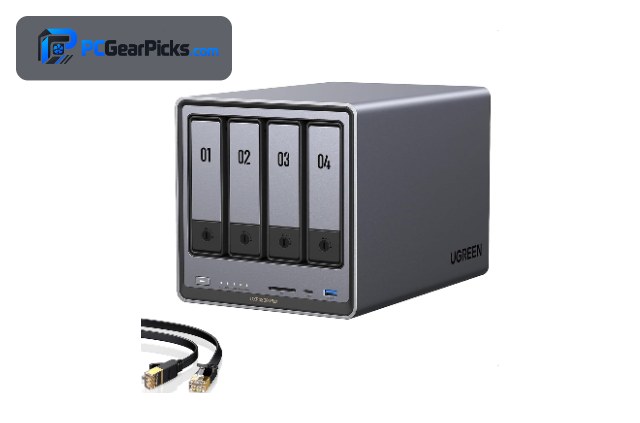
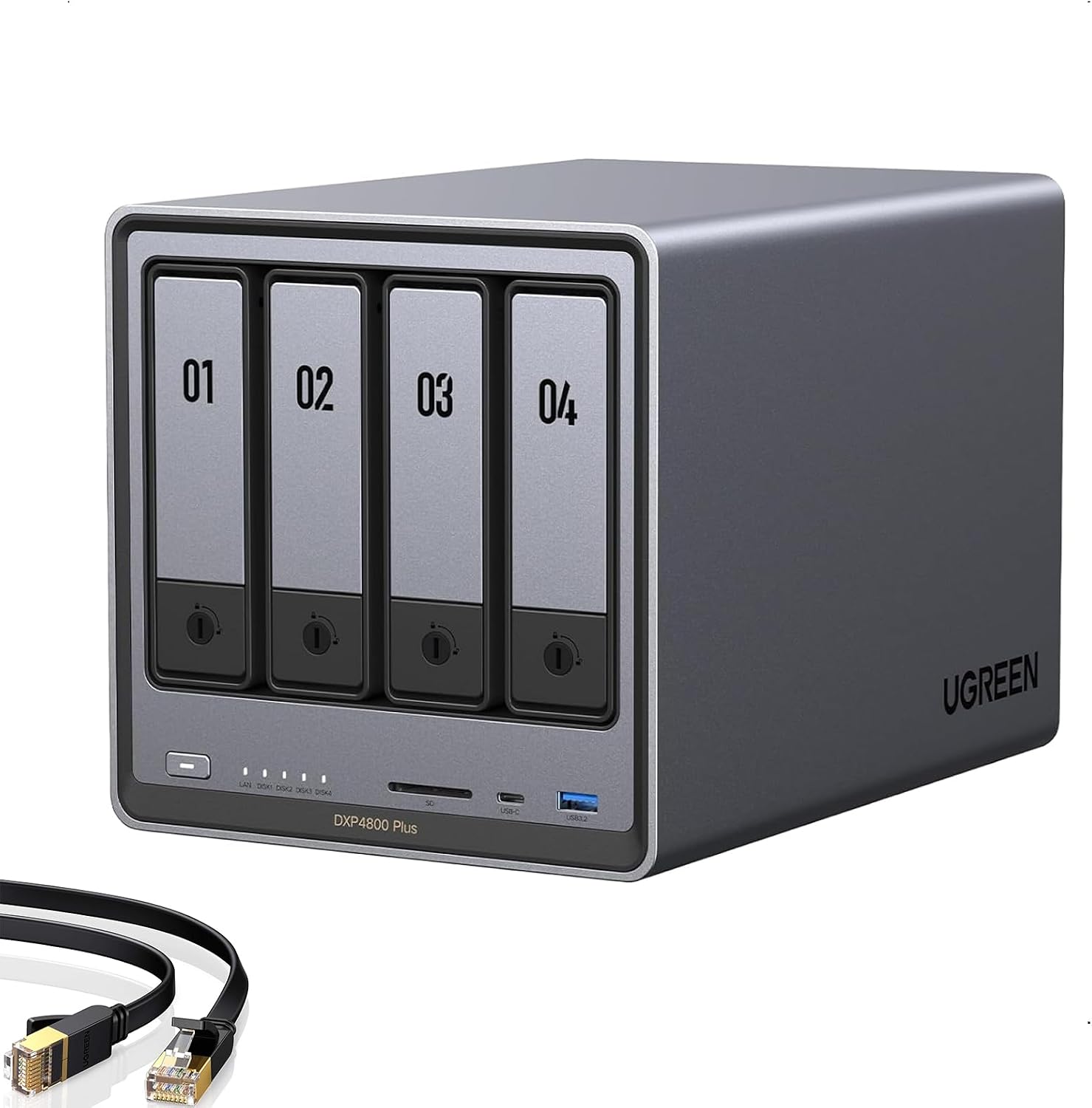
The UGREEN DXP4800 Plus is the best 4-bay NAS overall, pairing a fast Intel processor with four drive bays, M.2 slots, and dual 2.5G networking for around $657. It handles media streaming, apps, and large backups with ease, and its strong rating makes it the standout all-rounder.
It ships diskless and its software ecosystem is newer than Synology’s, but for a powerful, well-rounded 4-bay NAS with fast hardware, it is our top pick.
Best for: Most users wanting a fast, capable 4-bay NAS
May not fit: Those wanting the most mature software
2. Synology DS423 (4-Bay) – Best Value
- ✓ Excellent DSM software
- ✓ Four bays at a sensible price
- ✓ Reliable for backups and files
- ✗ Non-Plus CPU limits heavy apps
- ✗ Diskless (drives sold separately)
The Synology DS423 is the best value 4-bay NAS, offering four bays, flexible RAID, and Synology’s acclaimed DSM software for around $350. It is a reliable, affordable choice for families and small offices that want more capacity than a 2-bay unit.
Its non-Plus CPU is less suited to heavy apps and transcoding, and it ships diskless, but for affordable, dependable 4-bay Synology storage, it is the value standout.
Best for: Families and small offices wanting 4 bays for less
May not fit: Those needing heavy transcoding or apps
3. QNAP TS-464 (4-Bay) – Best for Apps
- ✓ Capable Intel CPU for apps and media
- ✓ QNAP app ecosystem and virtualization
- ✓ M.2 cache support
- ✗ Software has a learning curve
- ✗ Diskless (drives sold separately)
The QNAP TS-464 is the best 4-bay NAS for apps and power users, combining a capable Intel processor with QNAP’s rich app ecosystem, virtualization, and M.2 cache slots for around $639. It is a flexible choice for self-hosting and demanding home-server tasks.
QNAP’s software has a steeper learning curve and the unit ships diskless, but for app flexibility and virtualization in a 4-bay NAS, it is an excellent pick.
Best for: Power users wanting apps and virtualization
May not fit: Beginners wanting the simplest software
4. Synology DS925+ (4-Bay) – Best for Power Users

- ✓ Capable Plus-series performance
- ✓ Four expandable bays
- ✓ Runs apps, VMs, and media
- ✗ Premium price
- ✗ Diskless (drives sold separately)
The Synology DS925+ is the best 4-bay NAS for power users, pairing a capable Plus-series processor with four expandable bays for around $759. It streams media while also running containers, apps, and virtual machines, with Synology’s polished DSM software throughout.
It is a premium, diskless unit, but for a powerful, expandable 4-bay Synology that does it all, it is an excellent high-end choice.
Best for: Power users wanting apps, VMs, and expansion
May not fit: Those wanting the lowest price
5. UGREEN DH4300 Plus (4-Bay) – Best Budget 4-Bay

- ✓ Lowest-priced 4-bay here
- ✓ Beginner-friendly setup
- ✓ Four bays for growing storage
- ✗ Entry-level performance
- ✗ Diskless (drives sold separately)
The UGREEN DH4300 Plus is the best budget 4-bay NAS, offering four bays and a beginner-friendly setup for around $374, the lowest price in this roundup. It is an affordable way to get four-bay capacity and redundancy for backups and files.
Its performance is entry-level and it ships diskless, but for the most affordable route to a 4-bay NAS, it is a smart budget pick.
Best for: Budget buyers wanting four bays for growth
May not fit: Those needing strong app or media performance
6. Synology DS425+ (4-Bay) – Best for Media

- ✓ Capable Plus-series media performance
- ✓ Four bays for large libraries
- ✓ Excellent 4.7-star rating
- ✗ Higher price
- ✗ Diskless (drives sold separately)
The Synology DS425+ is the best 4-bay NAS for media, pairing a capable Plus-series processor with four bays and media-server features for around $579. It is a strong choice for streaming, large libraries, and multi-user homes that want Synology’s software.
It costs more and ships diskless, but for a powerful 4-bay Synology media server, it is an excellent pick.
Best for: Media libraries and multi-user homes
May not fit: Those on a tight budget
How to Choose a 4-Bay NAS
Why choose a 4-bay NAS
Four bays let you store more data and use flexible RAID levels that balance capacity and redundancy, so you can lose a drive without losing data. A 4-bay NAS like the DS423 or DXP4800 Plus suits large media libraries, multi-device backups, and small offices that will outgrow a 2-bay unit.
Processor power and apps
For simple storage, a non-Plus CPU like the DS423’s is fine, but for media transcoding, virtualization, and self-hosted apps, an Intel-based unit like the UGREEN DXP4800 Plus or QNAP TS-464, or a Synology Plus model like the DS925+, is a better fit. Match the CPU to your workload.
Software ecosystem
Synology’s DSM is the most polished and beginner-friendly, QNAP offers deep app and virtualization features with a steeper learning curve, and UGREEN’s newer software is improving quickly. Choose based on whether you value simplicity or advanced flexibility.
RAID, drives, and expansion
4-bay units support RAID levels like RAID 5 that give capacity and redundancy together. Most ship diskless, so budget for four drives, and check whether the model supports M.2 cache or expansion units. Higher-end models like the DS925+ can expand further as you grow.
Networking for multiple users
With more storage comes more sharing, so fast networking helps. Units with dual 2.5G LAN like the UGREEN models keep multiple transfers and streams smooth across a busy home or office network. For single-user backups, standard gigabit is usually enough.
Frequently Asked Questions
What is the best 4-bay NAS in 2027?
Our overall pick is the UGREEN DXP4800 Plus, a fast Intel-based 4-bay NAS with dual 2.5G networking for around $657. For value, the Synology DS423 is the best affordable choice, and the QNAP TS-464 is the best for apps and virtualization.
Is a 4-bay NAS worth it over a 2-bay?
Yes, if you need more capacity or RAID flexibility. Four bays let you store far more data and use RAID levels like RAID 5 that balance capacity and redundancy, which suits large media libraries, multi-device backups, and small businesses that will outgrow a 2-bay unit.
Do 4-bay NAS devices come with drives?
Usually no — most 4-bay NAS units like the Synology, QNAP, and UGREEN models ship diskless, so you buy and fit four drives yourself. Factor the cost of four drives into your budget when comparing 4-bay NAS prices.
Which 4-bay NAS is best for Plex?
An Intel-based 4-bay NAS like the UGREEN DXP4800 Plus or the Synology DS425+ Plus-series handles media serving and transcoding well. For heavy 4K transcoding, favour a stronger Intel CPU — see our best NAS for Plex guide for dedicated media-server picks.
How much should I spend on a 4-bay NAS?
Budget 4-bay units start around $374 with the UGREEN DH4300 Plus, the value sweet spot is roughly $350-640 for the DS423, DS425+, and QNAP TS-464, and power-user models reach about $759 with the DS925+. Remember to add the cost of four drives.
Final Verdict
For a 4-bay NAS in 2027, the UGREEN DXP4800 Plus is the best all-round pick thanks to its fast hardware and networking, while the Synology DS423 is the best value and the QNAP TS-464 is the best for apps. Power users should look at the DS925+, and media fans at the DS425+. See our best NAS guide and Synology NAS picks.
No reviews yet. Be the first to share your experience!