

With a budget of up to $1000 you can buy a graphics card that handles everything from high-refresh 1440p to entry-level 4K gaming — but the honest truth is you rarely need to spend that much. We ranked the best gaming GPUs under $1000 in 2026, from $220 value champions to 16GB RDNA 4 flagships, so you can buy exactly as much GPU as your monitor and games actually need.
Every card below is real and in stock, with genuine pricing and buyer ratings. We flag the true value sweet spot and where spending more stops paying off. To finish a balanced build, see our components guides and PC build buying guides.
Top 3 Best Gaming GPUs Under $1000 at a Glance
Best Gaming GPUs Under $1000 in 2026
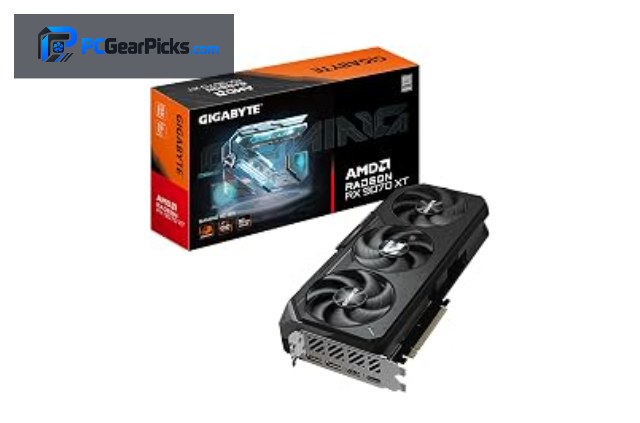
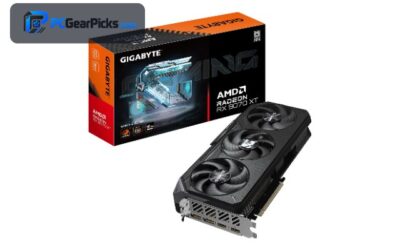
1. GIGABYTE RX 9070 XT 16GB – Best Overall

- • 16GB GDDR6, RDNA 4
- • 1440p / 4K high
- • Top AMD value
- ✓ $821.41 for RX 9070 XT is strong value
- ✓ A generous 16GB frame buffer for textures and 1440p+
- ✓ AV1 media engine
- ✓ Well rated — 4.6/5 from 580 buyers
- ✗ Overkill for 1080p — pair with a 1440p/4K monitor
- ✗ Needs a modern PSU with the right power connector
The GIGABYTE RX 9070 XT 16GB is best overall in this roundup. For gaming it targets high-refresh 1440p and entry 4K, and at $821.41 it sits near the top of this list. The AV1 engine handles game capture and streaming too.
With 580 ratings averaging 4.6/5, it is a proven pick. Pair the RX 9070 XT with a matching CPU and a quality power supply, and check your case has clearance — see our components guides for balanced build advice.
Best for: 1440p/4K gamers who want near-flagship frames per dollar.
May not fit: buyers who only game at 1080p — cheaper cards suffice.
2. ASRock Radeon RX 9070 16GB – Best Value

- • 16GB GDDR6, RDNA 4
- • 1440p ultra / 4K
- • PCIe 5.0
- ✓ $699.99 for RX 9070 is strong value
- ✓ A generous 16GB frame buffer for textures and 1440p+
- ✓ AV1 media engine
- ✓ Well rated — 4.7/5 from 100 buyers
- ✗ Overkill for 1080p — pair with a 1440p/4K monitor
- ✗ Needs a modern PSU with the right power connector
The ASRock Radeon RX 9070 16GB is best value in this roundup. For gaming it targets high-refresh 1440p, and at $699.99 it sits in the upper-mid range of this list. The AV1 engine handles game capture and streaming too.
It carries a 4.7/5 rating. Pair the RX 9070 with a matching CPU and a quality power supply, and check your case has clearance — see our components guides for balanced build advice.
Best for: 1440p/4K gamers who want near-flagship frames per dollar.
May not fit: buyers who only game at 1080p — cheaper cards suffice.
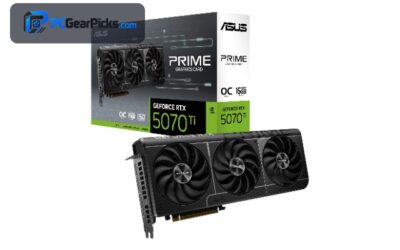
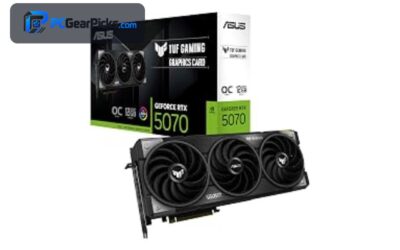
3. ASUS Prime RTX 5070 12GB – Best NVIDIA

- • 12GB GDDR7
- • AV1 NVENC + DLSS 4
- • 1440p / 4K, PCIe 5.0
- ✓ $855.99 for RTX 5070 is strong value
- ✓ A roomy 12GB frame buffer for textures and 1440p+
- ✓ CUDA + AV1 NVENC acceleration
- ✓ Well rated — 4.7/5 from 320 buyers
- ✗ Overkill for 1080p — pair with a 1440p/4K monitor
- ✗ Needs a modern PSU with the right power connector
The ASUS Prime RTX 5070 12GB is best nvidia in this roundup. For gaming it targets high-refresh 1440p and entry 4K, and at $855.99 it sits near the top of this list. Its AV1 NVENC encoder and CUDA cores also help with streaming and creative apps.
It carries a 4.7/5 rating. Pair the RTX 5070 with a matching CPU and a quality power supply, and check your case has clearance — see our components guides for balanced build advice.
Best for: 1440p/4K gamers who want near-flagship frames per dollar.
May not fit: buyers who only game at 1080p — cheaper cards suffice.
4. ASRock RX 9060 XT 16GB – Best Mid-Range

- • 16GB GDDR6, RDNA 4
- • AV1 encode
- • 1440p + huge VRAM
- ✓ $589.99 for RX 9060 XT is strong value
- ✓ A generous 16GB frame buffer for textures and 1440p+
- ✓ AV1 media engine
- ✓ Well rated — 4.8/5 from 279 buyers
- ✗ Needs a modern PSU with the right power connector
- ✗ Stock can be limited at this price
The ASRock RX 9060 XT 16GB is best mid-range in this roundup. For gaming it targets high-refresh 1440p, and at $589.99 it sits in the upper-mid range of this list. The AV1 engine handles game capture and streaming too.
It carries a 4.8/5 rating. Pair the RX 9060 XT with a matching CPU and a quality power supply, and check your case has clearance — see our components guides for balanced build advice.
Best for: 1440p high-refresh gamers on a sensible budget.
May not fit: 4K max-settings gaming or pro workstation use.
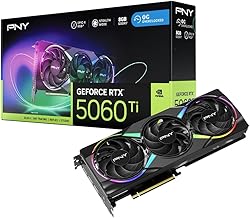
5. PNY RTX 5060 Ti 8GB – Best 1440p NVIDIA
- • 8GB GDDR7
- • AV1 NVENC + DLSS 4
- • Strong 1440p
- ✓ $514.99 for RTX 5060 Ti is strong value
- ✓ Solid frame rates for the price
- ✓ CUDA + AV1 NVENC acceleration
- ✓ Compact, fits most cases
- ✗ Needs a modern PSU with the right power connector
- ✗ Stock can be limited at this price
The PNY RTX 5060 Ti 8GB is best 1440p nvidia in this roundup. For gaming it targets high-refresh 1440p, and at $514.99 it sits in the upper-mid range of this list. Its AV1 NVENC encoder and CUDA cores also help with streaming and creative apps.
It carries a 4.5/5 rating. Pair the RTX 5060 Ti with a matching CPU and a quality power supply, and check your case has clearance — see our components guides for balanced build advice.
Best for: 1440p high-refresh gamers on a sensible budget.
May not fit: 4K max-settings gaming or pro workstation use.
6. GIGABYTE RTX 5060 8GB – Best New-Gen Value

- • 8GB GDDR7
- • AV1 NVENC + DLSS 4
- • PCIe 5.0, newest gen
- ✓ $459.99 for RTX 5060 is strong value
- ✓ Solid frame rates for the price
- ✓ CUDA + AV1 NVENC acceleration
- ✓ Well rated — 4.7/5 from 443 buyers
- ✗ Needs a modern PSU with the right power connector
- ✗ Stock can be limited at this price
The GIGABYTE RTX 5060 8GB is best new-gen value in this roundup. For gaming it targets 1080p ultra and 1440p high, and at $459.99 it sits in the upper-mid range of this list. Its AV1 NVENC encoder and CUDA cores also help with streaming and creative apps.
It carries a 4.7/5 rating. Pair the RTX 5060 with a matching CPU and a quality power supply, and check your case has clearance — see our components guides for balanced build advice.
Best for: 1440p high-refresh gamers on a sensible budget.
May not fit: 4K max-settings gaming or pro workstation use.
7. GIGABYTE RTX 3060 12GB – Best VRAM Value

- • 12GB GDDR6
- • NVENC + CUDA
- • 3,000+ ratings
- ✓ $479.99 for RTX 3060 is strong value
- ✓ A roomy 12GB frame buffer for textures and 1440p+
- ✓ CUDA + NVENC acceleration
- ✓ Well rated — 4.7/5 from 3169 buyers
- ✗ Needs a modern PSU with the right power connector
- ✗ Stock can be limited at this price
The GIGABYTE RTX 3060 12GB is best vram value in this roundup. For gaming it targets 1080p ultra and 1440p high, and at $479.99 it sits in the upper-mid range of this list. Its NVENC encoder and CUDA cores also help with streaming and creative apps.
With 3169 ratings averaging 4.7/5, it is a proven pick. Pair the RTX 3060 with a matching CPU and a quality power supply, and check your case has clearance — see our components guides for balanced build advice.
Best for: 1080p–1440p gamers chasing the best value.
May not fit: 4K max-settings gaming or pro workstation use.
8. ASRock Radeon RX 7600 8GB – Best 1080p High

- • 8GB GDDR6, RDNA 3
- • AV1 encode
- • 1080p high / 1440p
- ✓ $349.99 for RX 7600 is strong value
- ✓ Solid frame rates for the price
- ✓ AV1 media engine
- ✓ Compact, fits most cases
- ✗ Needs a modern PSU with the right power connector
- ✗ Stock can be limited at this price
The ASRock Radeon RX 7600 8GB is best 1080p high in this roundup. For gaming it targets 1080p ultra and 1440p high, and at $349.99 it sits in the value sweet spot of this list. The AV1 engine handles game capture and streaming too.
It carries a 4.3/5 rating. Pair the RX 7600 with a matching CPU and a quality power supply, and check your case has clearance — see our components guides for balanced build advice.
Best for: 1080p–1440p gamers chasing the best value.
May not fit: 4K max-settings gaming or pro workstation use.
9. ASRock Intel Arc B570 10GB – Best Budget AV1

- • 10GB GDDR6
- • AV1 hardware encode
- • 1080p/1440p value
- ✓ $289.99 for Arc B570 is strong value
- ✓ Solid frame rates for the price
- ✓ AV1 media engine
- ✓ Well rated — 4.6/5 from 133 buyers
- ✗ Arc drivers still maturing for older games
- ✗ Needs a modern PSU with the right power connector
The ASRock Intel Arc B570 10GB is best budget av1 in this roundup. For gaming it targets 1080p ultra and 1440p high, and at $289.99 it sits in the value sweet spot of this list. The AV1 engine handles game capture and streaming too.
It carries a 4.6/5 rating. Pair the Arc B570 with a matching CPU and a quality power supply, and check your case has clearance — see our components guides for balanced build advice.
Best for: 1080p–1440p gamers chasing the best value.
May not fit: 4K max-settings gaming or pro workstation use.
10. Radeon RX 5700 XT 8GB – Best Ultra-Value

- • 8GB GDDR6, 256-bit
- • 1440p-capable
- • PCIe 4.0
- ✓ $219.99 for RX 5700 XT is strong value
- ✓ Solid frame rates for the price
- ✓ VCN media engine
- ✓ Compact, fits most cases
- ✗ Generic-brand listing with few reviews so far
- ✗ Needs a modern PSU with the right power connector
The Radeon RX 5700 XT 8GB is best ultra-value in this roundup. For gaming it targets 1080p ultra and 1440p high, and at $219.99 it sits in the value sweet spot of this list. The VCN engine handles game capture and streaming too.
It carries a 4.3/5 rating. Pair the RX 5700 XT with a matching CPU and a quality power supply, and check your case has clearance — see our components guides for balanced build advice.
Best for: 1080p–1440p gamers chasing the best value.
May not fit: 4K max-settings gaming or pro workstation use.
11. ASUS Dual RTX 3050 6GB – Best Entry Pick

- • 6GB GDDR6
- • NVENC + CUDA
- • 1143 buyer ratings
- ✓ $257.22 for RTX 3050 is strong value
- ✓ Runs cool and sips power
- ✓ CUDA + NVENC acceleration
- ✓ Well rated — 4.7/5 from 1143 buyers
- ✗ 6GB VRAM limits max textures at 1440p
- ✗ Needs a modern PSU with the right power connector
The ASUS Dual RTX 3050 6GB is best entry pick in this roundup. For gaming it targets smooth 1080p, and at $257.22 it sits in the value sweet spot of this list. Its NVENC encoder and CUDA cores also help with streaming and creative apps.
With 1143 ratings averaging 4.7/5, it is a proven pick. Pair the RTX 3050 with a matching CPU and a quality power supply, and check your case has clearance — see our components guides for balanced build advice.
Best for: budget 1080p gamers and esports players.
May not fit: 4K gaming or 1440p ultra with heavy textures.
How to Choose a Gaming GPU Under $1000
Picking a graphics card under $1000 is about matching the GPU to your monitor and the games you actually play. Spend where it counts — resolution and frame rate — and don’t overpay for power you won’t use. Here is how to read the picks above.
You usually don’t need to spend the full $1000
This is the honest part: several cards here cost far less than $1000 yet deliver excellent 1440p gaming. GIGABYTE RX 9070 XT 16GB is our top pick, but the real value sweet spot sits around $500–$700. Unless you game at 4K or high-refresh 1440p, a mid-priced card plus the savings toward a better monitor or CPU is the smarter buy.
Match the GPU to your monitor
A 1080p 144Hz screen is well served by the $400–$600 cards here; step up to the RX 9070/9070 XT or RTX 5070 only if you run 1440p high-refresh or 4K. There is no point buying more GPU than your display can show.
VRAM and features
More VRAM helps with high-resolution textures and future games: 8GB is the comfortable modern baseline, 12–16GB future-proofs you, and 4–6GB cards are best for 1080p and esports. Newer cards add AV1 encoding (great for streaming) and upscaling like DLSS 4 or FSR that boosts frame rates for free.
Check power and fit
Confirm your power supply has the right wattage and connectors, and measure your case for card length. Lower-power picks here run on modest PSUs, while the faster cards want a quality 650W+ unit. Our PC build buying guides cover PSU sizing in detail.
Frequently Asked Questions
What is the best gaming GPU under $1000?
Our top pick is the GIGABYTE RX 9070 XT 16GB, which offers the best balance of performance and price in this range for 2026. The full list above covers strong alternatives at several price points.
Do I need to spend close to $1000?
No. Many buyers are best served by the $500–$700 cards here, which handle 1440p beautifully. Spend near $1000 only for 4K or high-refresh 1440p; otherwise put the savings toward your monitor, CPU or storage.
How much VRAM do I need?
For 1080p, 6–8GB is fine; for 1440p and future titles, 8GB or more is safer, and 12–16GB cards give real headroom. Check the VRAM in the table above against the games and resolution you target.
Will these GPUs fit my PC?
Check two things: your power supply’s wattage and connectors, and your case’s clearance for card length. The low-power cards here fit small builds; the faster ones want a mid-tower and a 650W+ PSU.
New or used — is a used GPU worth it?
A new card with warranty and current features (like AV1 encode and DLSS 4 / FSR) is the safer buy. Used cards can save money but carry no warranty and may be ex-mining units, so buy only from trusted sellers.
Final Verdict
For the best gaming GPU under $1000, the GIGABYTE RX 9070 XT 16GB is our overall winner — it nails the balance of frame rate and price for 2026. The ASRock Radeon RX 9070 16GB is our value pick, and the ASUS Prime RTX 5070 12GB rounds out a great shortlist. Remember you rarely need to spend the full $1000 — buy the card your monitor can use and invest the rest elsewhere.
Whichever you choose, pair it with a balanced build. See our components guides and PC buying guides to match your new GPU with the right CPU, PSU and memory.
No reviews yet. Be the first to share your experience!