

CAD rewards a different set of priorities than gaming. Smooth viewport navigation, driver stability, enough VRAM for your model sizes, and solid multi-monitor support matter far more than peak frame rates. The good news is that modern consumer cards handle mainstream CAD — AutoCAD, Fusion 360, SketchUp, Revit — very well without the price of a certified workstation GPU.
The nuance is certification: a few high-end packages (SolidWorks, CATIA) formally certify professional drivers, so a certification-dependent shop may need to spend more. For everyone else — students, freelancers, small firms — the budget cards below are more than enough. We weigh VRAM, drivers, and efficiency for each. For the adjacent rendering workflow, see our 3D rendering GPU guide and the components hub.
Top 3 Best Budget CAD GPUs at a Glance
Best Budget GPUs for CAD in 2027
| GPU | Best For | Key Spec | Rating | Price |
|---|---|---|---|---|
| GeForce RTX 3060 12GB | Best Overall for CAD | Ampere, 12GB | 4.7★ (3168) | Check Price |
| GeForce RTX 3050 8GB | Best Value | Ampere, 8GB | 4.7★ (1143) | Check Price |
| Radeon RX 7600 8GB | Best AMD Pick | RDNA 3, 8GB | 4.6★ (294) | Check Price |
| Radeon RX 9060 XT 16GB | Best for Large Assemblies | RDNA 4, 16GB | 4.7★ (357) | Check Price |
| Radeon RX 6600 8GB | Best Efficient / Multi-Monitor | RDNA 2, 8GB | 4.6★ (145) | Check Price |
| Radeon RX 6400 4GB | Best for 2D CAD / Entry | RDNA 2, 4GB | 4.3★ (120) | Check Price |
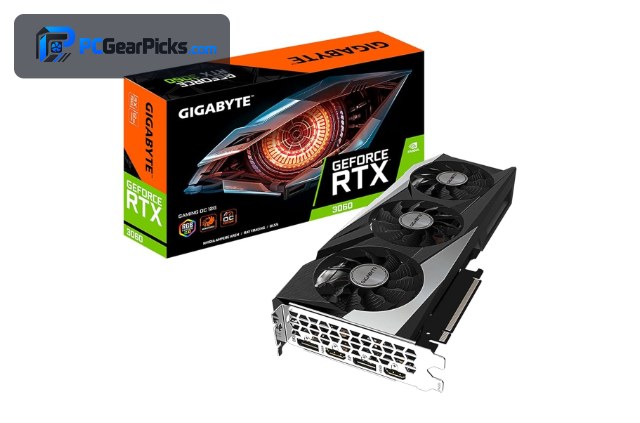
1. GeForce RTX 3060 12GB – Best Overall for CAD

- ✓ 12GB handles large assemblies
- ✓ Smooth viewport in AutoCAD/Fusion/Revit
- ✓ Rock-solid NVIDIA Studio drivers
- ✗ Not a certified workstation card
- ✗ More than entry CAD needs cost
For budget CAD the RTX 3060 12GB is the most dependable pick. Its 12GB of VRAM keeps large AutoCAD drawings, Fusion 360 assemblies, and Revit models moving smoothly, and NVIDIA’s Studio drivers are well-tested against the major design apps.
It isn’t a certified Quadro-class workstation card, so a SolidWorks shop chasing certification may want to budget higher — but for freelancers, students, and most small firms it delivers reliable, smooth CAD performance for the money.
Best for: AutoCAD, Fusion 360, and Revit users wanting headroom
May not fit: Shops that require certified workstation drivers
2. GeForce RTX 3050 8GB – Best Value

- ✓ Reliable drivers for 2D/3D CAD
- ✓ 8GB is plenty for mid-size models
- ✓ Quiet and efficient
- ✗ 8GB limits very large assemblies
- ✗ No AV1
The RTX 3050 8GB is the value sweet spot for CAD. Most 2D drafting and mid-size 3D models never come close to filling 8GB, and NVIDIA’s mature drivers mean fewer viewport glitches in AutoCAD and SketchUp.
Step up to the RTX 3060 only if you routinely open very large assemblies; otherwise this card covers the majority of everyday CAD work at a noticeably lower price.
Best for: Students and drafters on mainstream 2D/3D CAD
May not fit: Massive multi-thousand-part assemblies
3. Radeon RX 7600 8GB – Best AMD Pick

- ✓ Modern RDNA 3, efficient
- ✓ 8GB GDDR6
- ✓ Handles Fusion/SketchUp well
- ✗ Fewer certified-driver options
- ✗ 8GB ceiling
The RX 7600 is a solid AMD choice for apps like Fusion 360, SketchUp, and AutoCAD that run happily on consumer Radeon drivers. It’s modern, efficient, and pairs nicely with a multi-monitor desk setup.
AMD has fewer app-certified driver programs than NVIDIA for high-end CAD, so verify your specific software, but for mainstream design work this card is capable and well priced.
Best for: Fusion 360 / SketchUp users who prefer AMD
May not fit: Software that specifically certifies NVIDIA drivers
4. Radeon RX 9060 XT 16GB – Best for Large Assemblies

- ✓ 16GB for huge models
- ✓ Newest RDNA 4
- ✓ Great multi-monitor support
- ✗ No workstation certification
- ✗ Overkill for 2D CAD
When your bottleneck is model size rather than raw speed, the RX 9060 XT’s 16GB is the cheapest way to get it. Large Revit and Fusion assemblies that make an 8GB card stutter load comfortably here.
It’s not a certified workstation GPU, but for budget-conscious users wrangling big models — architecture, complex mechanical assemblies — the VRAM headroom is genuinely useful.
Best for: Large-assembly and architectural modeling on a budget
May not fit: Simple 2D drafting that never needs the VRAM
5. Radeon RX 6600 8GB – Best Efficient / Multi-Monitor

- ✓ Low ~132W power draw
- ✓ Drives multiple displays well
- ✓ Quiet operation
- ✗ No CUDA for GPU-accelerated CAD extras
- ✗ RDNA 2 lacks AV1
The RX 6600 suits a tidy, quiet CAD workstation that drives two or three monitors. Its low power draw keeps the machine cool during long drafting sessions, and it handles mid-size models without fuss.
Some CAD tools use CUDA for extra GPU acceleration, which this card lacks, so if you rely on those features look to the NVIDIA options instead.
Best for: Quiet multi-monitor drafting stations
May not fit: CUDA-accelerated CAD features
6. Radeon RX 6400 4GB – Best for 2D CAD / Entry

- ✓ Low-profile, fits small/slim PCs
- ✓ Very low power
- ✓ Fine for 2D drafting
- ✗ Only 4GB VRAM
- ✗ Weak for heavy 3D
For pure 2D AutoCAD, light SketchUp, and office-style design PCs, the low-profile RX 6400 is an inexpensive, compact option that slots into slim cases and needs no extra power.
Its 4GB buffer means it isn’t built for heavy 3D assemblies, but as an entry card for 2D drafting and general design work in a small machine, it does the job cheaply.
Best for: 2D drafting and compact/slim design PCs
May not fit: Heavy 3D assemblies or large models
How to Choose a Budget GPU for CAD
Certified drivers vs consumer drivers
High-end packages like SolidWorks and CATIA certify professional workstation drivers; if your workplace requires certification, budget consumer cards may not be officially supported. But AutoCAD, Fusion 360, Revit, and SketchUp run reliably on consumer GeForce and Radeon drivers, which is what most users actually need.
VRAM scales with model size
Small 2D drawings barely touch VRAM, but large 3D assemblies and detailed architectural models demand it. 8GB covers most mid-size work; 12GB (RTX 3060) adds comfort; and 16GB (RX 9060 XT) is the budget way to handle very large assemblies.
Viewport smoothness over raw speed
In CAD you care about fluid rotation, panning, and zoom in complex scenes. Driver maturity and VRAM contribute more to that feel than headline gaming benchmarks, which is why the well-supported NVIDIA cards are a safe default.
Multi-monitor and ports
CAD users often run two or three displays. All the cards here drive multiple monitors; check the exact port mix (HDMI/DisplayPort) against your screens, and favour efficient cards like the RX 6600 if the machine runs all day.
When a cheap 4GB card is enough
If you only do 2D drafting or light modeling, a compact card like the RX 6400 keeps costs and case size down. Spend the savings on RAM and a fast SSD, which also speed up CAD workflows.
Frequently Asked Questions
What is the best budget GPU for CAD in 2027?
The RTX 3060 12GB is our overall pick for its mix of ample VRAM, smooth viewport performance, and mature NVIDIA Studio drivers. The RTX 3050 8GB is the better value for mainstream 2D/3D work that doesn’t need 12GB.
Do I need a workstation (Quadro/Radeon Pro) card for CAD?
Usually not on a budget. Certified workstation drivers matter mainly for SolidWorks and CATIA in professional environments. AutoCAD, Fusion 360, Revit, and SketchUp run well on the consumer cards listed here.
How much VRAM do I need for CAD?
8GB handles most 2D and mid-size 3D work. Step up to 12GB (RTX 3060) or 16GB (RX 9060 XT) if you routinely open very large assemblies or detailed architectural models, where VRAM is the real bottleneck.
Is AMD or NVIDIA better for CAD?
Both work. NVIDIA has broader app certification and some CUDA-accelerated CAD features, making it the safer default. AMD cards like the RX 7600 and RX 9060 XT are capable and offer more VRAM per dollar for apps that run on consumer drivers.
Can I use the same GPU for CAD and gaming?
Yes. These cards all game at 1080p as well, so a card like the RTX 3060 or RX 7600 doubles as a CAD workstation by day and a gaming GPU after hours.
Final Verdict
For budget CAD, prioritise VRAM, driver stability, and multi-monitor support over raw gaming speed. The RTX 3060 12GB is the most dependable all-rounder, the RTX 3050 is the smart value for mainstream work, and the 16GB RX 9060 XT is the budget answer to very large assemblies. Unless your software demands certified workstation drivers, you don’t need to spend more — put the savings toward RAM and a fast SSD. See our 3D rendering GPU picks for the next step up in creator workloads.
No reviews yet. Be the first to share your experience!