

Video editing and rendering scale with CPU cores — more cores mean faster exports and smoother timelines in Premiere Pro, DaVinci Resolve and Blender. We compared real, in-stock processors to find the best value multi-core chips for creators who don’t want to pay workstation prices in 2026.
Below are our top 7 budget CPUs for video editing, ranked by cores, speed and price. Doing other work too? See our picks for programming and streaming, or browse all PC components.
Top 3 Best Budget CPUs for Video Editing at a Glance

- • 12 cores / 24 threads
- • Socket AM5 (Zen 5)
- • Up to 5.6 GHz
- • DDR5, 12 cores
- • 20 cores / 28 threads
- • LGA1700 (8P+12E)
- • Up to 5.6 GHz
- • iGPU, 20 cores

- • 12 cores / 24 threads
- • Socket AM5 (Zen 4)
- • Up to 5.6 GHz
- • DDR5, basic iGPU
Best Budget CPU for Video Editing in 2026
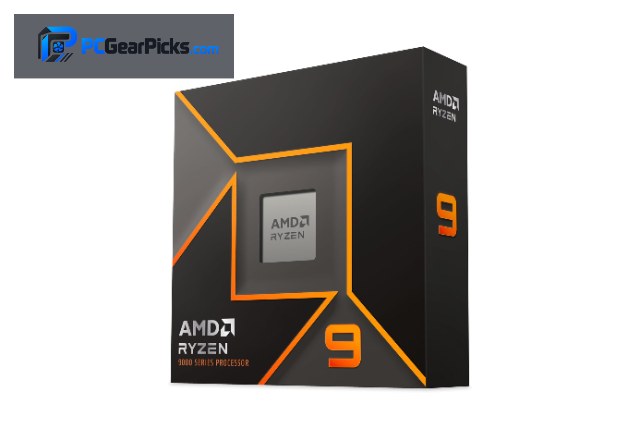
1. AMD Ryzen 9 9900X – Best Overall
- • 12 cores / 24 threads
- • Socket AM5 (Zen 5)
- • Up to 5.6 GHz
- • DDR5, 12 cores
- ✓ 12 cores and 24 threads for fast exports
- ✓ Up to 5.6 GHz
- ✓ Excellent for rendering
- ✓ Future-proof AM5
- ✗ High power draw when rendering
- ✗ DDR5 + AM5 board required
- ✗ Pricey if you only edit casually
Video editing and rendering love cores, and the AMD Ryzen 9 9900X delivers 12 cores and 24 threads at $328. That high core count slashes export and render times in Premiere Pro, DaVinci Resolve and Blender.
It drops into the modern AM5 platform, so you can upgrade CPUs for years but will need DDR5 memory and an AM5 board. Boost up to 5.6 GHz helps timeline scrubbing and single-threaded effects.
Best for: editors and 3D artists who render and export often on a budget.
May not fit: casual users who rarely export video.
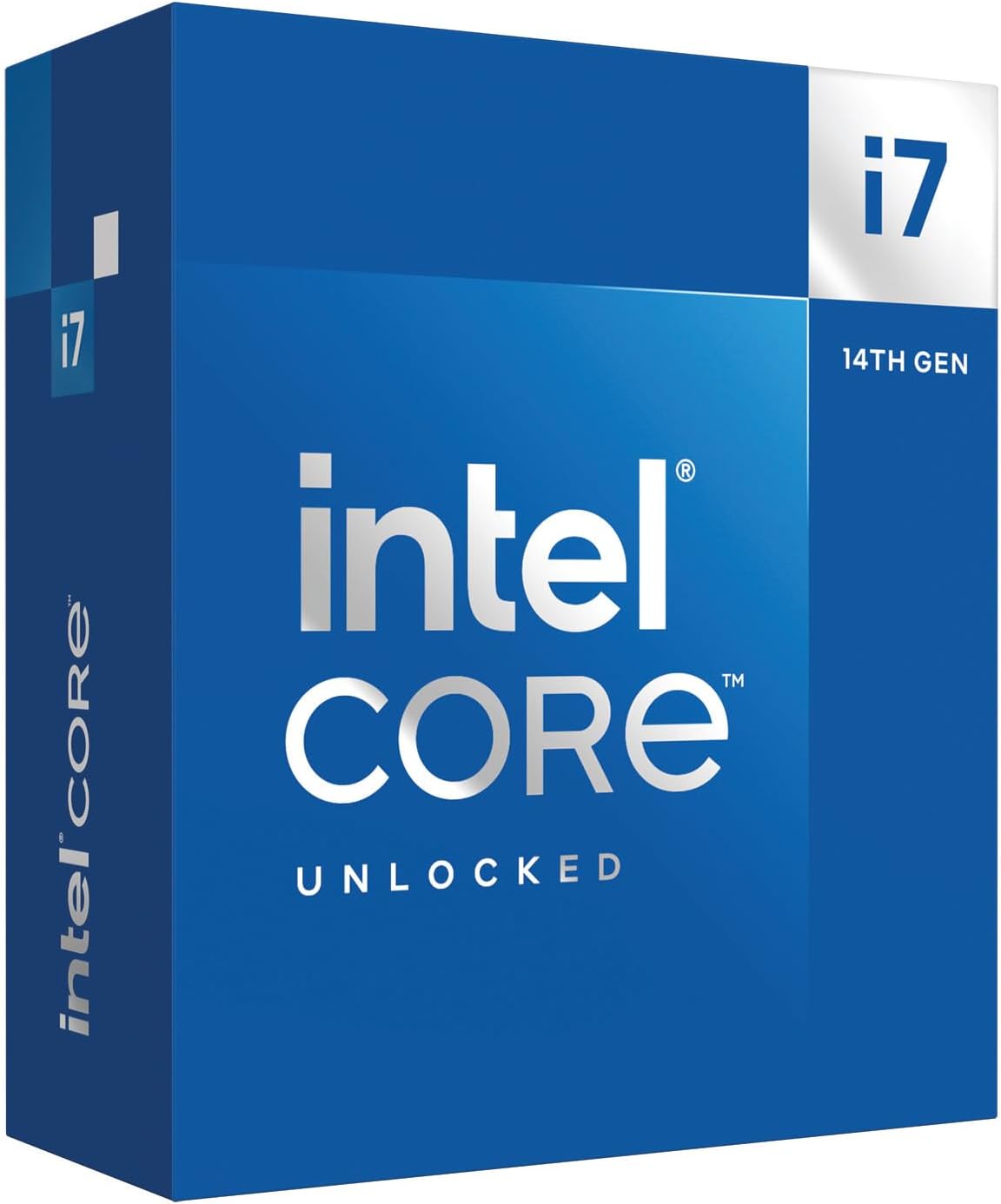
2. Intel Core i7-14700K – Best for Rendering
- • 20 cores / 28 threads
- • LGA1700 (8P+12E)
- • Up to 5.6 GHz
- • iGPU, 20 cores
- ✓ 20 cores and 28 threads for fast exports
- ✓ Up to 5.6 GHz
- ✓ Excellent for rendering
- ✓ Flexible LGA1700
- ✗ High power draw when rendering
- ✗ Aftermarket cooler recommended
- ✗ Pricey if you only edit casually
Video editing and rendering love cores, and the Intel Core i7-14700K delivers 20 cores and 28 threads at $359.99. That high core count slashes export and render times in Premiere Pro, DaVinci Resolve and Blender.
It runs on Intel’s LGA1700 platform with flexible DDR4/DDR5 support on many boards. Boost up to 5.6 GHz helps timeline scrubbing and single-threaded effects.
Best for: editors and 3D artists who render and export often on a budget.
May not fit: casual users who rarely export video.
3. AMD Ryzen 9 7900X – Best for Exports
- • 12 cores / 24 threads
- • Socket AM5 (Zen 4)
- • Up to 5.6 GHz
- • DDR5, basic iGPU
- ✓ 12 cores and 24 threads for fast exports
- ✓ Up to 5.6 GHz
- ✓ Excellent for rendering
- ✓ Future-proof AM5
- ✗ High power draw when rendering
- ✗ DDR5 + AM5 board required
- ✗ Pricey if you only edit casually
Video editing and rendering love cores, and the AMD Ryzen 9 7900X delivers 12 cores and 24 threads at $309.93. That high core count slashes export and render times in Premiere Pro, DaVinci Resolve and Blender.
It drops into the modern AM5 platform, so you can upgrade CPUs for years but will need DDR5 memory and an AM5 board. Boost up to 5.6 GHz helps timeline scrubbing and single-threaded effects.
Best for: editors and 3D artists who render and export often on a budget.
May not fit: casual users who rarely export video.
4. Intel Core i9-12900KF – Best for Rendering (2)

- • 16 cores / 24 threads
- • LGA1700 (8P+8E)
- • Up to 5.2 GHz
- • No iGPU (F)
- ✓ 16 cores and 24 threads for fast exports
- ✓ Up to 5.2 GHz
- ✓ Excellent for rendering
- ✓ Flexible LGA1700
- ✗ High power draw when rendering
- ✗ No iGPU — needs a GPU
- ✗ Pricey if you only edit casually
Video editing and rendering love cores, and the Intel Core i9-12900KF delivers 16 cores and 24 threads at $318.99. That high core count slashes export and render times in Premiere Pro, DaVinci Resolve and Blender.
It runs on Intel’s LGA1700 platform with flexible DDR4/DDR5 support on many boards. Boost up to 5.2 GHz helps timeline scrubbing and single-threaded effects.
Best for: editors and 3D artists who render and export often on a budget.
May not fit: casual users who rarely export video.
5. AMD Ryzen 9 5900XT – Best for Rendering (3)

- • 16 cores / 32 threads
- • Socket AM4 (Zen 3)
- • Up to 4.8 GHz
- • 16 cores, unlocked
- ✓ 16 cores and 32 threads for fast exports
- ✓ Up to 4.8 GHz
- ✓ Excellent for rendering
- ✓ Affordable AM4
- ✗ High power draw when rendering
- ✗ Aftermarket cooler recommended
- ✗ Pricey if you only edit casually
Video editing and rendering love cores, and the AMD Ryzen 9 5900XT delivers 16 cores and 32 threads at $289.99. That high core count slashes export and render times in Premiere Pro, DaVinci Resolve and Blender.
It uses the mature, affordable AM4 platform with cheap DDR4 memory and boards — great value, though AM4 is near the end of its upgrade road. Boost up to 4.8 GHz helps timeline scrubbing and single-threaded effects.
Best for: editors and 3D artists who render and export often on a budget.
May not fit: casual users who rarely export video.
6. Intel Core i7-12700K – Best for Exports (2)

- • 12 cores / 20 threads
- • LGA1700 (8P+4E)
- • Up to 5.0 GHz
- • iGPU, DDR4/DDR5
- ✓ 12 cores and 20 threads for fast exports
- ✓ Up to 5.0 GHz
- ✓ Excellent for rendering
- ✓ Flexible LGA1700
- ✗ High power draw when rendering
- ✗ Aftermarket cooler recommended
- ✗ Pricey if you only edit casually
Video editing and rendering love cores, and the Intel Core i7-12700K delivers 12 cores and 20 threads at $295.57. That high core count slashes export and render times in Premiere Pro, DaVinci Resolve and Blender.
It runs on Intel’s LGA1700 platform with flexible DDR4/DDR5 support on many boards. Boost up to 5.0 GHz helps timeline scrubbing and single-threaded effects.
Best for: editors and 3D artists who render and export often on a budget.
May not fit: casual users who rarely export video.
7. AMD Ryzen 7 7700X – Best Value

- • 8 cores / 16 threads
- • Socket AM5 (Zen 4)
- • Up to 5.4 GHz
- • DDR5, basic iGPU
- ✓ 8 cores / 16 threads
- ✓ Up to 5.4 GHz
- ✓ Solid for 1080p/4K edits
- ✓ Future-proof AM5
- ✗ High power draw when rendering
- ✗ DDR5 + AM5 board required
- ✗ Pricey if you only edit casually
Video editing and rendering love cores, and the AMD Ryzen 7 7700X delivers 8 cores / 16 threads at $234.59. Eight cores handle 1080p and 4K timelines and export at a good clip.
It drops into the modern AM5 platform, so you can upgrade CPUs for years but will need DDR5 memory and an AM5 board. Boost up to 5.4 GHz helps timeline scrubbing and single-threaded effects.
Best for: prosumer editors working in 1080p and light 4K on a budget.
May not fit: casual users who rarely export video.
How to Choose a Budget CPU for Video Editing
Cores and threads
More cores help with multitasking, compiling, streaming and rendering. For pure gaming, 6–8 fast cores (like the AMD Ryzen 9 9900X) are plenty; for content creation and development, aim for 8–16.
Gaming vs productivity
Gaming leans on cache and clock speed — AMD’s X3D chips lead here. Productivity (code, video, 3D) scales with core count. Pick the chip that matches what you actually do most.
Platform: AM5 vs AM4 vs Intel LGA1700
AM5 is the most future-proof (upgrade for years) but needs DDR5 and a newer board. AM4 is cheaper and mature with DDR4. Intel’s LGA1700 supports DDR4 or DDR5 depending on the motherboard. Factor the whole platform cost, not just the chip.
Integrated graphics and the “F” suffix
Chips marked “F” (and most AMD desktop CPUs) have no usable integrated graphics, so you’ll need a discrete GPU. If you want to boot without a graphics card, choose a chip with an iGPU.
Cooler, power and value
Higher-end chips run hotter and may need an aftermarket cooler (some budget AMD chips include one). Don’t overspend — a balanced CPU like the AMD Ryzen 9 9900X often beats a pricier chip that your GPU or workload can’t fully use.
Frequently Asked Questions
What’s the best budget CPU for video editing?
Our top pick is the AMD Ryzen 9 9900X. It offers the best balance of performance, features and price in this guide for video editing.
Does the CPU or GPU matter more for editing?
Both. The GPU accelerates playback and effects; the CPU drives exports, encoding and timeline responsiveness. More CPU cores shorten render and export times significantly.
Do these CPUs come with a cooler?
Some budget AMD chips (like the Ryzen 5 2600) include a cooler; most higher-end and Intel “K” chips do not. Budget for an aftermarket cooler if yours doesn’t include one.
Will I need a new motherboard?
Possibly. AM5 and AM4 and Intel LGA1700 all use different sockets. Check that your motherboard supports the exact chip (and update the BIOS if needed) before buying.
Final Verdict
For video editing , our top recommendation is the AMD Ryzen 9 9900X (Best Overall) — it gives the best mix of performance, platform and price in this roundup. If you want to spend less, the AMD Ryzen 7 7700X is a solid cheaper alternative.
Every chip here is a real, in-stock processor with honest specs — so match it to your workload, pair it with the right motherboard and RAM, and you won’t need to overspend. Still deciding? See our related guides on best budget CPUs for programming, best budget CPUs for streaming, all PC components.
No reviews yet. Be the first to share your experience!