

A business PC asks almost the opposite of a gaming rig from its graphics card. Here the priorities are reliability, low power and noise, solid multi-monitor support, and — for some teams — a bit of compute for data work. Raw frame rates barely matter. In fact, many office machines with modern integrated graphics don’t strictly need a discrete card at all.
A dedicated GPU earns its place when you need more displays than the motherboard supports, GPU-accelerated analytics, or a small design/CAD capability. Below we rank six budget cards for business use by efficiency, display support, and dependability rather than gaming power. For design-heavy roles, our budget CAD GPU guide is the better starting point, alongside the components hub.
Top 3 Best Budget Business GPUs at a Glance
Best Budget GPUs for Business in 2027
| GPU | Best For | Key Spec | Rating | Price |
|---|---|---|---|---|
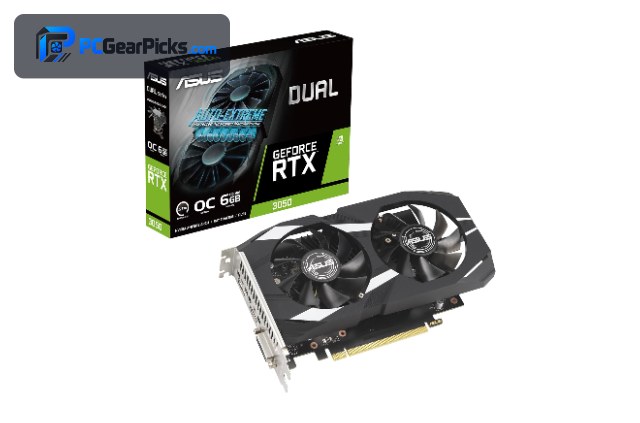
| GeForce RTX 3050 8GB | Best Overall for Business | Ampere, 8GB | 4.7★ (1143) | Check Price |
| Radeon RX 6600 8GB | Best Efficient | RDNA 2, 8GB | 4.6★ (145) | Check Price |
| Radeon RX 6400 4GB | Best Low-Profile | RDNA 2, 4GB | 4.3★ (120) | Check Price |
| Radeon RX 550 4GB | Best for Multi-Monitor | GCN, 4GB | 4.4★ (1763) | Check Price |
| GeForce RTX 3060 12GB | Best for Data / Light Workstation | Ampere, 12GB | 4.7★ (3168) | Check Price |
| GeForce GT 740 4GB | Best Ultra-Cheap Display Add-in | Kepler, 4GB | 4.4★ (125) | Check Price |
1. GeForce RTX 3050 8GB – Best Overall for Business

- ✓ Quiet, efficient, reliable drivers
- ✓ Drives multiple 1440p/4K monitors
- ✓ CUDA for light data/analytics work
- ✗ More than a pure office PC needs
- ✗ No AV1
For a business or productivity PC that wants a dependable discrete card, the RTX 3050 8GB is the sensible overall pick. It’s quiet and efficient, NVIDIA’s drivers are stable for long uptimes, and it comfortably drives several high-resolution monitors.
The bonus is CUDA: if your team dabbles in data analysis, light machine learning, or GPU-accelerated spreadsheets and dashboards, it adds real capability without jumping to a workstation card.
Best for: Productivity PCs that want reliability plus light compute
May not fit: Basic office machines that never leave a browser
2. Radeon RX 6600 8GB – Best Efficient

- ✓ Low ~132W power, runs cool
- ✓ Quiet for shared offices
- ✓ 8GB for light workloads
- ✗ No CUDA
- ✗ Overkill for pure web/office use
The RX 6600 is the efficiency choice for a business desktop: low power, quiet operation, and enough muscle for data visualization, light design, and multi-app multitasking across monitors.
It’s more card than a browser-and-email machine needs, but for a power user who also touches creative or analytics tools, it’s an efficient, cost-effective fit.
Best for: Efficient power-user desktops in shared spaces
May not fit: Pure web/office PCs or CUDA-dependent tools
3. Radeon RX 6400 4GB – Best Low-Profile

- ✓ Fits slim and SFF office PCs
- ✓ No extra power connector
- ✓ Low heat and noise
- ✗ Only 4GB VRAM
- ✗ Light workloads only
Most business desktops are small-form-factor, and the low-profile RX 6400 is built for exactly those slim cases. It needs no extra power connector and adds modern display output and light acceleration to a compact office machine.
With 4GB it’s aimed at everyday productivity and multi-monitor work rather than heavy tasks, which is precisely what most office PCs require.
Best for: Slim and small-form-factor office desktops
May not fit: Heavy design, data, or 3D workloads
4. Radeon RX 550 4GB – Best for Multi-Monitor

- ✓ Cheap way to add displays
- ✓ Very low power
- ✓ Thousands of positive ratings
- ✗ Not for any heavy work
- ✗ 4GB only
When the goal is simply more screens on a reliable, inexpensive card, the RX 550 is a proven option. It’s tiny, sips power, and has one of the largest positive rating counts on this list — ideal for trading desks, dashboards, and front-office multi-monitor setups.
It’s purely a utility card: don’t expect design or data-crunching performance, but for stable multi-display output at a low price it’s hard to beat.
Best for: Reliable multi-monitor dashboards and front-office PCs
May not fit: Any GPU-accelerated or creative workload
5. GeForce RTX 3060 12GB – Best for Data / Light Workstation

- ✓ 12GB VRAM + CUDA for analytics
- ✓ Runs light ML and data tools
- ✓ Doubles as a design card
- ✗ Highest cost here
- ✗ More than most offices need
For a business that does real data work — analytics, dashboards, light machine learning, or GPU-accelerated notebooks — the RTX 3060 12GB is the budget step into a capable light workstation. CUDA plus 12GB of VRAM goes a long way for small models and large datasets.
It’s the priciest option and overkill for routine office tasks, so reserve it for the power users and analysts on the team who will actually use the compute.
Best for: Analysts and data teams needing budget CUDA
May not fit: Standard office machines with no compute needs
6. GeForce GT 740 4GB – Best Ultra-Cheap Display Add-in

- ✓ Very inexpensive
- ✓ Low-profile and low power
- ✓ Adds outputs to an old PC
- ✗ Very weak — display use only
- ✗ Old architecture
The GT 740 exists here for one job: adding modern display outputs to an aging office PC for the lowest possible price. If a machine’s only problem is too few video ports, this is a cheap, low-power fix.
It has no meaningful compute or gaming ability, so treat it strictly as a display expansion card for legacy office hardware rather than an upgrade for any real workload.
Best for: Adding display outputs to old office PCs cheaply
May not fit: Anyone needing actual GPU performance
How to Choose a Budget GPU for Business
Do you even need a discrete GPU?
If your CPU has integrated graphics and you only run browsers, office apps, and video calls, you may not need a graphics card at all. Buy one when you need extra monitor outputs, GPU-accelerated data tools, or light design capability — otherwise put the money toward RAM and an SSD.
Multi-monitor support
Many business users live across two to four screens. All the cards here drive multiple displays; check the exact port types against your monitors. For pure multi-monitor duty, an inexpensive card like the RX 550 is plenty.
Efficiency, noise, and reliability
Office machines run all day in shared spaces, so low power draw, quiet cooling, and stable drivers matter more than speed. The RX 6600 and RX 6400 are efficient and quiet, while NVIDIA’s drivers are a safe bet for long uptimes.
When compute matters
Teams doing analytics, dashboards, or light machine learning benefit from CUDA and VRAM. The RTX 3060 12GB is the budget way to add that capability to a business desktop without a true workstation card.
Form factor fits the office
Business desktops are often small-form-factor. Confirm your case takes a full-size card, or choose a low-profile option like the RX 6400 that’s designed for slim machines.
Frequently Asked Questions
What is the best budget GPU for business in 2027?
The RTX 3050 8GB is our overall pick for a business PC that wants a dependable discrete card: quiet, efficient, great multi-monitor support, and CUDA for light data work. For pure efficiency the RX 6600 is excellent, and the RX 550 is the cheapest multi-monitor option.
Do office PCs need a graphics card?
Often not. Modern integrated graphics handle browsers, office apps, and video calls fine. Add a discrete GPU when you need more monitor outputs, GPU-accelerated analytics, or light design/CAD capability.
What GPU is best for multiple monitors?
For a simple multi-monitor setup, an inexpensive, low-power card like the RX 550 or the low-profile RX 6400 drives several displays reliably without the cost or heat of a gaming card. Match the port types to your monitors.
Can a business GPU handle data analysis or light ML?
Yes, if you choose an NVIDIA card. The RTX 3060 12GB offers CUDA and 12GB of VRAM, enough for dashboards, data tooling, and small machine-learning tasks — a budget-friendly light workstation for analysts.
Should I buy a low-profile card for an office PC?
If your desktop is small-form-factor, yes. Low-profile cards like the RX 6400 are built to fit slim cases and need no extra power connector, making them an easy, reliable upgrade for compact business machines.
Final Verdict
For business, choose a GPU for reliability, efficiency, and display support — not gaming speed. The RTX 3050 is the best all-round business card, the RX 6600 wins on efficiency, and the RX 550 is the cheapest way to add monitors. Many offices with integrated graphics can skip a discrete card entirely and spend the money on RAM and storage instead. For design-focused roles, step over to our budget CAD GPU picks.
No reviews yet. Be the first to share your experience!