

3D rendering asks different things of a graphics card than gaming does. Here, two specs dominate: VRAM (how large a scene you can fit) and compute compatibility (whether your renderer can actually use the card). Many popular GPU renderers — OctaneRender and Redshift among them — are CUDA-only, which quietly makes NVIDIA the default for a lot of budget render builds.
But if your pipeline is Blender, Cinema 4D, or Houdini, AMD and Intel are very much in play and can hand you far more VRAM per dollar. Below we rank seven budget cards for rendering with those trade-offs made explicit, so you don’t buy a cheap 16GB card only to find your renderer ignores it. For motion and export workflows, our video-editing GPU guide and components hub go deeper.
Top 3 Best Budget Rendering GPUs at a Glance
Best Budget GPUs for 3D Rendering in 2027
| GPU | Best For | Key Spec | Rating | Price |
|---|---|---|---|---|
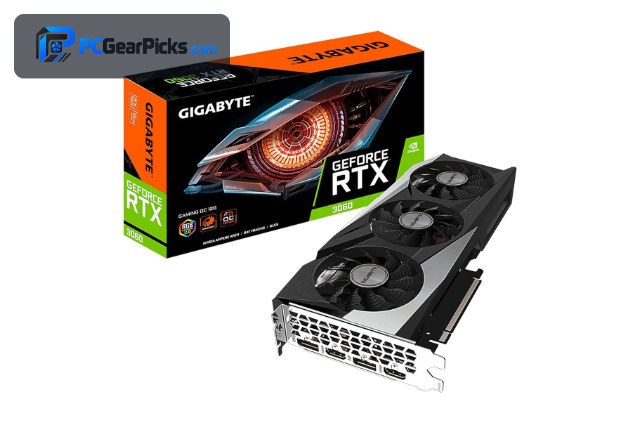
| GeForce RTX 3060 12GB | Best Overall for Rendering | Ampere, 12GB | 4.7★ (3168) | Check Price |
| GeForce RTX 3050 8GB | Best Budget CUDA | Ampere, 8GB | 4.7★ (1143) | Check Price |
| Radeon RX 9060 XT 16GB | Best VRAM Per Dollar | RDNA 4, 16GB | 4.7★ (357) | Check Price |
| Radeon RX 7600 8GB | Best AMD Value | RDNA 3, 8GB | 4.6★ (294) | Check Price |
| Intel Arc B570 10GB | Best Wildcard | Battlemage, 10GB | 4.6★ | Check Price |
| Radeon RX 6600 8GB | Best Efficient AMD | RDNA 2, 8GB | 4.6★ (145) | Check Price |
| Radeon RX 580 8GB | Best Ultra-Budget | Polaris, 8GB | 4.1★ (498) | Check Price |
1. GeForce RTX 3060 12GB – Best Overall for Rendering

- ✓ 12GB VRAM fits larger scenes
- ✓ CUDA + OptiX acceleration
- ✓ Works in every major GPU renderer
- ✗ Costs more than entry cards
- ✗ Ampere lacks AV1 encode
For budget 3D rendering the RTX 3060 12GB is the card to beat. Its 12GB of VRAM is the single most important spec here — it lets you render bigger scenes without spilling to system memory — and its CUDA cores with OptiX acceleration are supported by every major GPU renderer, including CUDA-only engines like OctaneRender and Redshift.
You won’t get RTX 40-series speed, but for Blender Cycles, KeyShot, or Redshift on a budget, nothing else at this price pairs 12GB with full renderer compatibility. It is the safest budget choice for anyone who actually renders for a living or a course.
Best for: Blender, Octane, or Redshift artists who need VRAM and CUDA
May not fit: Pure gamers who don’t render
2. GeForce RTX 3050 8GB – Best Budget CUDA

- ✓ CUDA + OptiX at a low price
- ✓ NVENC for preview exports
- ✓ Strong buyer rating
- ✗ 8GB limits scene size
- ✗ Slower than the RTX 3060
If the RTX 3060 is out of budget, the RTX 3050 8GB keeps you inside the CUDA ecosystem for much less. You still get OptiX acceleration and compatibility with CUDA-only renderers, which is the thing AMD and Intel can’t fully match.
The 8GB buffer is the limiter — complex scenes with heavy textures will fill it — so it suits smaller projects, learning, and lighter freelance work rather than huge production scenes.
Best for: Students and hobbyists who need CUDA on a tight budget
May not fit: Large production scenes that exceed 8GB
3. Radeon RX 9060 XT 16GB – Best VRAM Per Dollar

- ✓ 16GB VRAM for huge scenes
- ✓ Newest RDNA 4 architecture
- ✓ Great in Blender via HIP
- ✗ No CUDA — not for Octane/Redshift
- ✗ HIP is less mature than CUDA
The RX 9060 XT gives you 16GB — more than any similarly priced NVIDIA card — which is a huge deal for VRAM-bound viewport work and large Blender scenes. In Blender it renders through AMD’s HIP backend and handles memory-heavy projects the RTX 3050 simply can’t load.
The honest catch: it has no CUDA, so CUDA-only renderers (OctaneRender, Redshift) won’t use it. If your pipeline is Blender, Cinema 4D with Cycles, or Houdini, it’s a superb value; if it’s Octane, buy NVIDIA.
Best for: Blender artists who need maximum VRAM cheaply
May not fit: OctaneRender or Redshift users (CUDA-only)
4. Radeon RX 7600 8GB – Best AMD Value

- ✓ Modern RDNA 3 with AV1
- ✓ 8GB and efficient
- ✓ Good Blender HIP performance
- ✗ No CUDA support
- ✗ 8GB caps scene size
The RX 7600 is a sensible mid-budget AMD option for Blender and Cinema 4D workflows. RDNA 3 renders well through HIP and its AV1 encoder is a bonus if you also produce turntable videos or clips of your work.
As with all Radeon cards it’s locked out of CUDA-only engines, but inside Blender it holds its own and sips less power than the old RX 580.
Best for: Blender users wanting modern AMD features on a budget
May not fit: Anyone tied to a CUDA-only renderer
5. Intel Arc B570 10GB – Best Wildcard

- ✓ 10GB VRAM for the price
- ✓ AV1 encode
- ✓ Blender oneAPI support improving
- ✗ Newer platform, driver maturity varies
- ✗ Not for CUDA-only renderers
Intel’s Arc B570 is the value wildcard: 10GB of VRAM and AV1 encoding for under $300. Blender supports Intel’s oneAPI backend, so it can render Cycles scenes, and its generous VRAM punches above its price.
Intel’s creator-app drivers have matured a lot but still trail NVIDIA’s, so it’s best for Blender-centric hobbyists who want lots of VRAM cheaply rather than mission-critical studio work.
Best for: Budget Blender users who want 10GB for under $300
May not fit: Studios needing proven, broad renderer support
6. Radeon RX 6600 8GB – Best Efficient AMD

- ✓ Very low power draw
- ✓ 8GB GDDR6
- ✓ Quiet and cool
- ✗ No CUDA
- ✗ RDNA 2 lacks AV1 encode
The RX 6600 is the efficiency pick for a small render box — around 132W means it runs cool and quiet in a compact workstation. In Blender’s HIP backend it renders light-to-medium scenes competently.
It’s a secondary choice for rendering specifically because of the CUDA gap, but if your pipeline is AMD-friendly and you value a quiet, efficient machine, it fits.
Best for: Quiet, efficient Blender/HIP render boxes
May not fit: CUDA pipelines or very large scenes
7. Radeon RX 580 8GB – Best Ultra-Budget

- ✓ 8GB for very little money
- ✓ Usable in Blender OpenCL/HIP
- ✓ Cheapest way to start
- ✗ Old architecture, slow renders
- ✗ High power draw
The RX 580 8GB is the absolute entry point — it has the 8GB buffer that matters and can render in Blender, so a complete beginner can start learning GPU rendering for around $130.
Render times will be noticeably slower than the newer cards and it lacks modern acceleration, so treat it as a learning card you’ll outgrow rather than a production tool.
Best for: Absolute beginners learning GPU rendering cheaply
May not fit: Deadline-driven or complex production work
How to Choose a Budget GPU for 3D Rendering
CUDA vs HIP vs oneAPI: match the GPU to your renderer
This is the decision that matters most. OctaneRender and Redshift are CUDA-only, so they need NVIDIA (the RTX 3060 or RTX 3050). Blender, Cinema 4D (Cycles), and Houdini also support AMD (HIP) and Intel (oneAPI), which opens up high-VRAM cards like the RX 9060 XT. Check your renderer’s supported backends before you buy.
VRAM decides your scene size
When a scene doesn’t fit in VRAM, renders slow down dramatically or fail. 8GB handles most learning and light freelance work; 12GB (RTX 3060) is a comfortable step up; and 16GB (RX 9060 XT) lets you load texture-heavy and high-poly scenes that would choke a smaller card.
Render speed vs budget
Newer architectures render faster, but on a budget you’re trading some speed for affordability. The RTX 3060 and RX 9060 XT are the quickest here; the RX 580 is the slowest and best treated as a learning card. Decide how much your time per render is worth.
Does encoding matter to you?
If you export turntables, animations, or clips of your work, a hardware encoder helps. The RTX cards bring NVENC (H.264/HEVC), while the RX 7600, RX 9060 XT, and Arc B570 add AV1 for smaller, higher-quality files.
Viewport vs final render
A smooth viewport makes modeling pleasant, while final-render speed affects deadlines. VRAM helps both. If you spend most of your time modeling large scenes, prioritise the 12GB–16GB cards; if you mostly render smaller projects, an 8GB card is enough.
Frequently Asked Questions
What is the best budget GPU for 3D rendering in 2027?
The GeForce RTX 3060 12GB is our top pick because it combines 12GB of VRAM with CUDA and OptiX, so it works in every major renderer including CUDA-only engines. For Blender users who want maximum VRAM, the 16GB RX 9060 XT is the value alternative.
Do I need an NVIDIA GPU for 3D rendering?
Only if your renderer is CUDA-only. OctaneRender and Redshift require NVIDIA. Blender, Cinema 4D (Cycles), and Houdini also support AMD (HIP) and Intel (oneAPI), so you can use a Radeon or Arc card with them.
How much VRAM do I need for rendering?
8GB is the practical minimum for learning and light work. 12GB (RTX 3060) is comfortable for most freelance projects, and 16GB (RX 9060 XT) is best for large, texture-heavy scenes. VRAM, not raw speed, is usually what stops a budget card.
Is the RX 9060 XT good for rendering despite having no CUDA?
In Blender, Cinema 4D, and other HIP-capable apps, yes — its 16GB buffer is excellent value. But it cannot be used by CUDA-only renderers like Octane or Redshift, so confirm your software supports AMD before choosing it.
Can I render on a cheap card like the RX 580?
Yes, in Blender it works and its 8GB is usable, which makes it a fine learning card at around $130. Expect noticeably longer render times than the newer cards, so you’ll likely upgrade once you’re doing serious work.
Final Verdict
For budget 3D rendering, buy for VRAM and renderer compatibility, not frames per second. The RTX 3060 12GB is the best all-round pick because it runs in every renderer and has the VRAM to match; the RTX 3050 is the cheaper CUDA option; and Blender-first artists get the most VRAM per dollar from the 16GB RX 9060 XT. Match the card to the software you actually use, and you won’t overspend. See our video-editing GPU roundup for the adjacent creator workflow.
No reviews yet. Be the first to share your experience!