

Want to game and stream from one machine without dropping frames? Under $1,000 you can get a prebuilt desktop with an NVIDIA NVENC-capable GPU and enough CPU cores to run your game and OBS side by side — no second PC required.
Here are our top 7 prebuilt PCs for streaming in 2026, chosen for encode headroom and real value. Want more power for 1080p60 or 1440p streams? See our picks under $1,200 for streaming and under $1,500 for streaming, or browse all prebuilt PCs.
Top 3 Best Prebuilt Streaming PCs Under $1,000 at a Glance

- • AMD Ryzen 5 5500 (6-core)
- • GeForce RTX 3060 Ti 8GB
- • 16GB DDR4
- • 512GB NVMe SSD

- • Intel Core i7 (up to 4.1GHz)
- • GeForce RTX 3050 6GB
- • 16GB
- • 512GB SSD
Best Prebuilt PC Under $1,000 for Streaming in 2026
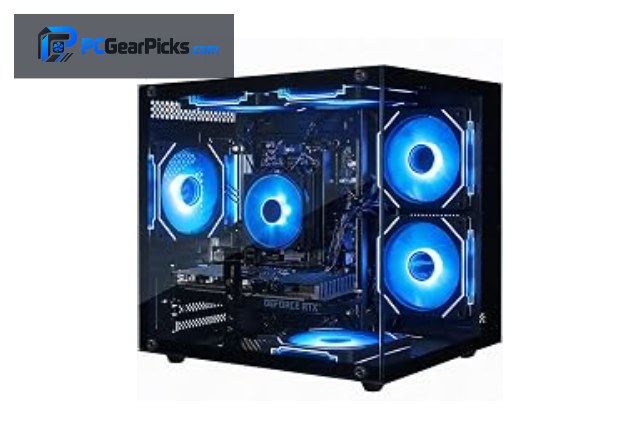
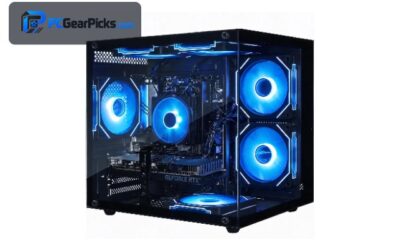
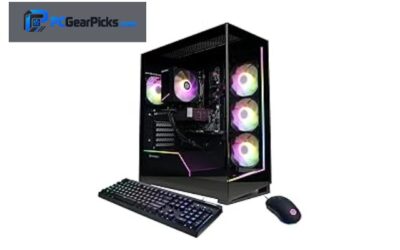
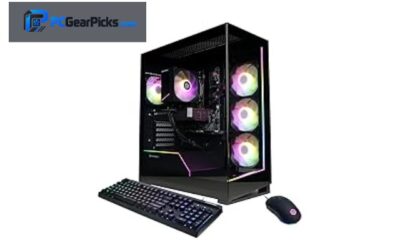
1. Ryzen 5 5500 + RTX 3060 Ti Gaming Desktop – Best Overall
- • AMD Ryzen 5 5500 (6-core)
- • GeForce RTX 3060 Ti 8GB
- • 16GB DDR4
- • 512GB NVMe SSD
- ✓ NVENC encoder streams with minimal FPS hit
- ✓ AMD Ryzen 5 5500 (6-core)
- ✓ 16GB DDR4 and 512GB NVMe SSD
- ✓ Wi-Fi + Windows 11 ready for OBS
- ✗ Highest-quality x264 at 1440p wants more cores
- ✗ 16GB RAM is plenty for gaming but power users may want more
- ✗ 512GB fills up fast once you install a few large games
For streaming, what matters is encode headroom, and the Ryzen 5 5500 + RTX 3060 Ti Gaming Desktop delivers it with a AMD Ryzen 5 5500 (6-core) plus GeForce RTX 3060 Ti 8GB. NVIDIA NVENC lets you stream and record in OBS with almost no impact on in-game frame rates. You get 16GB DDR4 and a 512GB NVMe SSD for your scenes and recordings.
The six-core CPU is enough for GPU-encoded 1080p streams while you play. At $899.98 under $1,000, this is a practical single-PC streaming setup.
Best for: single-PC streamers who want to play and broadcast at 1080p under $1,000 with NVENC.
May not fit: dual-PC broadcast rigs or 1440p/4K 60fps streaming at max bitrate.
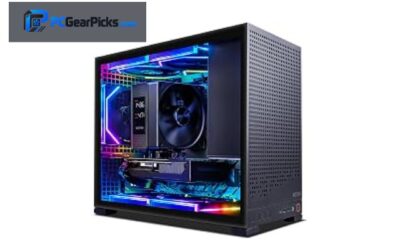
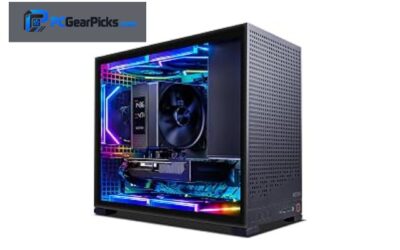
2. Core i7 + RTX 3050 Desktop (32GB RAM) – Best for Game + Encode

- • Intel Core i7
- • GeForce RTX 3050 6GB
- • 32GB
- • 1TB SSD
- ✓ NVENC encoder streams with minimal FPS hit
- ✓ Intel Core i7 (8 cores) for game+encode
- ✓ 32GB and 1TB SSD
- ✓ Wi-Fi + Windows 11 ready for OBS
- ✗ Highest-quality x264 at 1440p wants more cores
- ✗ 16GB works but 32GB is nicer for multitasking
- ✗ Long VOD recordings need extra storage
For streaming, what matters is encode headroom, and the Core i7 + RTX 3050 Desktop (32GB RAM) delivers it with a Intel Core i7 plus GeForce RTX 3050 6GB. NVIDIA NVENC lets you stream and record in OBS with almost no impact on in-game frame rates. You get 32GB and a 1TB SSD for your scenes and recordings.
With eight CPU cores you have room to game and run x264 software encoding at the same time for the best quality. At $899 under $1,000, this is a practical single-PC streaming setup — and 32GB RAM keeps OBS, your game, a browser and chat tools running smoothly together.
Best for: single-PC streamers who want to play and broadcast at 1080p under $1,000 with NVENC.
May not fit: dual-PC broadcast rigs or 1440p/4K 60fps streaming at max bitrate.
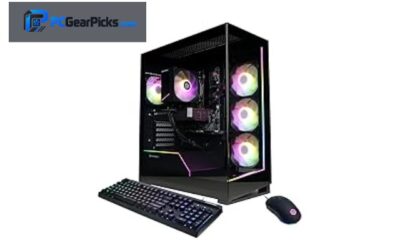
3. Core i7 + RTX 3050 Gaming Desktop – Best for Game + Encode (2)
- • Intel Core i7 (up to 4.1GHz)
- • GeForce RTX 3050 6GB
- • 16GB
- • 512GB SSD
- ✓ NVENC encoder streams with minimal FPS hit
- ✓ Intel Core i7 (up to 4.1GHz) (8 cores) for game+encode
- ✓ 16GB and 512GB SSD
- ✓ Wi-Fi + Windows 11 ready for OBS
- ✗ Highest-quality x264 at 1440p wants more cores
- ✗ 16GB RAM is plenty for gaming but power users may want more
- ✗ 512GB fills up fast once you install a few large games
For streaming, what matters is encode headroom, and the Core i7 + RTX 3050 Gaming Desktop delivers it with a Intel Core i7 (up to 4.1GHz) plus GeForce RTX 3050 6GB. NVIDIA NVENC lets you stream and record in OBS with almost no impact on in-game frame rates. You get 16GB and a 512GB SSD for your scenes and recordings.
With eight CPU cores you have room to game and run x264 software encoding at the same time for the best quality. At $699.98 under $1,000, this is a practical single-PC streaming setup.
Best for: single-PC streamers who want to play and broadcast at 1080p under $1,000 with NVENC.
May not fit: dual-PC broadcast rigs or 1440p/4K 60fps streaming at max bitrate.
4. Ryzen 5 5500 + RTX 3050 Desktop (1TB) – Best Budget Streamer

- • AMD Ryzen 5 5500 (6-core)
- • GeForce RTX 3050 6GB
- • 16GB DDR4
- • 1TB NVMe SSD
- ✓ NVENC encoder streams with minimal FPS hit
- ✓ AMD Ryzen 5 5500 (6-core)
- ✓ 16GB DDR4 and 1TB NVMe SSD
- ✓ Wi-Fi + Windows 11 ready for OBS
- ✗ Highest-quality x264 at 1440p wants more cores
- ✗ 16GB RAM is plenty for gaming but power users may want more
- ✗ Long VOD recordings need extra storage
For streaming, what matters is encode headroom, and the Ryzen 5 5500 + RTX 3050 Desktop (1TB) delivers it with a AMD Ryzen 5 5500 (6-core) plus GeForce RTX 3050 6GB. NVIDIA NVENC lets you stream and record in OBS with almost no impact on in-game frame rates. You get 16GB DDR4 and a 1TB NVMe SSD for your scenes and recordings.
The six-core CPU is enough for GPU-encoded 1080p streams while you play. At $929.99 under $1,000, this is a practical single-PC streaming setup.
Best for: single-PC streamers who want to play and broadcast at 1080p under $1,000 with NVENC.
May not fit: dual-PC broadcast rigs or 1440p/4K 60fps streaming at max bitrate.
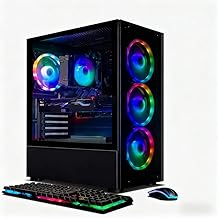
5. R5 2600 + RTX 2060 Gaming Desktop – Best Budget Streamer (2)
- • AMD Ryzen 5 2600 (6-core)
- • GeForce RTX 2060 6GB
- • 16GB DDR4
- • 512GB SSD
- ✓ NVENC encoder streams with minimal FPS hit
- ✓ AMD Ryzen 5 2600 (6-core)
- ✓ 16GB DDR4 and 512GB SSD
- ✓ Wi-Fi + Windows 11 ready for OBS
- ✗ Highest-quality x264 at 1440p wants more cores
- ✗ 16GB RAM is plenty for gaming but power users may want more
- ✗ 512GB fills up fast once you install a few large games
For streaming, what matters is encode headroom, and the R5 2600 + RTX 2060 Gaming Desktop delivers it with a AMD Ryzen 5 2600 (6-core) plus GeForce RTX 2060 6GB. NVIDIA NVENC lets you stream and record in OBS with almost no impact on in-game frame rates. You get 16GB DDR4 and a 512GB SSD for your scenes and recordings.
The six-core CPU is enough for GPU-encoded 1080p streams while you play. At $629.99 under $1,000, this is a practical single-PC streaming setup.
Best for: single-PC streamers who want to play and broadcast at 1080p under $1,000 with NVENC.
May not fit: dual-PC broadcast rigs or 1440p/4K 60fps streaming at max bitrate.
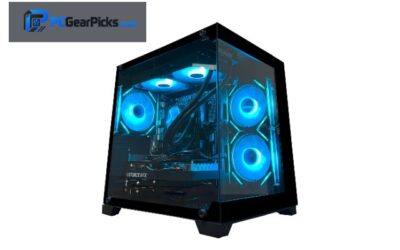
6. Q-Box Ryzen 5 5500 + RTX 3050 (Liquid-Cooled) – Best Budget Streamer (3)

- • AMD Ryzen 5 5500 (6-core)
- • GeForce RTX 3050 6GB
- • 16GB
- • 500GB SSD
- ✓ NVENC encoder streams with minimal FPS hit
- ✓ AMD Ryzen 5 5500 (6-core)
- ✓ 16GB and 500GB SSD
- ✓ Wi-Fi + Windows 11 ready for OBS
- ✗ Highest-quality x264 at 1440p wants more cores
- ✗ 16GB RAM is plenty for gaming but power users may want more
- ✗ 500GB fills up fast once you install a few large games
For streaming, what matters is encode headroom, and the Q-Box Ryzen 5 5500 + RTX 3050 (Liquid-Cooled) delivers it with a AMD Ryzen 5 5500 (6-core) plus GeForce RTX 3050 6GB. NVIDIA NVENC lets you stream and record in OBS with almost no impact on in-game frame rates. You get 16GB and a 500GB SSD for your scenes and recordings.
The six-core CPU is enough for GPU-encoded 1080p streams while you play. At $789 under $1,000, this is a practical single-PC streaming setup.
Best for: single-PC streamers who want to play and broadcast at 1080p under $1,000 with NVENC.
May not fit: dual-PC broadcast rigs or 1440p/4K 60fps streaming at max bitrate.
7. Core i7 + Radeon RX 580 Desktop (1TB) – Best for Game + Encode (3)

- • Intel Core i7
- • Radeon RX 580 8GB
- • 16GB
- • 1TB SSD
- ✓ Hardware encoder for 1080p streams
- ✓ Intel Core i7 (8 cores) for game+encode
- ✓ 16GB and 1TB SSD
- ✓ Wi-Fi + Windows 11 ready for OBS
- ✗ AMD encoder trails NVENC slightly at low bitrates
- ✗ 16GB RAM is plenty for gaming but power users may want more
- ✗ Long VOD recordings need extra storage
For streaming, what matters is encode headroom, and the Core i7 + Radeon RX 580 Desktop (1TB) delivers it with a Intel Core i7 plus Radeon RX 580 8GB. AMD’s hardware encoder handles 1080p streaming well, though NVIDIA’s NVENC is a touch cleaner at low bitrates. You get 16GB and a 1TB SSD for your scenes and recordings.
With eight CPU cores you have room to game and run x264 software encoding at the same time for the best quality. At $569.99 under $1,000, this is a practical single-PC streaming setup.
Best for: single-PC streamers who want to play and broadcast at 1080p under $1,000.
May not fit: dual-PC broadcast rigs or 1440p/4K 60fps streaming at max bitrate.
What to Look for in a Prebuilt PC for Streaming under $1,000
Encoder: NVENC vs x264
NVIDIA’s NVENC encoder (on RTX cards like the Ryzen 5 5500 + RTX 3060 Ti Gaming Desktop) streams and records with almost no FPS hit, which is ideal for single-PC setups. Software x264 encoding gives slightly better quality but needs lots of CPU cores.
CPU cores for game + encode
If you want to play and encode in software at the same time, more cores help. An eight-core Ryzen 7 has the headroom; six-core chips are better paired with GPU (NVENC) encoding.
RAM and multitasking
Streaming means running a game, OBS, a browser, chat and alerts together. 16GB is the minimum; 32GB keeps everything smooth and is worth it if your budget under $1,000 allows.
Network and storage
Wi-Fi 6 (built into these PCs) works, but wired Ethernet is more stable for live streams. Keep a roomy SSD for local VOD recordings, which add up quickly.
Webcam, capture and upgrades
Leave a little budget for a decent mic and webcam — they affect stream quality as much as the PC. Check USB ports and PCIe slots if you plan to add a capture card later.
Frequently Asked Questions
Is a prebuilt PC under $1,000 good enough for streaming?
Yes. under $1,000 you can get a balanced, ready-to-run machine that handles streaming comfortably. The Ryzen 5 5500 + RTX 3060 Ti Gaming Desktop is our top pick in this guide and covers the needs of most streaming users without overspending.
Can I stream and game on one PC?
Yes — that’s exactly what these builds are for. NVIDIA NVENC on the RTX models lets you broadcast with minimal performance loss, and eight-core CPUs add headroom for higher-quality encoding.
Should I spend up to the full $1,000 budget?
Not necessarily. A balanced build often outperforms a pricier but lopsided one. If the best pick for your needs costs less than your cap, put the savings toward a better monitor, SSD or peripherals.
Do these come with Windows and Wi-Fi?
Yes — every PC in this list ships with Windows 11 and built-in Wi-Fi, so you can set it up and start right away. For the most stable connection (especially when streaming), a wired Ethernet link is still recommended.
Final Verdict
For streaming under $1,000, our top recommendation is the Ryzen 5 5500 + RTX 3060 Ti Gaming Desktop (Best Overall) — it strikes the best balance of performance, components and price in this roundup. If you want to spend less, the Core i7 + Radeon RX 580 Desktop (1TB) is a solid cheaper alternative that still gets the job done.
Whichever you choose, every pick here is a real, in-stock prebuilt with honest specs for streaming — no need to overspend to get great results. Still comparing? See our related guides on under $1,200 for streaming, best gaming PCs under $1,000, all prebuilt PCs.
No reviews yet. Be the first to share your experience!